> ## Documentation Index
> Fetch the complete documentation index at: https://support.lumafield.com/llms.txt
> Use this file to discover all available pages before exploring further.
# Joining an Organization
> How to join your team in Voyager
If you are new to Lumafield, you will need to log in to Voyager and get access to your company's Organization in order to see scans and data from your scanner.
Log in to Voyager
There are two ways to access Voyager at [voyager.lumafield.com](http://voyager.lumafield.com):
Standard account creation
Create an account using your company email address.
Enterprise SSO
If your organization has Enterprise SSO (OAuth) configured, use the "Login with Enterprise SSO" button on the login page. This allows you to log in with your existing company credentials without creating a separate Lumafield account.
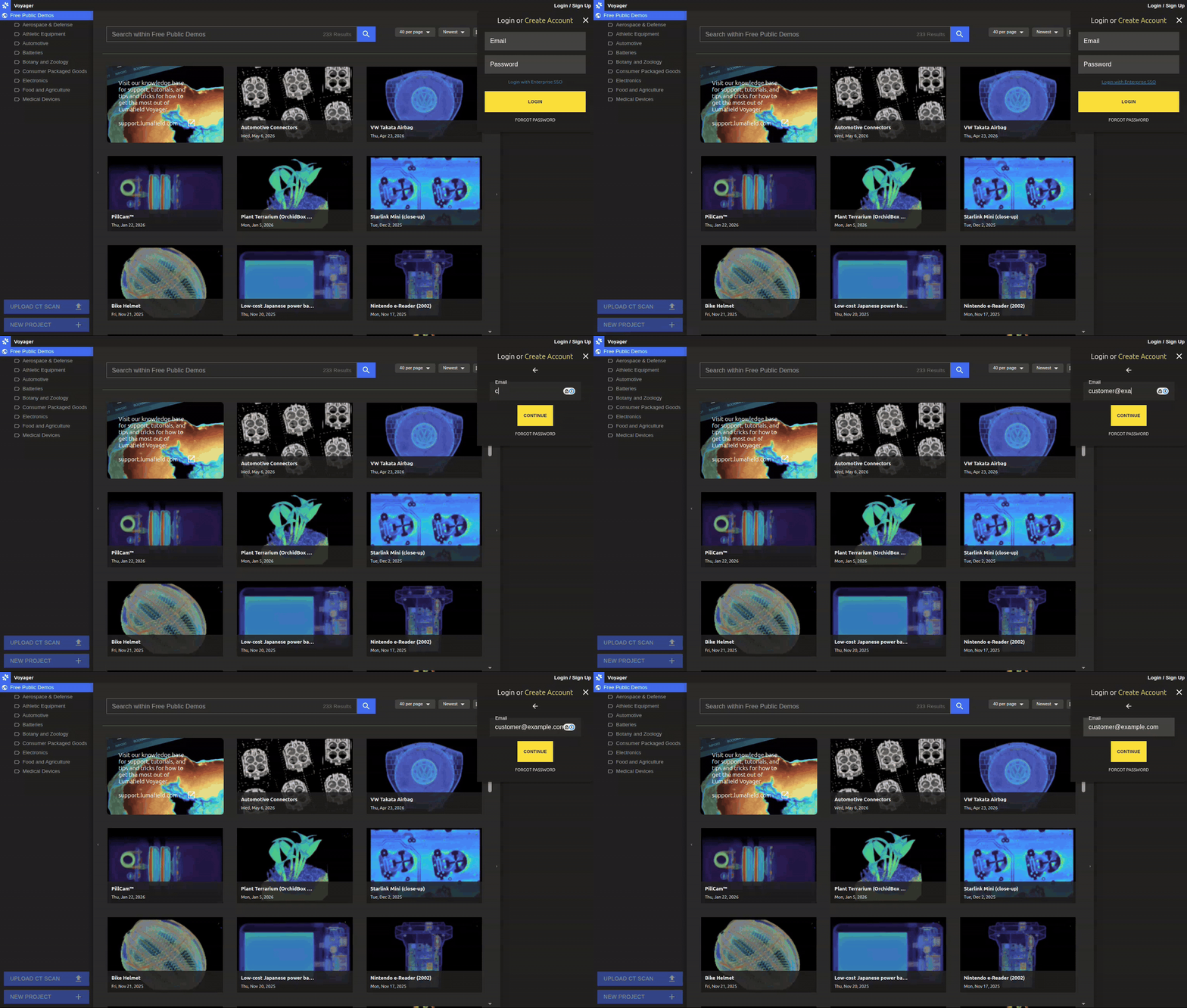 **Tip:** Not sure if your Organization has SSO enabled? Try the Enterprise SSO button or ask your IT team. To set up SSO for your Organization, contact the Lumafield team at [support@lumafield.com](mailto:support@lumafield.com).
Get access to your Organization
Once you can log in to Voyager, you will need to be added to your company's Organization and Workspaces to see your team's data.
Finding your manager
Organizations access is provisioned by Managers. Your company will have one or more managers who can:
* Add you to the Organization
* Grant access to relevant Workspaces
* Assign your role (Editor or Viewer)
Workspaces
Workspaces are groups of projects and users. Typically, managers organize their teams into different Workspaces to provision access to different groups of data. You may need access to one or multiple Workspaces depending on your role.
Need help?
* Look near the scanner for posted information about your team's manager
* Check with colleagues who already have access
* Email [support@lumafield.com](mailto:support@lumafield.com) and we can help connect you with your Organization's Manager