> ## Documentation Index
> Fetch the complete documentation index at: https://support.lumafield.com/llms.txt
> Use this file to discover all available pages before exploring further.
# Monthly Highlights
> Summary of monthly updates across the platform.
# June 2026
*This month is all about data quality and speed. We've brought **Iterative Reconstruction** and **advanced metal artifact reduction** to the Data Quality Toolkit in Labs, sped up our default reconstruction pathways by nearly 50%, and made Wall Thickness Analysis substantially faster — now with support for both meshes and volumes. We've also streamlined the Inspection Plane workflow, added View Profiles for saving your default view settings, and sharpened scan thumbnails across the platform.*
### Iterative Reconstruction & Advanced Metal Artifact Reduction in the Data Quality Toolkit
The [Data Quality Toolkit](/voyager/voyager-labs-data-quality-toolkit) in the [Labs](/voyager/voyager-labs) app gains two distinct pathways for improving data quality, each producing high-quality results:
* **Iterative Reconstruction** is now a full reconstruction pipeline in the Data Quality Toolkit, delivering a massive overall improvement in quality for best-in-class reconstruction.
* **Advanced metal artifact reduction** is new for our standard (non-iterative) pipeline, also available in the Data Quality Toolkit.
Both pathways are especially effective on densely packed, mixed-material parts like PCBs, delivering a big jump in overall data quality. Consult Lumafield for detailed guidance on when to use each technique.
### Nearly 50% Faster Reconstructions
We've delivered a nearly **50% speedup** on our default reconstruction pathways. Faster reconstructions mean less time waiting and more time analyzing, with no change to the workflows you already use.
### Wall Thickness Analysis: Faster, and Now on Meshes & Volumes
[Wall Thickness Analysis](/voyager/voyager-wall-thickness-analysis) is now substantially faster and supports both meshes and volumes. Whether you're assessing plastic packaging, thin-walled medical components, additively manufactured parts, or castings, you can now run analyses across more of your data, more quickly.
### More Updates
🛠️ **Manager Dashboard improvements**. The [Manager Dashboard](/voyager/voyager-manager-dashboard) has been updated to make workspace and user management significantly easier to navigate.
🍕 **Streamlined Inspection Plane workflow**. The [Inspection Plane](/voyager/voyager-inspection-planes) tools have been updated with a streamlined workflow, making it faster to create and work with 2D dimensions.
💾 **View Profiles**. You can now save your inspection settings as View Profiles, preserving your default view settings so you can pick up right where you left off.
🖼️ **Sharper scan thumbnails**. Scan thumbnails are now more clear, with 2× the resolution.
######
# May 2026 — Voyager 2.0
*This month, we're shipping our largest Voyager release to date. **Voyager 2.0** reorganizes the Project Editor around three task-focused [Modes](/voyager/voyager-modes) — Analysis, Dimensioning, and Reporting — and introduces [3D Auto-Dimensioning](/voyager/voyager-auto-dimensioning), the first generally-available 3D GD\&T suite inside Voyager. Manager Dashboard, scanner access controls, and language coverage all get an upgrade as well.*
### Voyager Modes
Voyager moves from a single combined toolbar into three Modes, each surfacing a curated set of Tools so the right Tool is always one click away. [Analysis Mode](/voyager/voyager-modes#analysis-mode) contains every existing Tool. [Dimensioning Mode](/voyager/voyager-modes#dimensioning-mode) is home to the new 3D GD\&T suite. [Reporting Mode](/voyager/voyager-modes#reporting-mode) consolidates Bookmarks, Renders, and Animations as the foundation of reporting and sharing in Voyager.
 *Modes give you the right Tool for the job — Analysis, Dimensioning, or Reporting — without rebuilding your Project.*
### 3D Auto-Dimensioning
[3D Auto-Dimensioning](/voyager/voyager-auto-dimensioning) is a new precision 3D measurement suite, designed initially to comply with [**ASME Y 14.5 - 2009**](https://www.asme.org/codes-standards/find-codes-standards/y14-5-dimensioning-tolerancing/2009), with a mathematical implementation based on the [**ASME Y 14.5.1 - 2019**](https://www.asme.org/codes-standards/find-codes-standards/y14-5-1-mathematical-definition-dimensioning-tolerancing-principles) mathematical definitions. Powered by Automatic Feature Extraction on full-resolution reconstruction data, it returns sub-voxel planes, cylinders, and a full-part mesh that drive every Tool in the suite:
* [**Direct Dimensions**](/voyager/voyager-direct-dimensions) — Distance, Angle, Diameter
* [**Flatness**](/voyager/voyager-flatness)
* [**Datum Definition**](/voyager/voyager-datums)
* [**Profile**](/voyager/voyager-profile) — full-part and per-feature
*Modes give you the right Tool for the job — Analysis, Dimensioning, or Reporting — without rebuilding your Project.*
### 3D Auto-Dimensioning
[3D Auto-Dimensioning](/voyager/voyager-auto-dimensioning) is a new precision 3D measurement suite, designed initially to comply with [**ASME Y 14.5 - 2009**](https://www.asme.org/codes-standards/find-codes-standards/y14-5-dimensioning-tolerancing/2009), with a mathematical implementation based on the [**ASME Y 14.5.1 - 2019**](https://www.asme.org/codes-standards/find-codes-standards/y14-5-1-mathematical-definition-dimensioning-tolerancing-principles) mathematical definitions. Powered by Automatic Feature Extraction on full-resolution reconstruction data, it returns sub-voxel planes, cylinders, and a full-part mesh that drive every Tool in the suite:
* [**Direct Dimensions**](/voyager/voyager-direct-dimensions) — Distance, Angle, Diameter
* [**Flatness**](/voyager/voyager-flatness)
* [**Datum Definition**](/voyager/voyager-datums)
* [**Profile**](/voyager/voyager-profile) — full-part and per-feature
 *Voyager's 3D Auto-Dimensioning suite extracts geometry from your scan and evaluates GD\&T directly in the Project Editor.*
Expect rapid updates as we extend these Tools and weave GD\&T functionality throughout Voyager.
### More Updates
🛠️ **Manager Dashboard refresh**. The [Manager Dashboard](/voyager/voyager-manager-dashboard) has been updated with a refreshed layout and clearer plan and usage views.
🔐 **Scanner login**. Scanner access can now be limited to user login, with managers configuring access from the Manager Dashboard. Reach out to [support@lumafield.com](mailto:support@lumafield.com) to enable scanner login for your organization.
🌐 **Expanded language support**. Voyager is now translated into **Japanese, Vietnamese, Traditional Chinese, and Simplified Chinese**, with more languages on the way.
🎨 **UI refresh in progress**. Many Tools across Voyager — including in Analysis Mode — have upgraded controls. Documentation visuals will be refreshed in subsequent releases as the new UI lands fully across the product.
######
# January 2026
*In this month's Product Update, we're excited to introduce Helical Scanning for Neptune, dramatically expanding what's possible when scanning tall or elongated parts. We're also rolling out new scanner access controls, visualization enhancements, and workflow improvements across Voyager.*
*Voyager's 3D Auto-Dimensioning suite extracts geometry from your scan and evaluates GD\&T directly in the Project Editor.*
Expect rapid updates as we extend these Tools and weave GD\&T functionality throughout Voyager.
### More Updates
🛠️ **Manager Dashboard refresh**. The [Manager Dashboard](/voyager/voyager-manager-dashboard) has been updated with a refreshed layout and clearer plan and usage views.
🔐 **Scanner login**. Scanner access can now be limited to user login, with managers configuring access from the Manager Dashboard. Reach out to [support@lumafield.com](mailto:support@lumafield.com) to enable scanner login for your organization.
🌐 **Expanded language support**. Voyager is now translated into **Japanese, Vietnamese, Traditional Chinese, and Simplified Chinese**, with more languages on the way.
🎨 **UI refresh in progress**. Many Tools across Voyager — including in Analysis Mode — have upgraded controls. Documentation visuals will be refreshed in subsequent releases as the new UI lands fully across the product.
######
# January 2026
*In this month's Product Update, we're excited to introduce Helical Scanning for Neptune, dramatically expanding what's possible when scanning tall or elongated parts. We're also rolling out new scanner access controls, visualization enhancements, and workflow improvements across Voyager.*
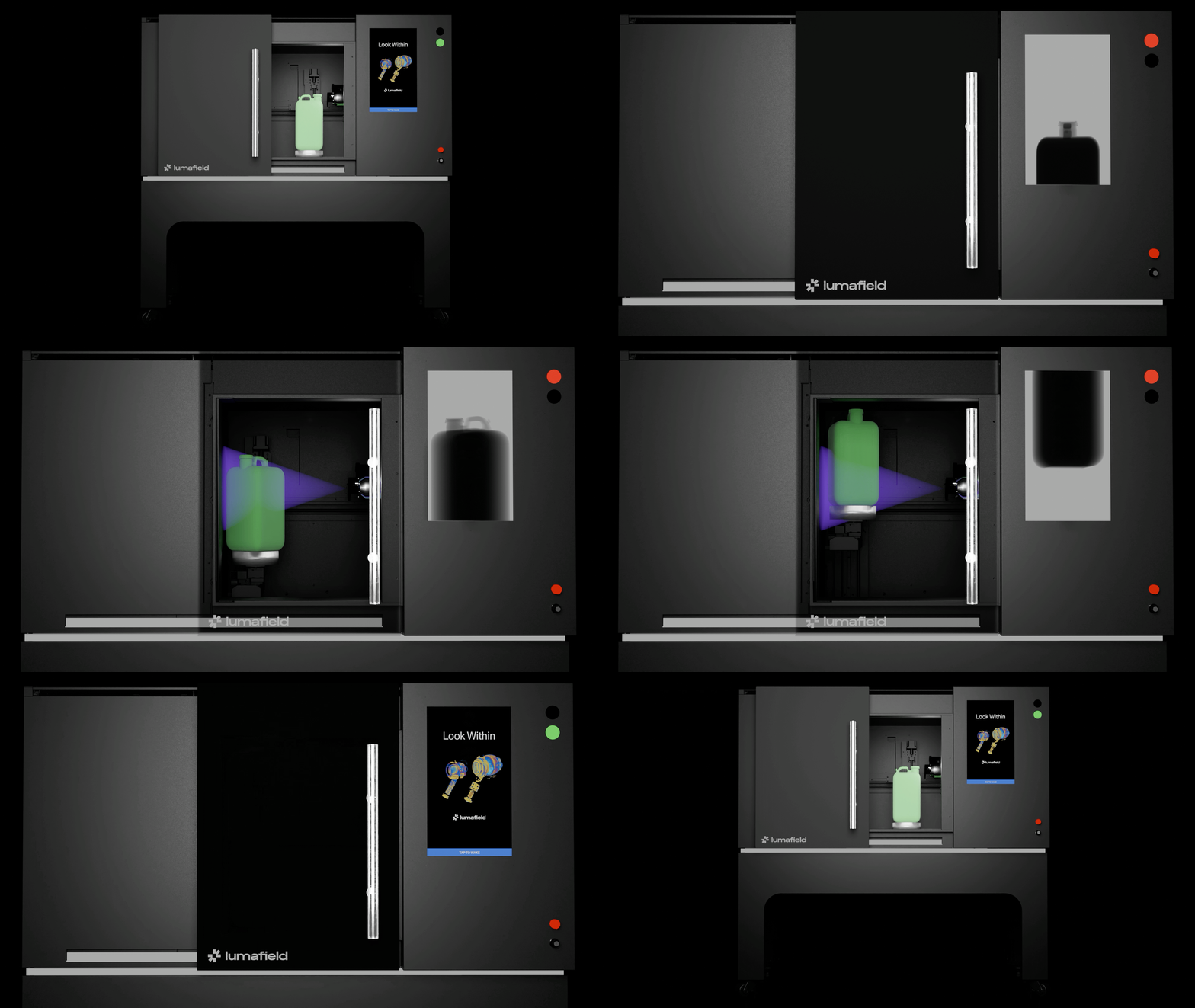 ### Helical Scanning
We're introducing [Helical Scanning](https://www.lumafield.com/product-feature/helical-scanning) as a new acquisition mode on Neptune, designed for tall or elongated parts. With Helical Scanning, the part moves upward as it rotates, capturing a continuous helical dataset that dramatically expands the vertical scan envelope while allowing the part to be positioned closer to the detector for higher resolution. Engineers can scan long geometries such as water jugs or Apple Pencils at 10×+ higher resolution without stitching together multiple scans. Helical scans integrate seamlessly into Voyager, you can set scan bounds in seconds, and scans open just like standard volumes, now with a much larger Field of View (FOV) and significantly more usable high-resolution data. Helical Scanning will be available soon — if you're interested in early access, reach out to [support@lumafield.com](mailto:support@lumafield.com).
### Helical Scanning
We're introducing [Helical Scanning](https://www.lumafield.com/product-feature/helical-scanning) as a new acquisition mode on Neptune, designed for tall or elongated parts. With Helical Scanning, the part moves upward as it rotates, capturing a continuous helical dataset that dramatically expands the vertical scan envelope while allowing the part to be positioned closer to the detector for higher resolution. Engineers can scan long geometries such as water jugs or Apple Pencils at 10×+ higher resolution without stitching together multiple scans. Helical scans integrate seamlessly into Voyager, you can set scan bounds in seconds, and scans open just like standard volumes, now with a much larger Field of View (FOV) and significantly more usable high-resolution data. Helical Scanning will be available soon — if you're interested in early access, reach out to [support@lumafield.com](mailto:support@lumafield.com).
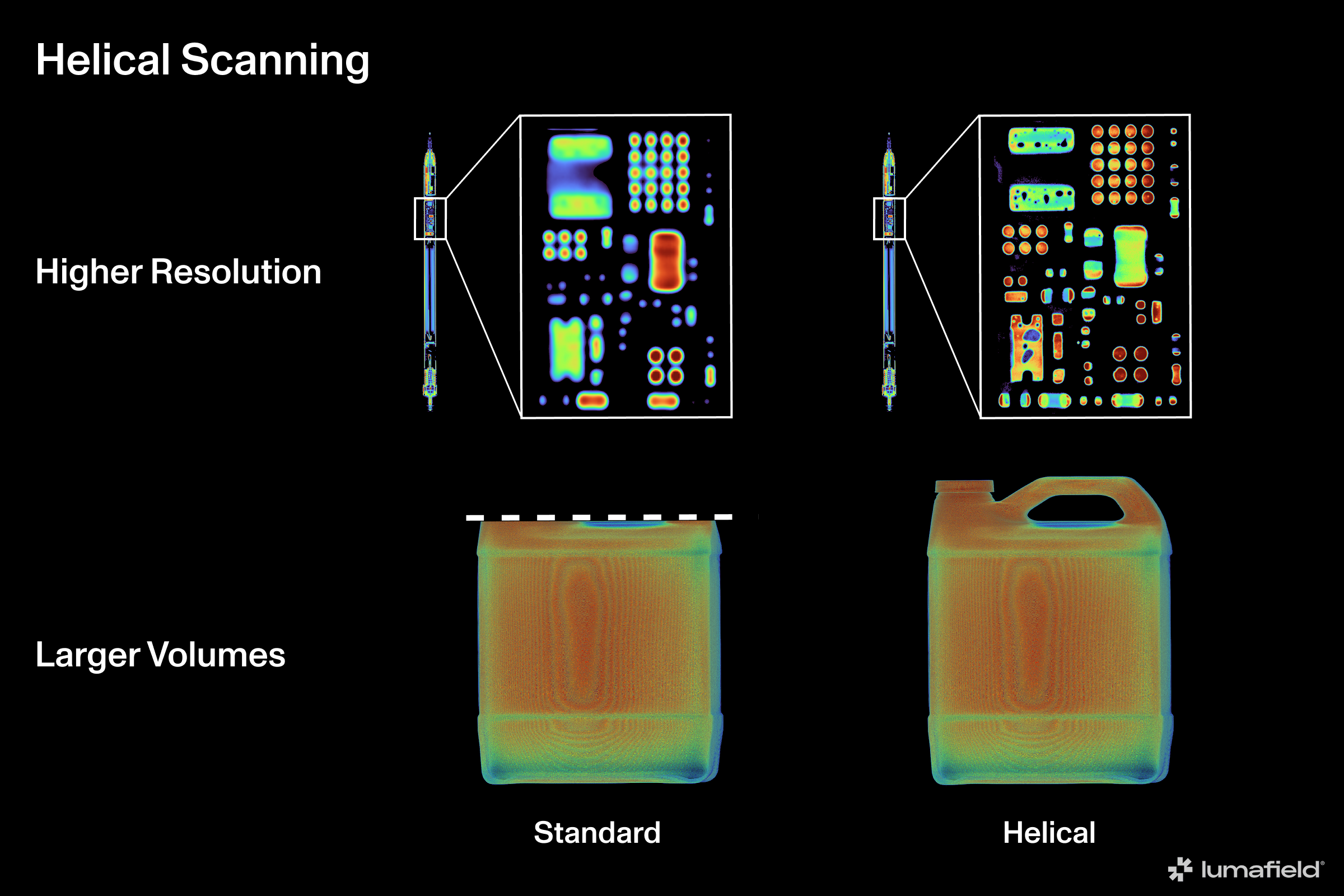 *Helical Scanning expands CT imaging for larger volumes with higher resolution.*
### Labs: Data Quality Toolkit and ROI Copy & Paste
If you haven't checked out the [Labs](https://support.lumafield.com/voyager/voyager-labs) button in your Voyager toolbar, now is a great time. We've released [Data Quality Toolkit](https://support.lumafield.com/voyager/voyager-labs-data-quality-toolkit#labs-data-quality-toolkit) - an app that guides you through CT Scan artifact identification and workflows to set correction parameters that can improve your reconstruction quality substantially. Take your reconstructions to the next level with the Data Quality Toolkit. We've also released [ROI Copy & Paste](https://support.lumafield.com/voyager/voyager-labs-copy-paste), a simple tool to copy ROIs between reconstructions in the same project, or between reconstructions in different projects.
### More Updates
🔍 **Deep 2D Slices for ROI Authoring**. Deep 2D slices make ROI authoring faster and more intuitive by displaying the maximum intensity values from all slices when viewing a 2D cardinal. This aggregated view provides clearer context for internal features and boundaries, helping you define accurate ROI boundaries more quickly and with greater confidence.
🔐 **Scanner Workspace Access Controls**. Organizations can now control which workspaces each scanner can access and set scanner-specific default workspaces directly in the Manager Dashboard, making it easier to manage permissions and streamline scanner usage across teams.
🎥 **Display Cards for Requested Renders**. Requested renders and their status are now visible in the Bookmark Attributes Panel, similar to Recipe status within a project. Available renders will download immediately when re-requested, making it easier to track progress and retrieve outputs.
🎨 **Color Map Inversion for Volumes, Radiographs, and Image Planes**. You can now invert color map visualizations on volumes, radiographs, and image planes. Inverted color maps help visualize lower-density materials and make differences in material density, defects, and boundaries easier to perceive. Note: color inversion is not yet applied to downloaded image planes.
######
# December 2025
*In this month's Product Update, we're shipping several Integrity Analysis enhancements in Voyager to make defect identification and reporting clearer and more actionable. We've added the ability to bookmark full-resolution radiographs and volume slices, to make them even easier to share. And offset scanning now requires explicit confirmation, preventing accidental offset captures.*
### Integrity Analysis Improvements
We've made several updates to Integrity Analysis to help you identify, interpret, and share defect data more easily. You can now display pores, inclusions, and cracks by ID, making it simpler to locate specific defects and relate them directly to downloadable analysis reports. Maximum diameters are now surfaced for pores, inclusions, and cracks, helping highlight the most significant defects in each analysis. Have more analysis attributes you might want surfaced? Provide us feedback within Voyager or reach out to [product@lumafield.com](mailto:product@lumafield.com).
*Helical Scanning expands CT imaging for larger volumes with higher resolution.*
### Labs: Data Quality Toolkit and ROI Copy & Paste
If you haven't checked out the [Labs](https://support.lumafield.com/voyager/voyager-labs) button in your Voyager toolbar, now is a great time. We've released [Data Quality Toolkit](https://support.lumafield.com/voyager/voyager-labs-data-quality-toolkit#labs-data-quality-toolkit) - an app that guides you through CT Scan artifact identification and workflows to set correction parameters that can improve your reconstruction quality substantially. Take your reconstructions to the next level with the Data Quality Toolkit. We've also released [ROI Copy & Paste](https://support.lumafield.com/voyager/voyager-labs-copy-paste), a simple tool to copy ROIs between reconstructions in the same project, or between reconstructions in different projects.
### More Updates
🔍 **Deep 2D Slices for ROI Authoring**. Deep 2D slices make ROI authoring faster and more intuitive by displaying the maximum intensity values from all slices when viewing a 2D cardinal. This aggregated view provides clearer context for internal features and boundaries, helping you define accurate ROI boundaries more quickly and with greater confidence.
🔐 **Scanner Workspace Access Controls**. Organizations can now control which workspaces each scanner can access and set scanner-specific default workspaces directly in the Manager Dashboard, making it easier to manage permissions and streamline scanner usage across teams.
🎥 **Display Cards for Requested Renders**. Requested renders and their status are now visible in the Bookmark Attributes Panel, similar to Recipe status within a project. Available renders will download immediately when re-requested, making it easier to track progress and retrieve outputs.
🎨 **Color Map Inversion for Volumes, Radiographs, and Image Planes**. You can now invert color map visualizations on volumes, radiographs, and image planes. Inverted color maps help visualize lower-density materials and make differences in material density, defects, and boundaries easier to perceive. Note: color inversion is not yet applied to downloaded image planes.
######
# December 2025
*In this month's Product Update, we're shipping several Integrity Analysis enhancements in Voyager to make defect identification and reporting clearer and more actionable. We've added the ability to bookmark full-resolution radiographs and volume slices, to make them even easier to share. And offset scanning now requires explicit confirmation, preventing accidental offset captures.*
### Integrity Analysis Improvements
We've made several updates to Integrity Analysis to help you identify, interpret, and share defect data more easily. You can now display pores, inclusions, and cracks by ID, making it simpler to locate specific defects and relate them directly to downloadable analysis reports. Maximum diameters are now surfaced for pores, inclusions, and cracks, helping highlight the most significant defects in each analysis. Have more analysis attributes you might want surfaced? Provide us feedback within Voyager or reach out to [product@lumafield.com](mailto:product@lumafield.com).
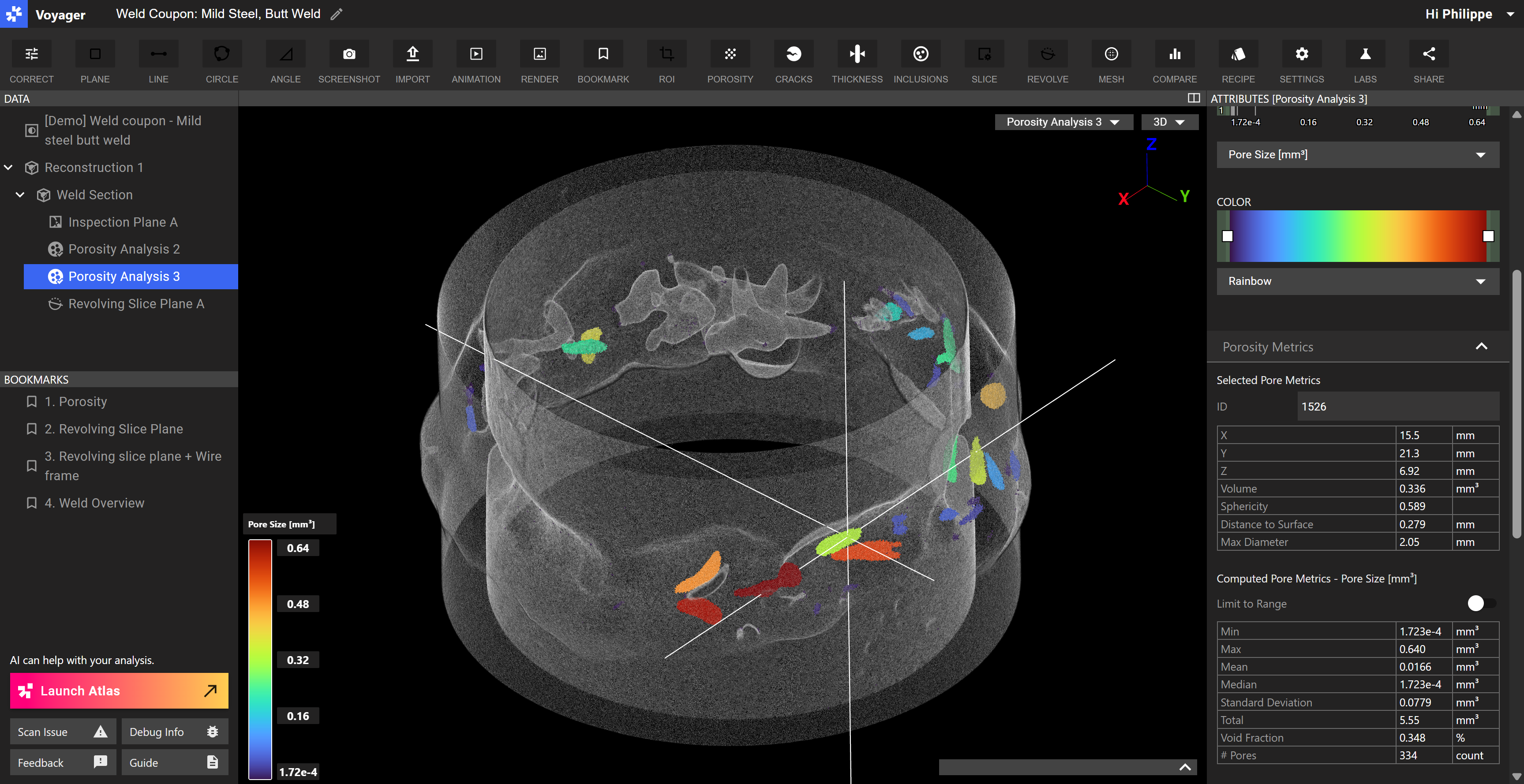 *Porosity analysis on a steel butt weld.*
### More Updates
📖 **Bookmark full-resolution radiographs and volume slices**. Last month, we shared the ability to render and download full-resolution radiographs and volume slices. You can now bookmark both, making it easy to share the highest-quality data from your scan directly with teammates and partners.
📐 **Auto-Dimensioning Beta reminder**. In case you missed it last month, we launched [Auto-Dimensioning](https://www.lumafield.com/product-feature/auto-dimensioning), our GD\&T suite for fast, accurate, NIST-traceable 3D measurement. Now in private beta, the capability will be generally available as part of Voyager in the spring of 2026.
🛠️ **Explicit Offset Scan Confirmation**. Offset scan behavior now requires explicit confirmation when running an expanded volume scan. This prevents accidental offset captures when the Y-axis slider appears to be at zero, resolving a previous source of confusion and unintended scan runs.
######
# November 2025
*In this month's Product Update, we've added the ability to promote volume slices to full resolution in Voyager. We also made several improvements to ROIs, making the prior consolidated ROI workflow available as an advanced option and enabling nested ROIs for better context of sub-areas. Additional improvements include slice plane snapping. Lastly, we've announced Auto-Dimensioning and Professional Services, as we expand our platform for use across more applications.*
### Auto-Dimensioning Announcement
We're rolling out [Auto-Dimensioning](https://www.lumafield.com/product-feature/auto-dimensioning), our GD\&T suite for accurate, NIST-traceable 3D measurement. Now in private beta, the capability will be generally available as part of Voyager in the spring of 2026.
*Porosity analysis on a steel butt weld.*
### More Updates
📖 **Bookmark full-resolution radiographs and volume slices**. Last month, we shared the ability to render and download full-resolution radiographs and volume slices. You can now bookmark both, making it easy to share the highest-quality data from your scan directly with teammates and partners.
📐 **Auto-Dimensioning Beta reminder**. In case you missed it last month, we launched [Auto-Dimensioning](https://www.lumafield.com/product-feature/auto-dimensioning), our GD\&T suite for fast, accurate, NIST-traceable 3D measurement. Now in private beta, the capability will be generally available as part of Voyager in the spring of 2026.
🛠️ **Explicit Offset Scan Confirmation**. Offset scan behavior now requires explicit confirmation when running an expanded volume scan. This prevents accidental offset captures when the Y-axis slider appears to be at zero, resolving a previous source of confusion and unintended scan runs.
######
# November 2025
*In this month's Product Update, we've added the ability to promote volume slices to full resolution in Voyager. We also made several improvements to ROIs, making the prior consolidated ROI workflow available as an advanced option and enabling nested ROIs for better context of sub-areas. Additional improvements include slice plane snapping. Lastly, we've announced Auto-Dimensioning and Professional Services, as we expand our platform for use across more applications.*
### Auto-Dimensioning Announcement
We're rolling out [Auto-Dimensioning](https://www.lumafield.com/product-feature/auto-dimensioning), our GD\&T suite for accurate, NIST-traceable 3D measurement. Now in private beta, the capability will be generally available as part of Voyager in the spring of 2026.
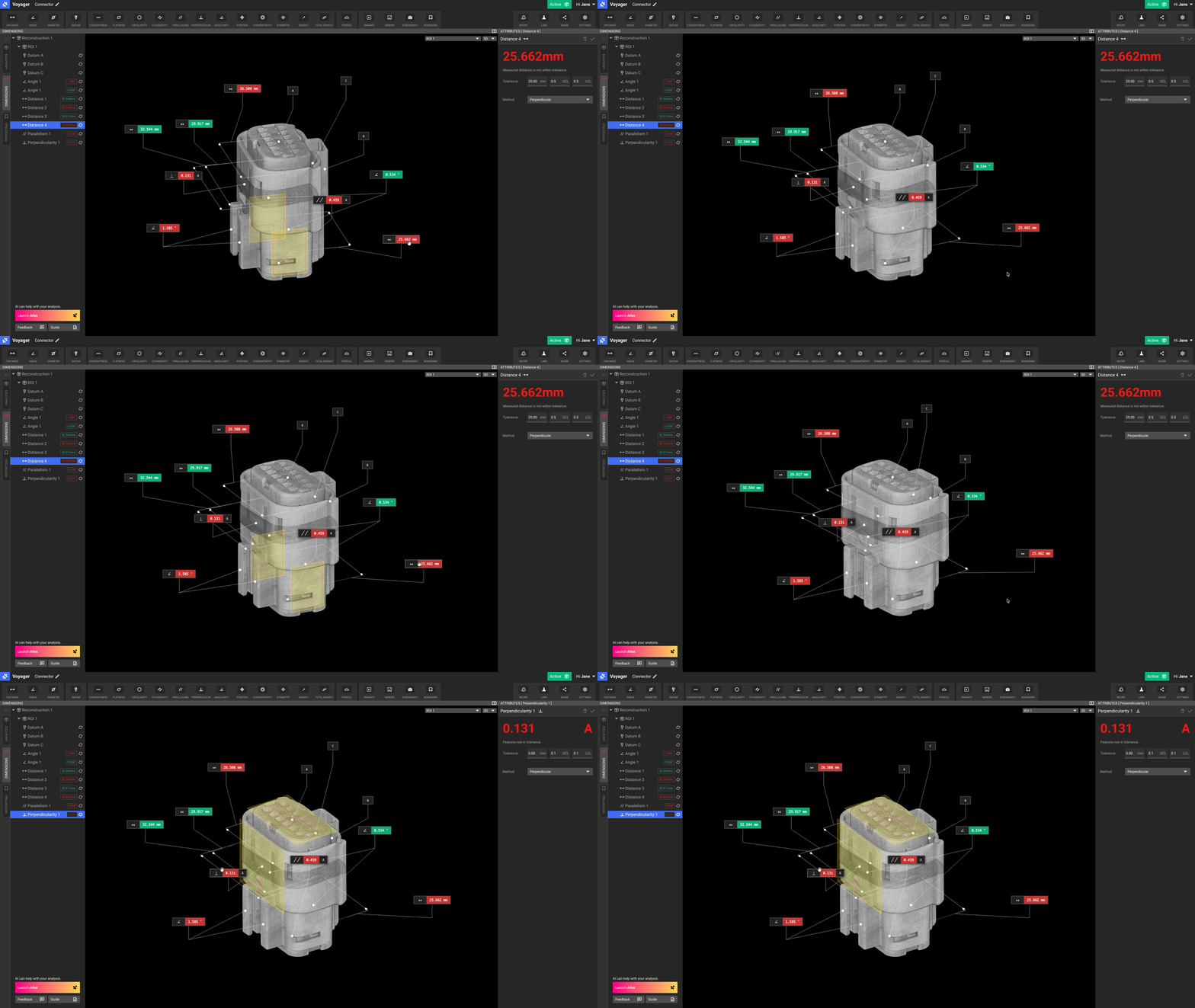 *Auto-Dimensioning allows for instant GD\&T of this automotive connector.*
### Promote Volume Slices to Full Resolution
Last month, we shared the ability to render and download full-resolution radiographs. You can now also promote volume slices to full resolution. This makes it easier than ever to download high-quality images from your scans. This feature can be found under "Promote Slice" in Voyager's Attributes Panel, and can be automated via Recipe as well.
*Auto-Dimensioning allows for instant GD\&T of this automotive connector.*
### Promote Volume Slices to Full Resolution
Last month, we shared the ability to render and download full-resolution radiographs. You can now also promote volume slices to full resolution. This makes it easier than ever to download high-quality images from your scans. This feature can be found under "Promote Slice" in Voyager's Attributes Panel, and can be automated via Recipe as well.
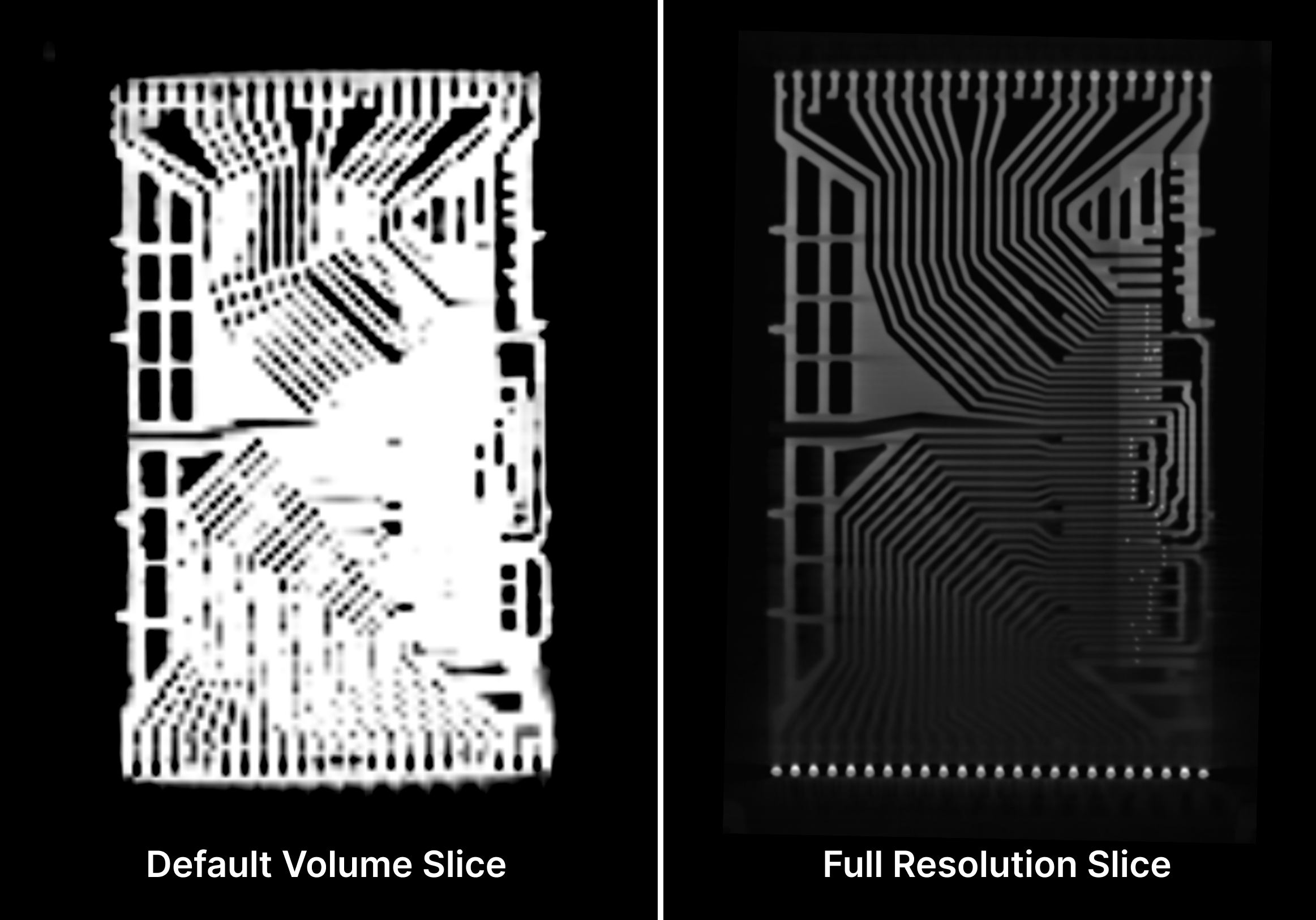 *Especially useful in lower resolution ROIs, promoting a cardinal slice to full resolution surfaces details not always visible in the default slice view.*
### More Updates
🔍 **ROI workflow updates**. We have made several enhancements to the ROI workflow. We're excited to introduce nested ROIs, enabling hierarchical analysis of sub-areas within larger regions for improved context. We've also added an optional advanced mode to the ROI workflow that restores the prior consolidated ROI experience. Lastly, we've fixed a few bugs to improve reliability in the new ROI workflow.
🗺️ **Slice plane snapping**. You can now double-click on any cardinal 2D slice to snap all slice planes — in that view and the associated 3D view — to that location with crosshairs added to the viewport. Single-click in any viewport to turn off the wayfinding cursor.
*Especially useful in lower resolution ROIs, promoting a cardinal slice to full resolution surfaces details not always visible in the default slice view.*
### More Updates
🔍 **ROI workflow updates**. We have made several enhancements to the ROI workflow. We're excited to introduce nested ROIs, enabling hierarchical analysis of sub-areas within larger regions for improved context. We've also added an optional advanced mode to the ROI workflow that restores the prior consolidated ROI experience. Lastly, we've fixed a few bugs to improve reliability in the new ROI workflow.
🗺️ **Slice plane snapping**. You can now double-click on any cardinal 2D slice to snap all slice planes — in that view and the associated 3D view — to that location with crosshairs added to the viewport. Single-click in any viewport to turn off the wayfinding cursor.
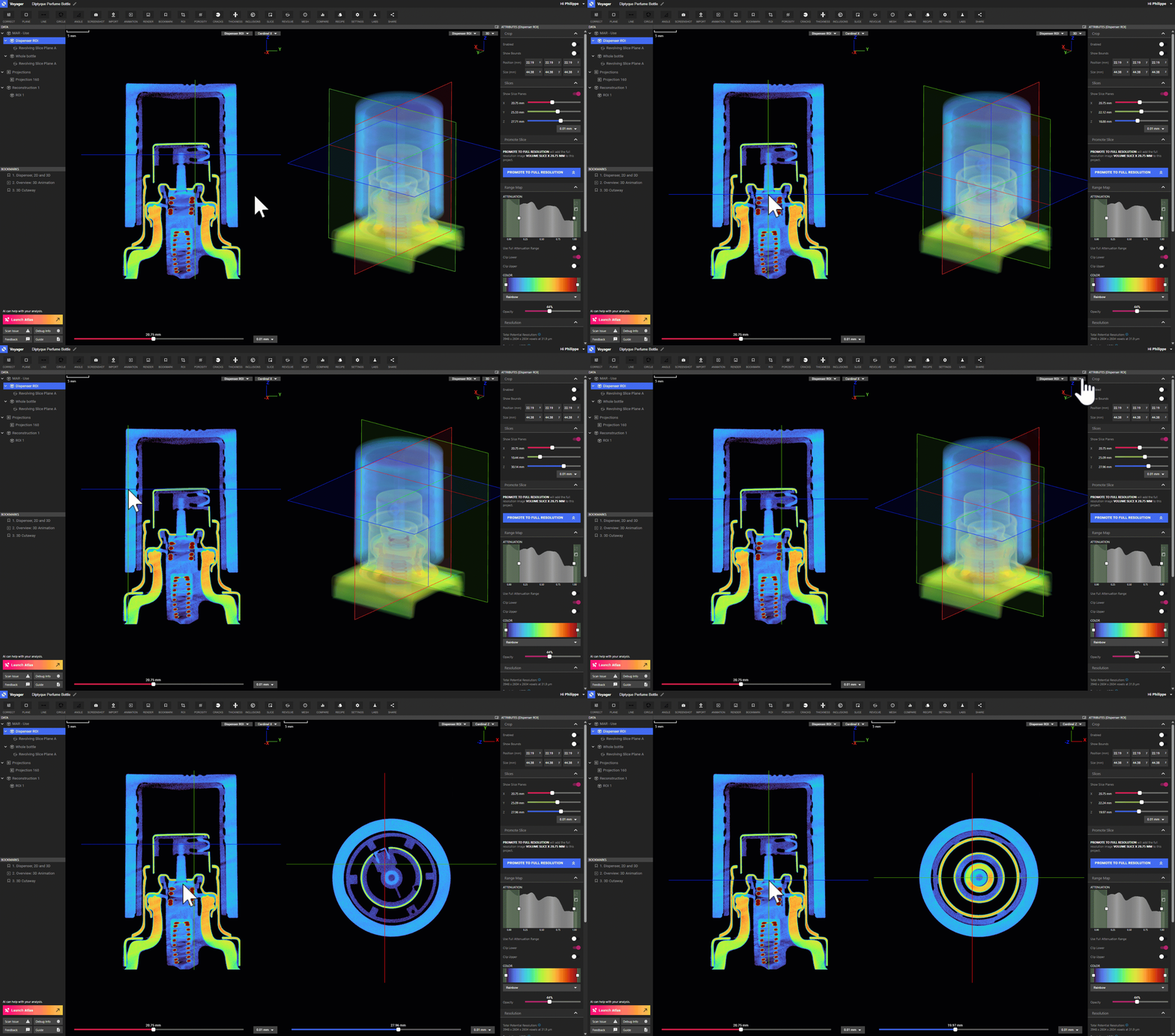 *Slice plane snapping makes it easier to navigate through your 3D scan.*
🏢 **Professional Services announcement**. We're expanding our platform capabilities with [Professional Services](https://www.lumafield.com/products/professional-services), providing expert solutions to scale CT programs with custom fixtures and recipe development.
######
# October 2025
*This month, we're excited to announce significant data quality and clarity enhancements that are live in Voyager today. We've also streamlined the ROI creation workflow, adding clearer portions to each step. Other updates we're releasing include the ability to promote and download radiographs as full-resolution images, with full-resolution volume slice planes coming soon.*
### Volume Clarity Improvements
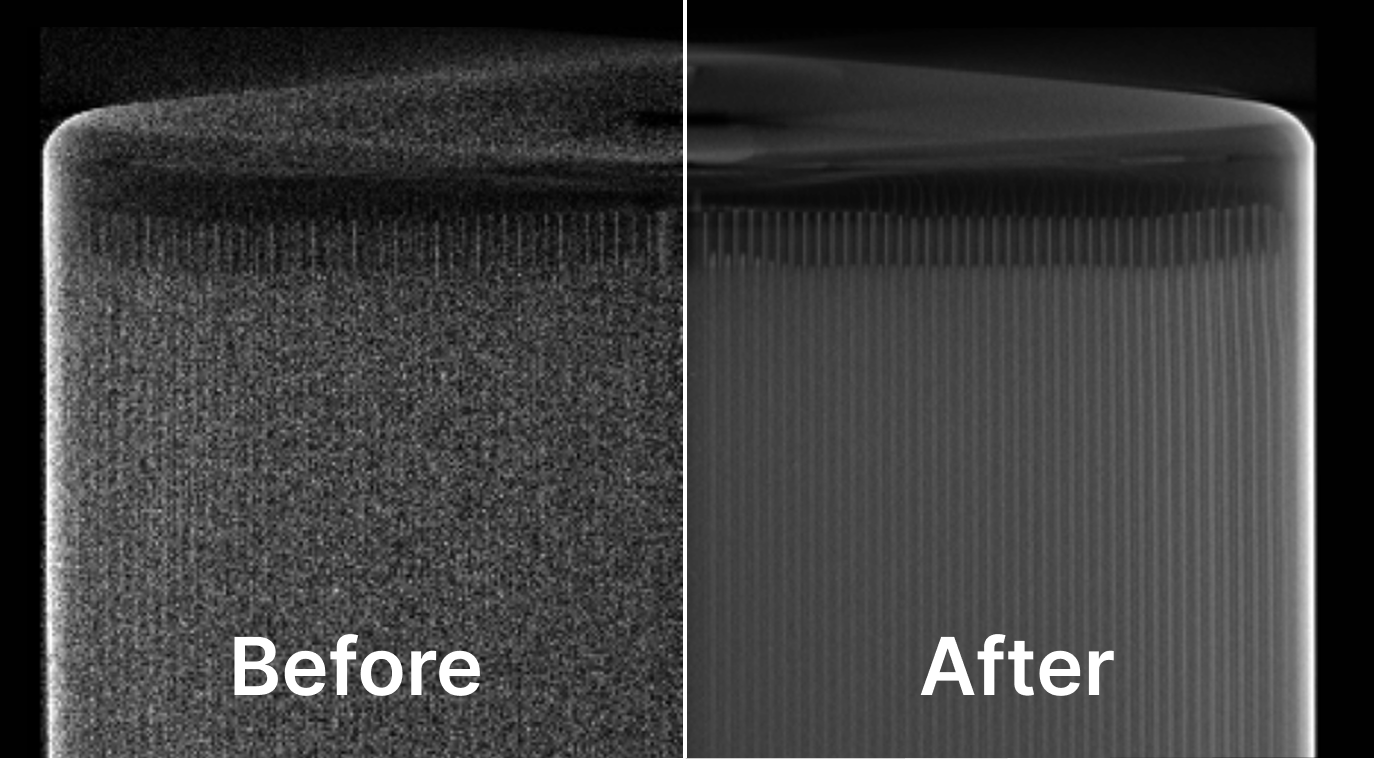
We now show newly-created volumes at a much higher clarity and quality. Quick, lower-quality scans now look like higher-quality scans that were run for many hours, allowing you to speed up your scanning workflows or to extract better data quality from your existing scan processes.
All new reconstructions and ROIs created manually in Voyager will reflect this improvement, including new ROIs created for scans run prior to the update.
*Slice plane snapping makes it easier to navigate through your 3D scan.*
🏢 **Professional Services announcement**. We're expanding our platform capabilities with [Professional Services](https://www.lumafield.com/products/professional-services), providing expert solutions to scale CT programs with custom fixtures and recipe development.
######
# October 2025
*This month, we're excited to announce significant data quality and clarity enhancements that are live in Voyager today. We've also streamlined the ROI creation workflow, adding clearer portions to each step. Other updates we're releasing include the ability to promote and download radiographs as full-resolution images, with full-resolution volume slice planes coming soon.*
### Volume Clarity Improvements
We now show newly-created volumes at a much higher clarity and quality. Quick, lower-quality scans now look like higher-quality scans that were run for many hours, allowing you to speed up your scanning workflows or to extract better data quality from your existing scan processes.
All new reconstructions and ROIs created manually in Voyager will reflect this improvement, including new ROIs created for scans run prior to the update.
 ### More Updates
🔍 **New ROI workflow**. We introduced a new, step-by-step workflow for the creation of ROIs.
### More Updates
🔍 **New ROI workflow**. We introduced a new, step-by-step workflow for the creation of ROIs.
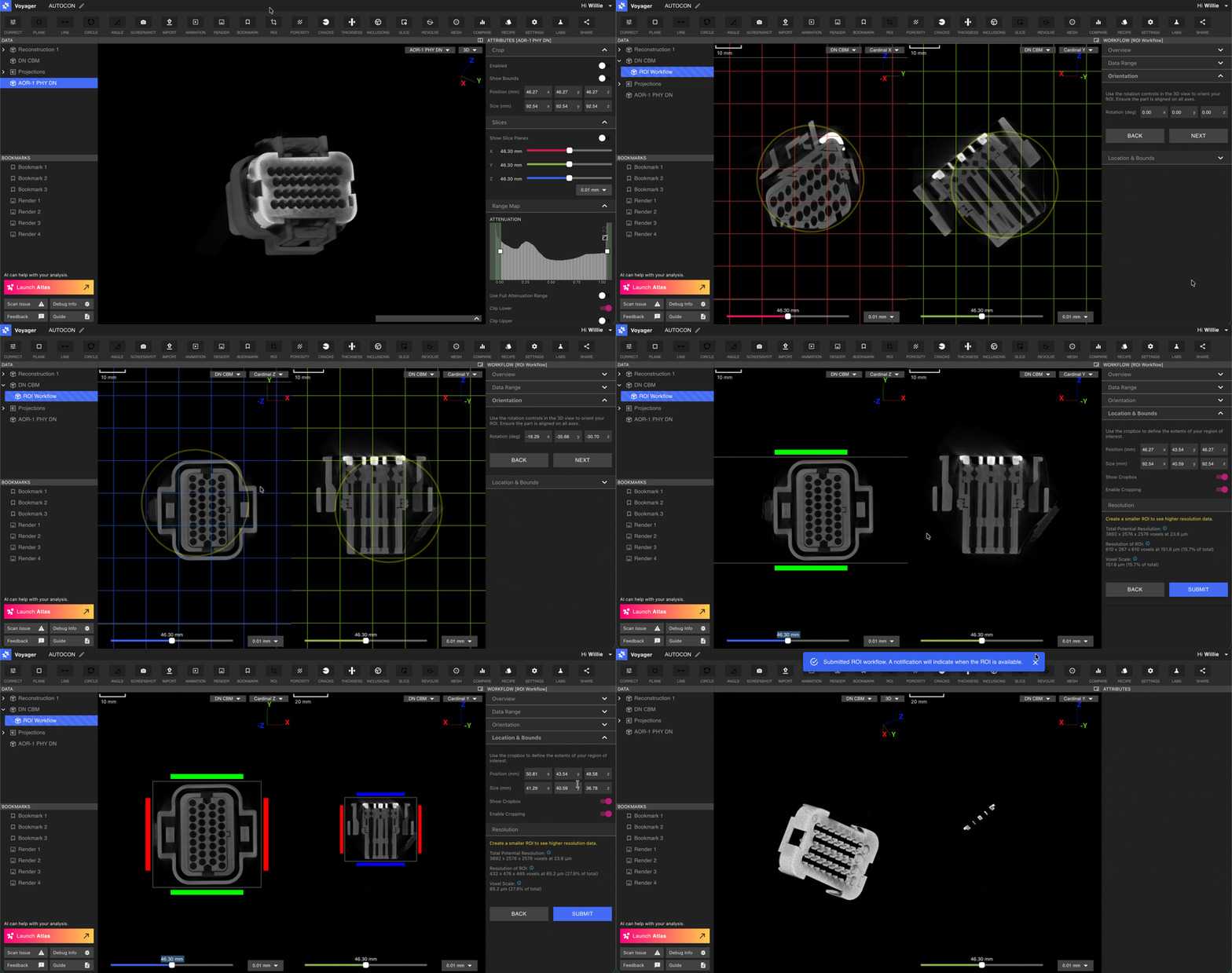 📷 **Full resolution radiographs**. You can now create full resolution radiographs within Voyager. To do so, simply use the "Promote to Full Resolution" button.
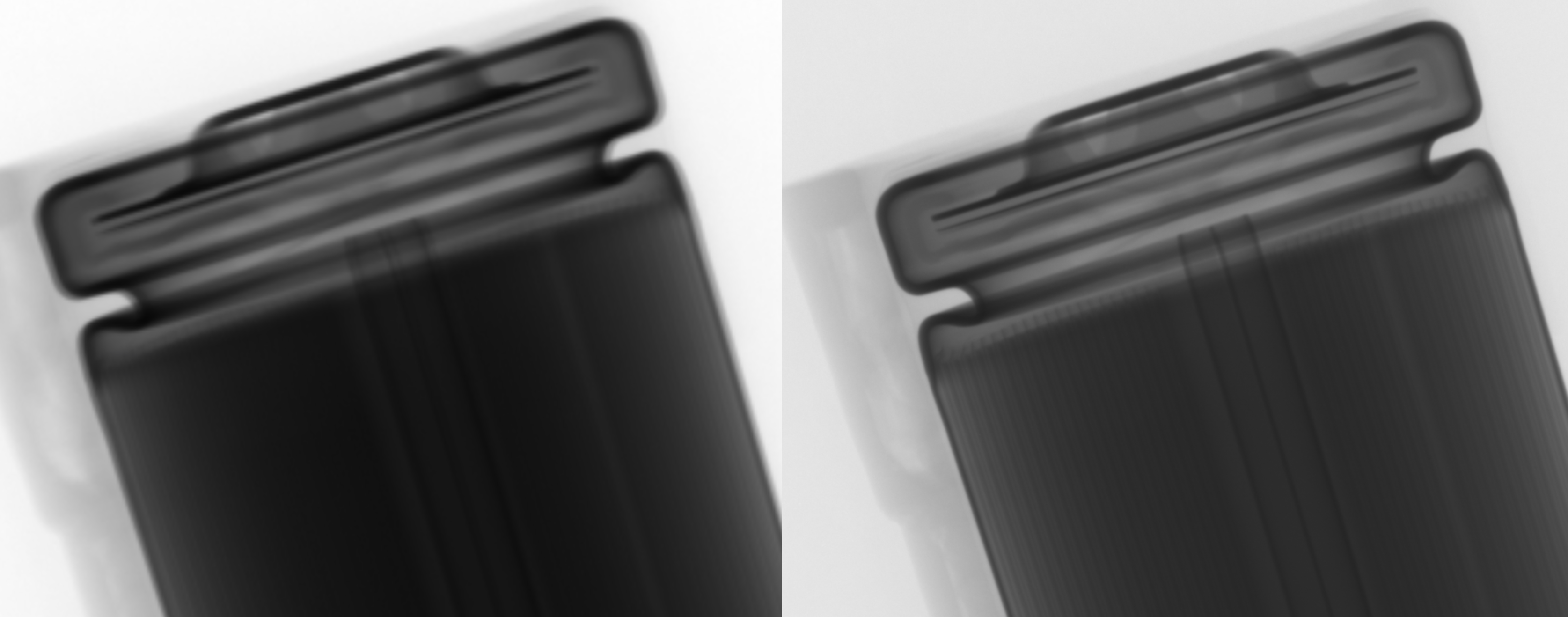 🌐 **Renaming Voyager files updates the browser tab name**. Keep track of your renamed Voyager tabs without having to refresh.
🔗 **Full resolution data download link fix**. We've fixed a bug with full resolution data download links that caused them to expire too quickly. Links now last 72 hrs.
######
# September 2025
*This month, we're launching the Data Quality Toolkit beta, bringing state-of-the-art tools for ensuring clean and inspection-ready data directly into Voyager. In other Voyager news, we've also added one of our most-requested updates — Voyager's Project Dashboard now has a list view option. For users that want the benefits of cloud-based Voyager but need to meet ITAR or other regulatory requirements, we've launched Government Cloud.*
### Data Quality Toolkit \[Beta]
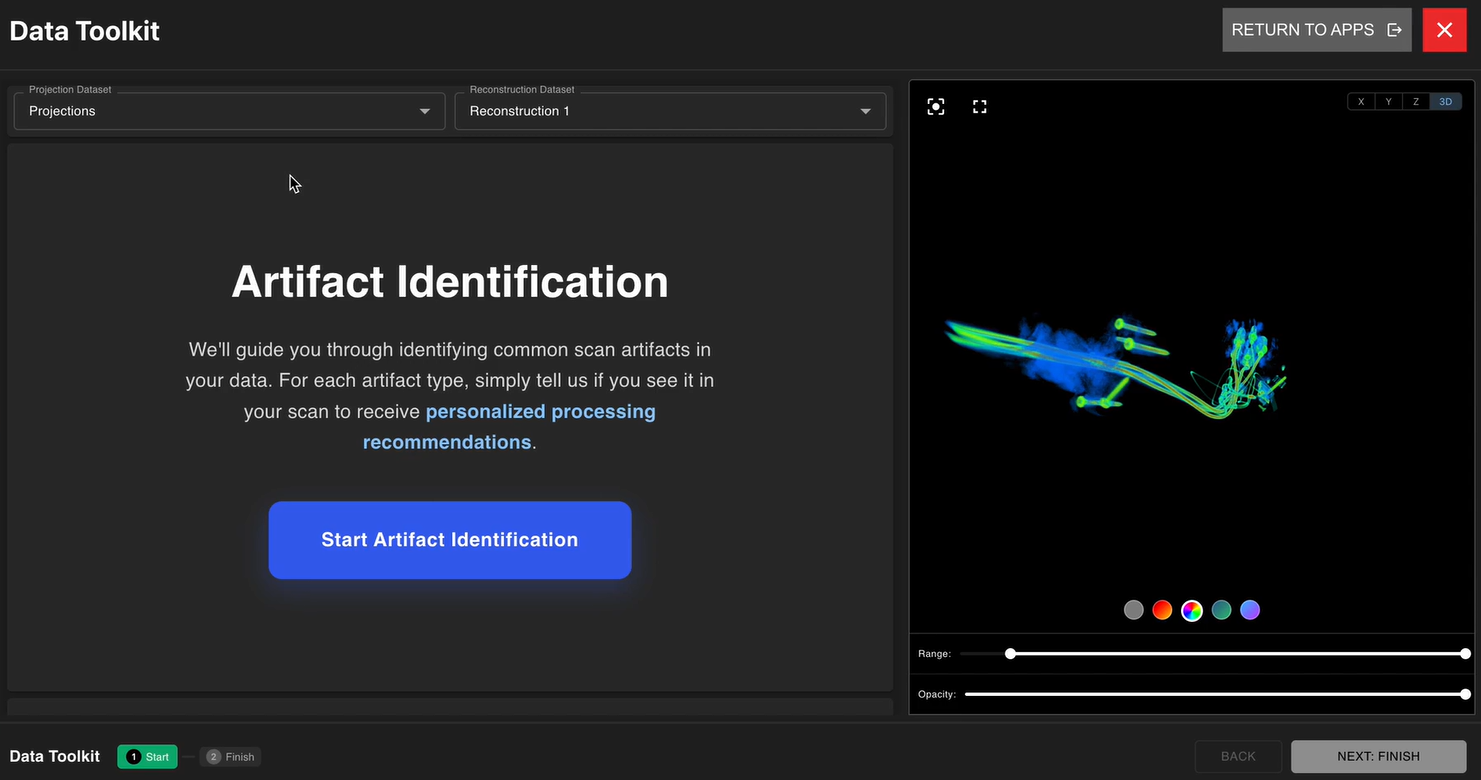
We are excited to announce the beta release for our Data Quality Toolkit. This is a versatile set of advanced artifact mitigation techniques with simple, guided workflows. For certain types of objects and scan scenarios, such as mixed material parts and fast scans, the Data Quality Toolkit provides a pathway to maximize scan quality and speed.
We are gradually unlocking this beta. If you're interested, please reach out to your customer success manager or account executive.
🌐 **Renaming Voyager files updates the browser tab name**. Keep track of your renamed Voyager tabs without having to refresh.
🔗 **Full resolution data download link fix**. We've fixed a bug with full resolution data download links that caused them to expire too quickly. Links now last 72 hrs.
######
# September 2025
*This month, we're launching the Data Quality Toolkit beta, bringing state-of-the-art tools for ensuring clean and inspection-ready data directly into Voyager. In other Voyager news, we've also added one of our most-requested updates — Voyager's Project Dashboard now has a list view option. For users that want the benefits of cloud-based Voyager but need to meet ITAR or other regulatory requirements, we've launched Government Cloud.*
### Data Quality Toolkit \[Beta]
We are excited to announce the beta release for our Data Quality Toolkit. This is a versatile set of advanced artifact mitigation techniques with simple, guided workflows. For certain types of objects and scan scenarios, such as mixed material parts and fast scans, the Data Quality Toolkit provides a pathway to maximize scan quality and speed.
We are gradually unlocking this beta. If you're interested, please reach out to your customer success manager or account executive.
 ### More Updates
🏛️ **Government Cloud data hosting now available**. Voyager Government Cloud is now available. This is a secure, compliant cloud deployment of Voyager designed for U.S. federal agencies, defense contractors, and regulated manufacturers. It supports ITAR workflows and other regulatory requirements. You can check out all of our data hosting options [here](https://www.lumafield.com/product-feature/flexible-data-hosting).
📋 **Voyager's Project Dashboard now has list view**. You can now view projects in a condensed list format instead of tiles. You can toggle between tile and list views to find the layout that works best for your workflow.
### More Updates
🏛️ **Government Cloud data hosting now available**. Voyager Government Cloud is now available. This is a secure, compliant cloud deployment of Voyager designed for U.S. federal agencies, defense contractors, and regulated manufacturers. It supports ITAR workflows and other regulatory requirements. You can check out all of our data hosting options [here](https://www.lumafield.com/product-feature/flexible-data-hosting).
📋 **Voyager's Project Dashboard now has list view**. You can now view projects in a condensed list format instead of tiles. You can toggle between tile and list views to find the layout that works best for your workflow.
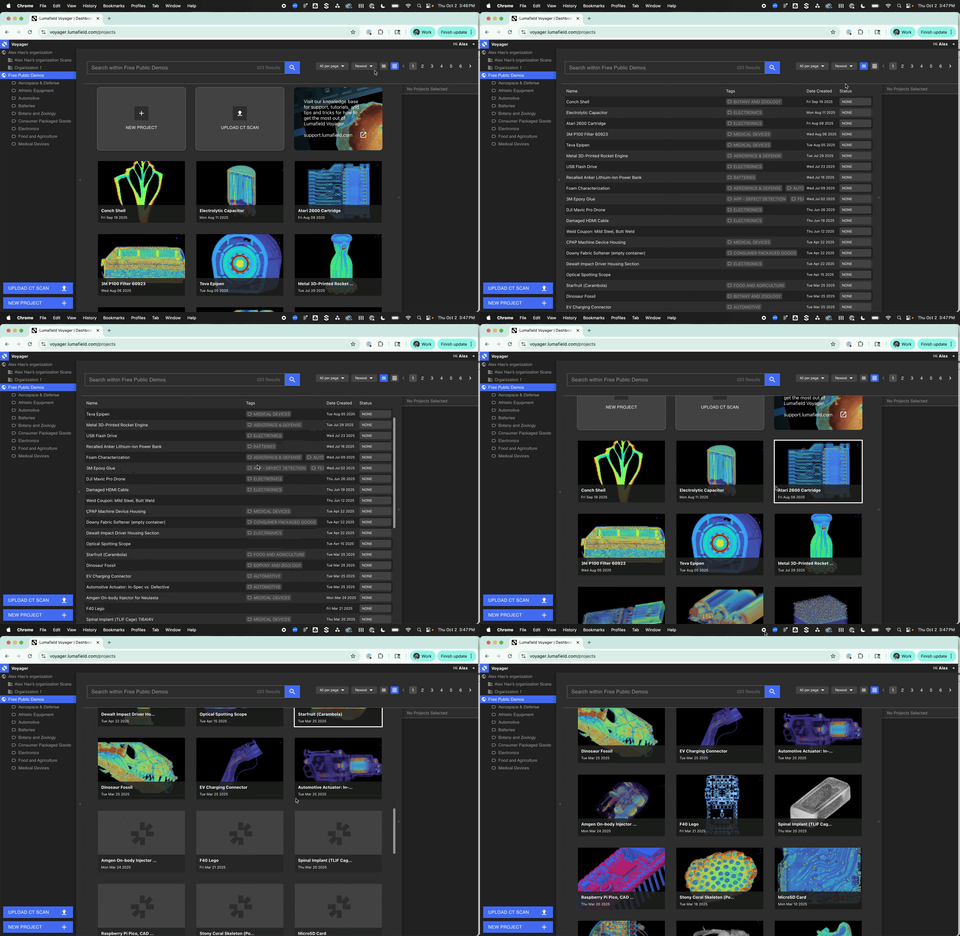 📷 **Full-resolution image support**. You can now use recipes to surface full-resolution 2D images, giving you more detail and context for conducting inspection and analyses on 2D views.
######
# August 2025
*This month's updates make it easier to get your data into Voyager and out to your team. From DICOM file uploads to enhanced sharing and demo projects, we're focused on improving your data workflows.*
### Upload DICOM files to Voyager
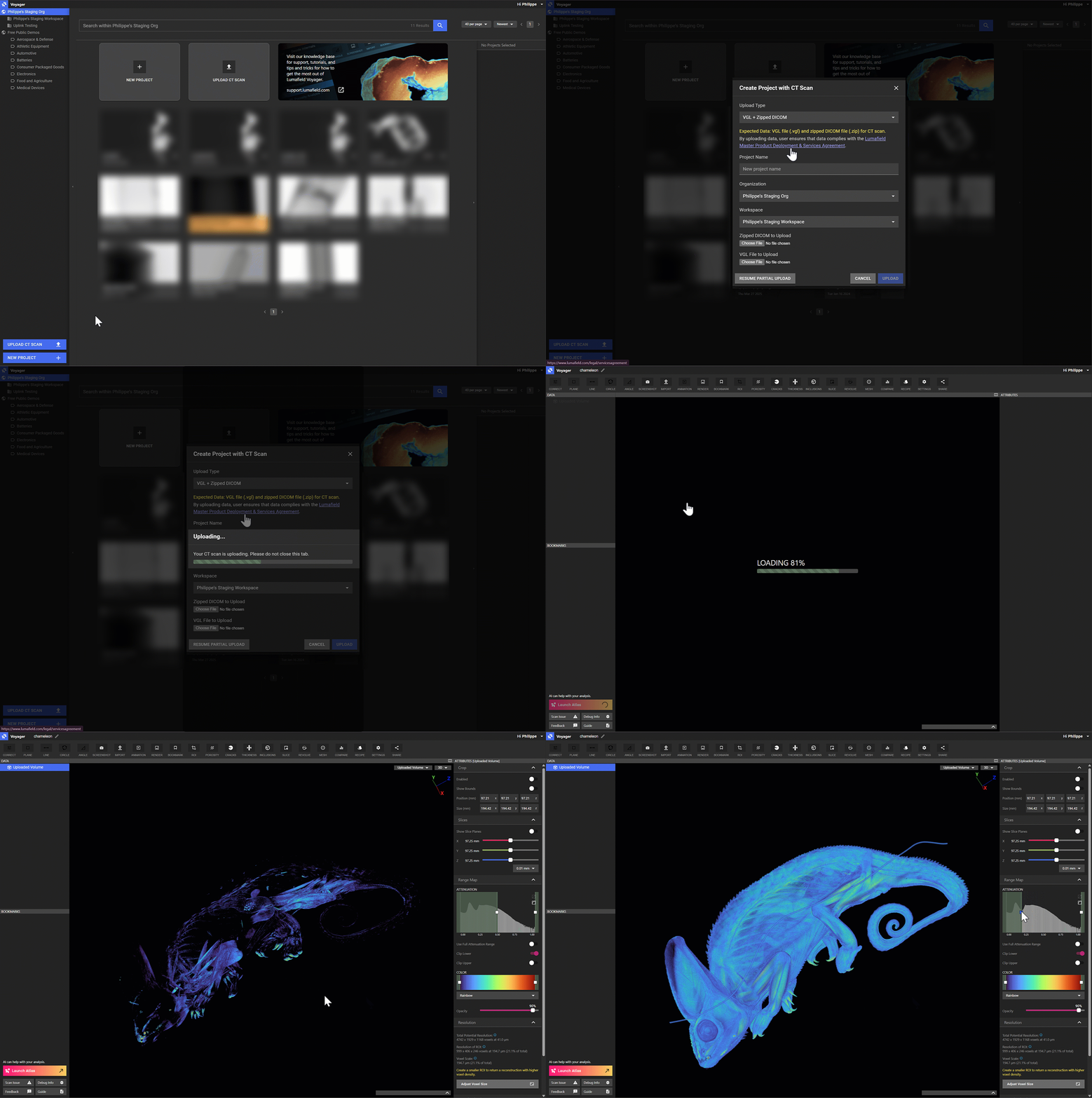
[Voyager Uplink](https://support.lumafield.com/voyager/voyager-uplink) now supports DICOM file uploads, making it easier to bring data from non-Lumafield scanners directly into Voyager. Drop in your DICOM files to visualize, analyze, and share your scans with the same tools you use every day in Voyager. We also support uploading .vgl and RAW files, as well as TIFF stacks.
📷 **Full-resolution image support**. You can now use recipes to surface full-resolution 2D images, giving you more detail and context for conducting inspection and analyses on 2D views.
######
# August 2025
*This month's updates make it easier to get your data into Voyager and out to your team. From DICOM file uploads to enhanced sharing and demo projects, we're focused on improving your data workflows.*
### Upload DICOM files to Voyager
[Voyager Uplink](https://support.lumafield.com/voyager/voyager-uplink) now supports DICOM file uploads, making it easier to bring data from non-Lumafield scanners directly into Voyager. Drop in your DICOM files to visualize, analyze, and share your scans with the same tools you use every day in Voyager. We also support uploading .vgl and RAW files, as well as TIFF stacks.
 ### More Updates
🌎 **Interactive demo projects**. Following up on last month's release, our public demo projects continue to be a popular way to explore Voyager's features. Make copies to your Workspace and use these pre-loaded projects as templates for your own analyses.
📥 **Bulk downloads now include renders**. Downloading bulk recipe results? Your renders are now included! Learn more about [bulk downloads](https://support.lumafield.com/voyager/voyager-bulk-actions#bulk-downloads).
🧑🍳 **Persistent recipe dropdown selection**. When working with recipes, your selected recipe now sticks — even if you close and reopen the panel. No more losing your place when toggling between tasks.
######
# July 2025
*This month, we've rolled several enhancements across Voyager to improve everyday use, from new animation capabilities to Voyager Uplink improvements.*
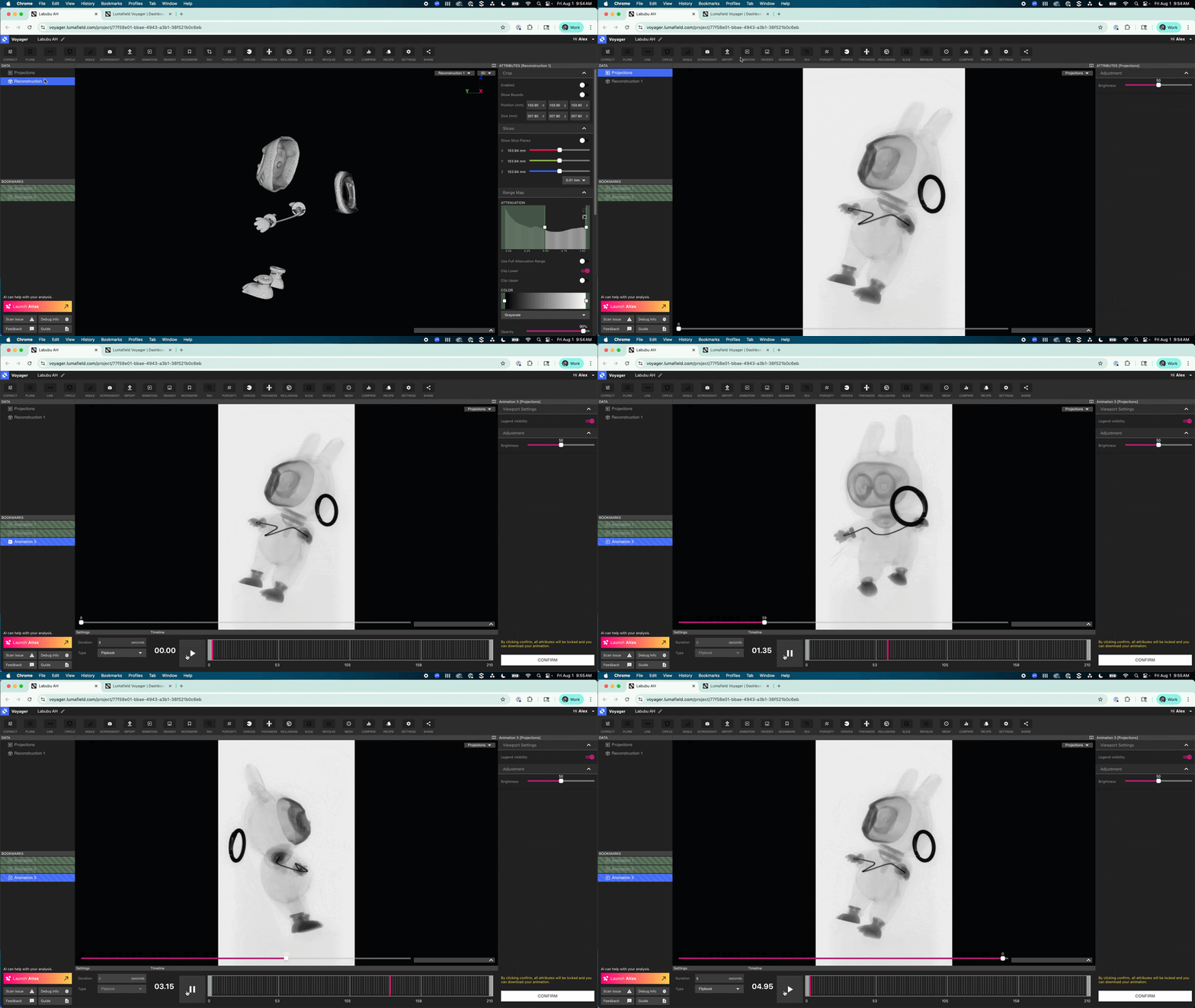
### Generate Animations from Radiograph Projections
Have you ever scrubbed through your projections and wished you could easily download them as a video or GIF? Now you can! Voyager now allows the easy creation and download of animations of your radiographs, giving you a new way to share your scans.
### More Updates
🌎 **Interactive demo projects**. Following up on last month's release, our public demo projects continue to be a popular way to explore Voyager's features. Make copies to your Workspace and use these pre-loaded projects as templates for your own analyses.
📥 **Bulk downloads now include renders**. Downloading bulk recipe results? Your renders are now included! Learn more about [bulk downloads](https://support.lumafield.com/voyager/voyager-bulk-actions#bulk-downloads).
🧑🍳 **Persistent recipe dropdown selection**. When working with recipes, your selected recipe now sticks — even if you close and reopen the panel. No more losing your place when toggling between tasks.
######
# July 2025
*This month, we've rolled several enhancements across Voyager to improve everyday use, from new animation capabilities to Voyager Uplink improvements.*
### Generate Animations from Radiograph Projections
Have you ever scrubbed through your projections and wished you could easily download them as a video or GIF? Now you can! Voyager now allows the easy creation and download of animations of your radiographs, giving you a new way to share your scans.
 ### More Updates
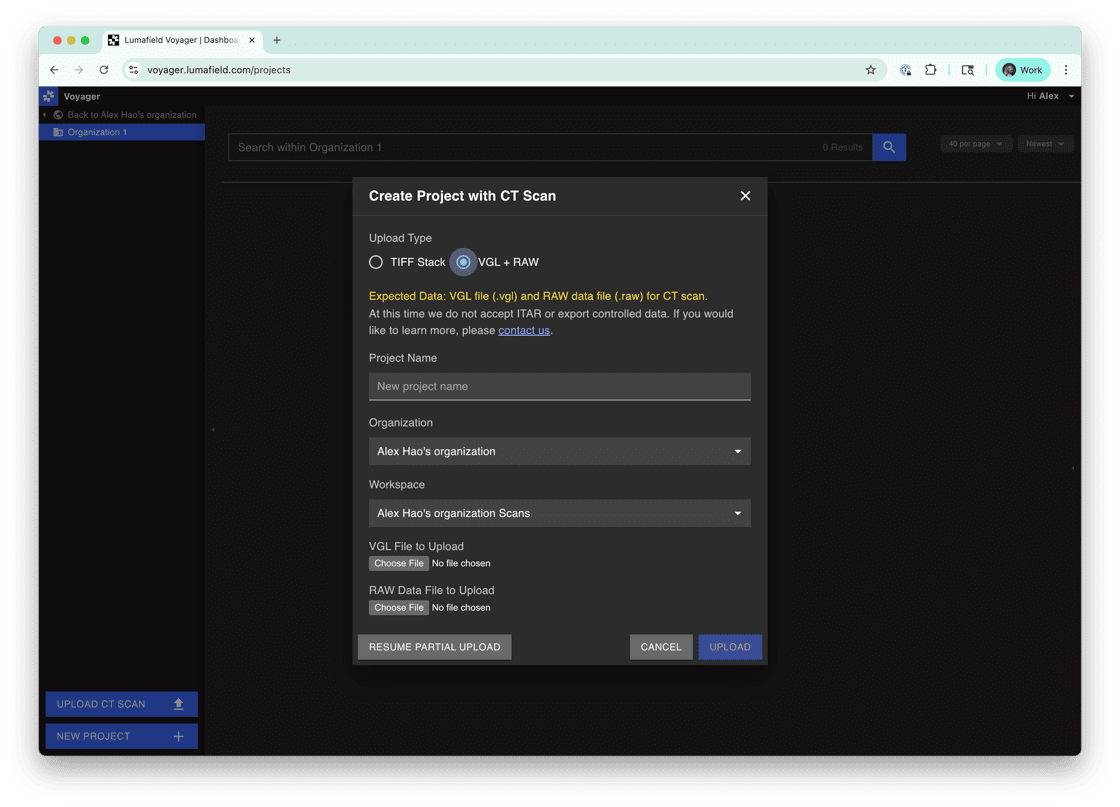
📁 **Upload more file types**. Users with non-Lumafield scanners can now upload .vgl files — via the Voyager Uplink Module — directly to Voyager. This is a huge time-saver for teams that previously had to export and upload TIFF stacks, a process that could take hours. Now, it's faster and easier than ever to bring your existing scan data into Voyager, unlock powerful automations, and share results across your Organization.
### More Updates
📁 **Upload more file types**. Users with non-Lumafield scanners can now upload .vgl files — via the Voyager Uplink Module — directly to Voyager. This is a huge time-saver for teams that previously had to export and upload TIFF stacks, a process that could take hours. Now, it's faster and easier than ever to bring your existing scan data into Voyager, unlock powerful automations, and share results across your Organization.
 📍 **Scanner position data**. The XYZ scanner position for all scans is now available when viewing reconstructions in Voyager. Find it in the Attributes Panel, under Scan Information Tab.
🌎 **Duplicate demo projects**. You are now able to make copies of our public demos to explore Voyager's key features on real-world scans. These starter projects come pre-loaded with scans, recons, analyses, and visualizations to help you get up and running with Voyager even faster.
📦 **Wall thickness thresholding**. Now when setting up a wall thickness analysis, you can toggle on ISO-50 auto-thresholding instead of setting your thresholds manually.
######
# June 2025
*We're kicking off summer with some fresh updates to Voyager, to make your workflows smoother and more efficient. Building on last month's Bulk Actions foundation, we're expanding these capabilities with new download options and improving overall platform reliability.*
### Even More Bulk Actions
Last month, we introduced [Bulk Actions](https://support.lumafield.com/voyager/voyager-bulk-actions#bulk-actions) to help you manage multiple projects more efficiently. These tools were designed to streamline repetitive tasks, so you can spend less time clicking through individual scans. We're happy to share a brand new addition to the Bulk Action family: **Bulk Download Recipe Results**. Now you can download recipe results from multiple projects into a single zip file, right from your dashboard.
Here's everything you can currently do with Bulk Actions:
* **Bulk Selection Tools**
* **Bulk Assign & Remove Tags**
* **Bulk Duplicate, Move and Copy**
* **Bulk Run Recipe**
* **Progress Monitoring**
* **\[New!] Bulk Download Recipe Results**
### Enhanced Scanner Position Visibility
You can now view the scanner position coordinates (X, Y, Z) for all scans when viewing reconstructions in Voyager, providing better spatial context for your data and helping you understand exactly where your part was positioned during scanning.
### More Updates
⚓ **Download Robustness**. We've made improvements to enable faster and more reliable animation and render downloads, making it easier than ever for you to share your scans.
🎛️ **Surface Capture Controls**. We've improved rendering and controls when viewing surface capture assets in Voyager. If you're interested in surface capture functionality, reach out to our sales team at [sales@lumafield.com](mailto:sales@lumafield.com).
📐 **Wall Thickness Analysis Enhancements**. When setting up wall thickness analysis, you can now toggle on ISO-50 thresholding as an alternative to manually setting threshold values.
🗂️ **Interface Improvements**. Panel headings are now collapsible for a cleaner, more organized interface, and Uplink upload units have been updated from millimeters to microns for improved precision.
######
# May 2025
*We’re excited to share a fresh round of updates this May – designed to help you scale your work in Voyager, automate your scanning workflows, and access the support and tutorials you need more easily than ever.*
### Introducing Bulk Actions
If you're reaching for better search and organizational tools in Voyager – or managing high volumes of scan and project data – [Bulk Actions](https://support.lumafield.com/voyager/voyager-bulk-actions#bulk-actions) are built for you. With these new capabilities, all users can now search, select, and perform actions on multiple projects at once, helping you cut through clutter and streamline repetitive tasks.
* **Advanced Search**: Filter by project metadata, scan settings, recipe usage, and more.
* **Batch Selection**: Select individual projects or apply filters to select groups in a click.
* **Project Description** field is searchable, and can be set from within a project.
* **Bulk Actions**: Run analysis recipes, assign or remove tags, move projects, set projects to Read-Only, and more – all in one go.
📍 **Scanner position data**. The XYZ scanner position for all scans is now available when viewing reconstructions in Voyager. Find it in the Attributes Panel, under Scan Information Tab.
🌎 **Duplicate demo projects**. You are now able to make copies of our public demos to explore Voyager's key features on real-world scans. These starter projects come pre-loaded with scans, recons, analyses, and visualizations to help you get up and running with Voyager even faster.
📦 **Wall thickness thresholding**. Now when setting up a wall thickness analysis, you can toggle on ISO-50 auto-thresholding instead of setting your thresholds manually.
######
# June 2025
*We're kicking off summer with some fresh updates to Voyager, to make your workflows smoother and more efficient. Building on last month's Bulk Actions foundation, we're expanding these capabilities with new download options and improving overall platform reliability.*
### Even More Bulk Actions
Last month, we introduced [Bulk Actions](https://support.lumafield.com/voyager/voyager-bulk-actions#bulk-actions) to help you manage multiple projects more efficiently. These tools were designed to streamline repetitive tasks, so you can spend less time clicking through individual scans. We're happy to share a brand new addition to the Bulk Action family: **Bulk Download Recipe Results**. Now you can download recipe results from multiple projects into a single zip file, right from your dashboard.
Here's everything you can currently do with Bulk Actions:
* **Bulk Selection Tools**
* **Bulk Assign & Remove Tags**
* **Bulk Duplicate, Move and Copy**
* **Bulk Run Recipe**
* **Progress Monitoring**
* **\[New!] Bulk Download Recipe Results**
### Enhanced Scanner Position Visibility
You can now view the scanner position coordinates (X, Y, Z) for all scans when viewing reconstructions in Voyager, providing better spatial context for your data and helping you understand exactly where your part was positioned during scanning.
### More Updates
⚓ **Download Robustness**. We've made improvements to enable faster and more reliable animation and render downloads, making it easier than ever for you to share your scans.
🎛️ **Surface Capture Controls**. We've improved rendering and controls when viewing surface capture assets in Voyager. If you're interested in surface capture functionality, reach out to our sales team at [sales@lumafield.com](mailto:sales@lumafield.com).
📐 **Wall Thickness Analysis Enhancements**. When setting up wall thickness analysis, you can now toggle on ISO-50 thresholding as an alternative to manually setting threshold values.
🗂️ **Interface Improvements**. Panel headings are now collapsible for a cleaner, more organized interface, and Uplink upload units have been updated from millimeters to microns for improved precision.
######
# May 2025
*We’re excited to share a fresh round of updates this May – designed to help you scale your work in Voyager, automate your scanning workflows, and access the support and tutorials you need more easily than ever.*
### Introducing Bulk Actions
If you're reaching for better search and organizational tools in Voyager – or managing high volumes of scan and project data – [Bulk Actions](https://support.lumafield.com/voyager/voyager-bulk-actions#bulk-actions) are built for you. With these new capabilities, all users can now search, select, and perform actions on multiple projects at once, helping you cut through clutter and streamline repetitive tasks.
* **Advanced Search**: Filter by project metadata, scan settings, recipe usage, and more.
* **Batch Selection**: Select individual projects or apply filters to select groups in a click.
* **Project Description** field is searchable, and can be set from within a project.
* **Bulk Actions**: Run analysis recipes, assign or remove tags, move projects, set projects to Read-Only, and more – all in one go.
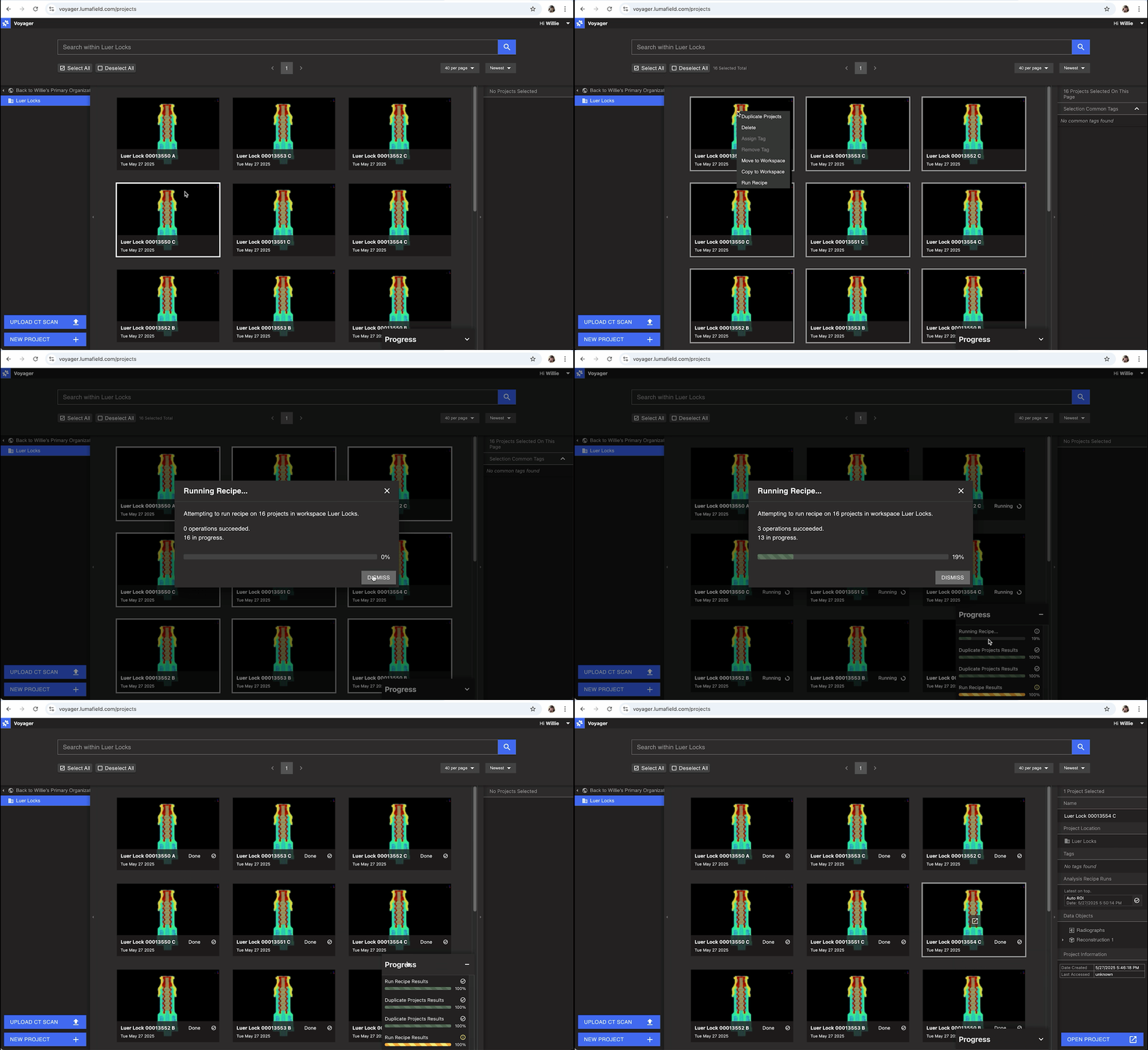 *Run recipes and view progress across multiple projects instead of opening and managing recipes on each project separately.*
### End-to-End Automation with Scan Recipes
Already using [Analysis Recipes](https://support.lumafield.com/recipes/analysis-recipes#analysis-recipes) to streamline tasks in Voyager? Now you can automate scanning, too. [Scan Recipes](https://support.lumafield.com/recipes/scan-recipes#scan-recipes) let you predefine scan settings and workflows – enabling one-click scans, automatic part categorization, and more. When paired with Analysis Recipes, you get true end-to-end automation, from scan setup to results.
*Run recipes and view progress across multiple projects instead of opening and managing recipes on each project separately.*
### End-to-End Automation with Scan Recipes
Already using [Analysis Recipes](https://support.lumafield.com/recipes/analysis-recipes#analysis-recipes) to streamline tasks in Voyager? Now you can automate scanning, too. [Scan Recipes](https://support.lumafield.com/recipes/scan-recipes#scan-recipes) let you predefine scan settings and workflows – enabling one-click scans, automatic part categorization, and more. When paired with Analysis Recipes, you get true end-to-end automation, from scan setup to results.
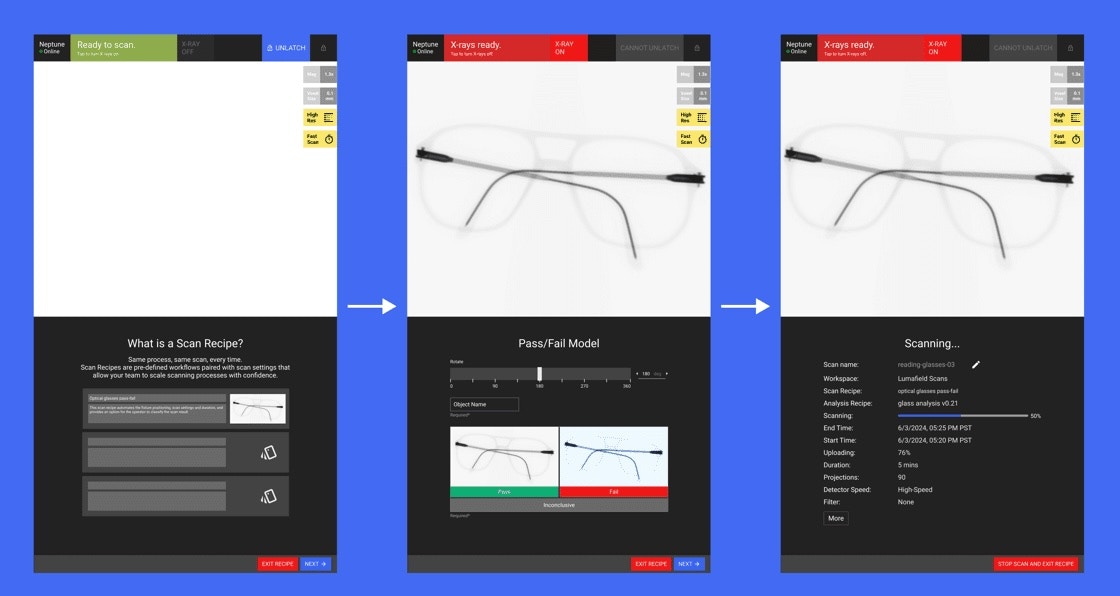 *Scan Recipes can be customized to categorize your scans in an easy-to-use, repeatable manner.*
Whether you're scanning the same part repeatedly or inspecting batches with pass/fail criteria, Scan Recipes reduce manual steps, speed up workflows, and minimize operator error.
[**Talk to your Lumafield Solutions Engineer at solutions@lumafield.com to get started with Scan Recipes and take automation to the next level.**](mailto:solutions@lumafield.com)
### New Support Docs
*Scan Recipes can be customized to categorize your scans in an easy-to-use, repeatable manner.*
Whether you're scanning the same part repeatedly or inspecting batches with pass/fail criteria, Scan Recipes reduce manual steps, speed up workflows, and minimize operator error.
[**Talk to your Lumafield Solutions Engineer at solutions@lumafield.com to get started with Scan Recipes and take automation to the next level.**](mailto:solutions@lumafield.com)
### New Support Docs
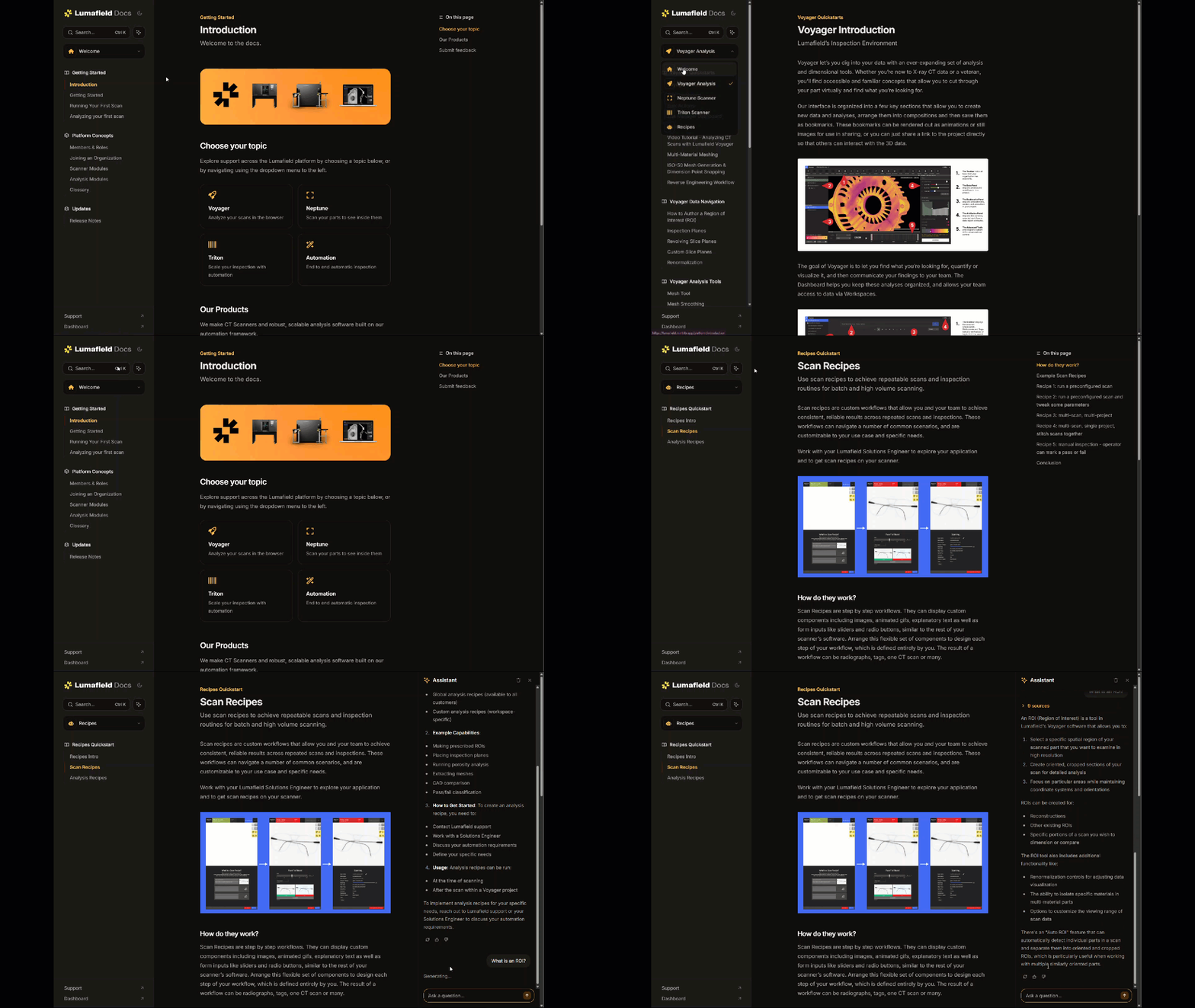 *If you're reading this, you've already made it to our new support site!*
We’ve redesigned our support site from the ground up to make learning Lumafield faster and easier—whether you’re onboarding new teammates or exploring advanced features.
* **Streamlined layout and intuitive navigation** make it simple to find what you need, fast.
* **Smarter search powered by AI** helps surface the most relevant answers and resources.
* **Updated “Getting Started” guides** help your team ramp up with confidence.
* **Fully refreshed content** now reflects Voyager’s latest interface and capabilities.
This is just the start – look out for more improvements to our onboarding and support experience in the near future.
### More Updates
🤖 **Analysis Recipe Panel Changes**\
Analysis Recipe runs, which used to be listed in the left-hand Data Panel, now appear in the Recipe Attributes Panel to reduce clutter. Click on the "Recipes" button in the top right panel to view which recipes have been run on the project, as well as their progress.
🎥 **Animation & Render Tool Updates**
* JPEG split screen render downloads now show both viewports in Firefox.
* Voyager embeds with animations now allow for proper scrubbing through cardinal slices.
# April 2025
*With spring in full swing, we’re excited to announce [Wall Thickness Analysis in Voyager](https://support.lumafield.com/voyager/voyager-wall-thickness-analysis#wall-thickness-analysis) – now available to all users with the Integrity Analysis Module – making it easy to measure internal and external structures across a wide range of parts. We’ve also added enhancements to the Probe Tool, streamlined recipe downloads file organization, improved animation rendering, and launched detailed [Release Notes](https://support.lumafield.com/platform/voyager-release-notes) to help you stay up to speed.*
### Introducing Wall Thickness Analysis
Whether you’re working with plastic consumer and product packaging, thin-walled medical components, additively manufactured parts, or castings, this tool gives you a powerful way to assess both external and internal wall thickness and structural performance, alongside material usage. Wall Thickness Analysis helps you identify potential failure points before they hit the production line, optimize part design and manufacturing parameters to reduce unnecessary material, and validate strength or compliance during testing.
*If you're reading this, you've already made it to our new support site!*
We’ve redesigned our support site from the ground up to make learning Lumafield faster and easier—whether you’re onboarding new teammates or exploring advanced features.
* **Streamlined layout and intuitive navigation** make it simple to find what you need, fast.
* **Smarter search powered by AI** helps surface the most relevant answers and resources.
* **Updated “Getting Started” guides** help your team ramp up with confidence.
* **Fully refreshed content** now reflects Voyager’s latest interface and capabilities.
This is just the start – look out for more improvements to our onboarding and support experience in the near future.
### More Updates
🤖 **Analysis Recipe Panel Changes**\
Analysis Recipe runs, which used to be listed in the left-hand Data Panel, now appear in the Recipe Attributes Panel to reduce clutter. Click on the "Recipes" button in the top right panel to view which recipes have been run on the project, as well as their progress.
🎥 **Animation & Render Tool Updates**
* JPEG split screen render downloads now show both viewports in Firefox.
* Voyager embeds with animations now allow for proper scrubbing through cardinal slices.
# April 2025
*With spring in full swing, we’re excited to announce [Wall Thickness Analysis in Voyager](https://support.lumafield.com/voyager/voyager-wall-thickness-analysis#wall-thickness-analysis) – now available to all users with the Integrity Analysis Module – making it easy to measure internal and external structures across a wide range of parts. We’ve also added enhancements to the Probe Tool, streamlined recipe downloads file organization, improved animation rendering, and launched detailed [Release Notes](https://support.lumafield.com/platform/voyager-release-notes) to help you stay up to speed.*
### Introducing Wall Thickness Analysis
Whether you’re working with plastic consumer and product packaging, thin-walled medical components, additively manufactured parts, or castings, this tool gives you a powerful way to assess both external and internal wall thickness and structural performance, alongside material usage. Wall Thickness Analysis helps you identify potential failure points before they hit the production line, optimize part design and manufacturing parameters to reduce unnecessary material, and validate strength or compliance during testing.
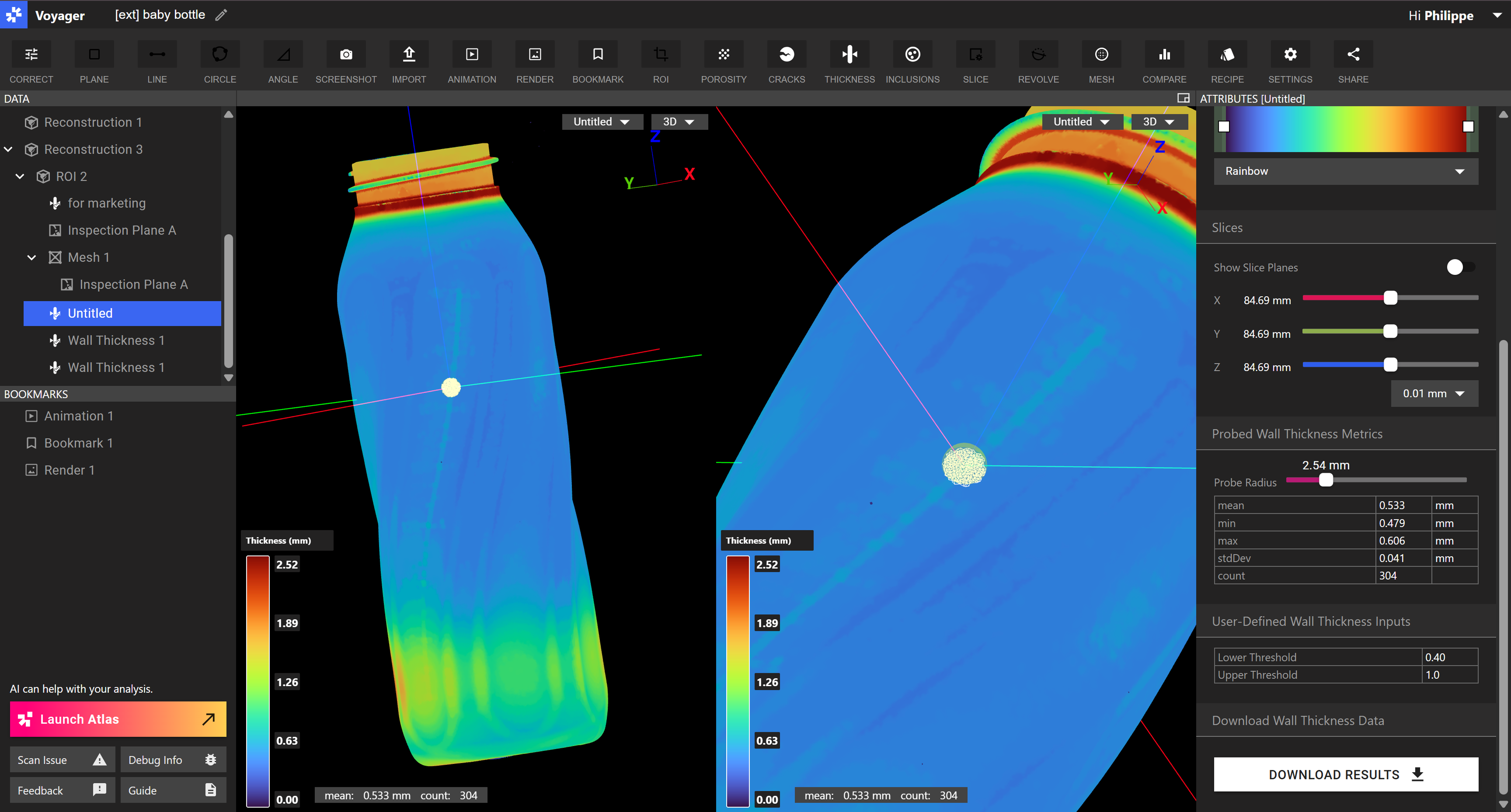 *Run wall thickness analyses directly in Voyager. View results as heatmaps, probe areas of interest, and export data for further analysis and reporting.*
Once the analysis is complete, results are displayed as a color-coded heatmap in Voyager. You can probe specific areas to view thickness statistics and export the data as a mesh or CSV for use in other tools, like FEA or manufacturing simulation software. For teams inspecting similar parts at scale, Wall Thickness Analysis can also be automated through Recipes, streamlining repetitive inspections with consistent results.
Want to learn more or see it in action? Visit the [feature page](https://www.lumafield.com/product-feature/wall-thickness-analysis) or check out the [support docs](https://support.lumafield.com/voyager/voyager-wall-thickness-analysis#wall-thickness-analysis). Have applications or recipes you might need support with? Reach out to our Solutions Team at [support@lumafield.com](mailto:support@lumafield.com).
### More Enhancements
📝 [**Introducing Release Notes**](https://support.lumafield.com/platform/voyager-release-notes#voyager-release-notes). In addition to our monthly highlights, you can now view detailed release notes that go back to August 2024. Soon, we will be moving our support documentation to a new platform that will make it easier to search for and find the docs and tutorials you’re looking for.
📏 **Probe Tool Enhancements**. You’ll now see 3D probe regions mirrored in the corresponding 2D slices – making it easier to orient your measurements in a Wall Thickness Analysis or CAD/mesh comparison.
*Run wall thickness analyses directly in Voyager. View results as heatmaps, probe areas of interest, and export data for further analysis and reporting.*
Once the analysis is complete, results are displayed as a color-coded heatmap in Voyager. You can probe specific areas to view thickness statistics and export the data as a mesh or CSV for use in other tools, like FEA or manufacturing simulation software. For teams inspecting similar parts at scale, Wall Thickness Analysis can also be automated through Recipes, streamlining repetitive inspections with consistent results.
Want to learn more or see it in action? Visit the [feature page](https://www.lumafield.com/product-feature/wall-thickness-analysis) or check out the [support docs](https://support.lumafield.com/voyager/voyager-wall-thickness-analysis#wall-thickness-analysis). Have applications or recipes you might need support with? Reach out to our Solutions Team at [support@lumafield.com](mailto:support@lumafield.com).
### More Enhancements
📝 [**Introducing Release Notes**](https://support.lumafield.com/platform/voyager-release-notes#voyager-release-notes). In addition to our monthly highlights, you can now view detailed release notes that go back to August 2024. Soon, we will be moving our support documentation to a new platform that will make it easier to search for and find the docs and tutorials you’re looking for.
📏 **Probe Tool Enhancements**. You’ll now see 3D probe regions mirrored in the corresponding 2D slices – making it easier to orient your measurements in a Wall Thickness Analysis or CAD/mesh comparison.
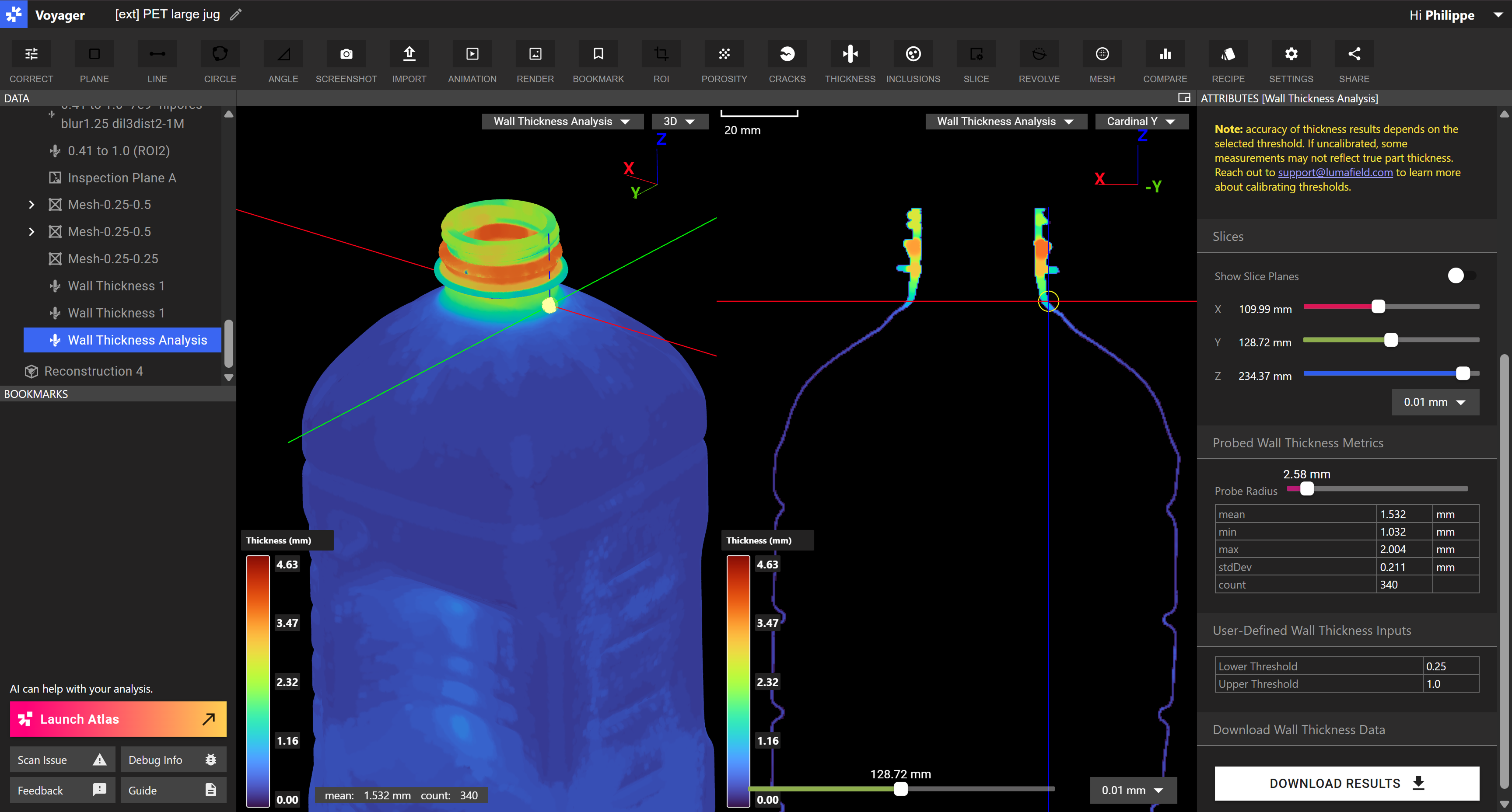 📁 **Better Recipe Results File Organization**. Downloaded recipe results are now grouped in clear, descriptive folders named by project, object, and recipe – so you can keep your results organized for further analysis and sharing.
🎥 **Animation & Render Tool Updates**
* Reduced the default frame rate to 24 FPS, which speeds up animation render times without any noticeable loss in video quality.
* “Low” and “medium” quality videos are now roughly 2× smaller in file size, now more ideal for sharing and including in presentations.
* Updated square render dimensions to 1080×1080, a more common square format.
# March 2025
*March marches in with a few mighty new upgrades to Voyager. This month brings powerful Animation and Render tools to the platform, making it easy to create high-quality visuals and videos of your scans. We’re also introducing the new Probe Tool for quick measurements, early access to Wall Thickness Analysis, and a host of other enhancements to help you work faster and share clearer results.*
### Introducing Animation and Render Tools
In our last update, we mentioned that our team was hard at work on some exciting new Voyager features. We're thrilled to introduce major enhancements this month, including powerful [Animation and Render tools](https://support.lumafield.com/voyager/voyager-animation-tool#animation-tool), improved measurement capabilities with the new Probe Tool, and the new early-access [Wall Thickness Analysis](https://support.lumafield.com/voyager/voyager-wall-thickness-analysis#wall-thickness-analysis) tool.
📁 **Better Recipe Results File Organization**. Downloaded recipe results are now grouped in clear, descriptive folders named by project, object, and recipe – so you can keep your results organized for further analysis and sharing.
🎥 **Animation & Render Tool Updates**
* Reduced the default frame rate to 24 FPS, which speeds up animation render times without any noticeable loss in video quality.
* “Low” and “medium” quality videos are now roughly 2× smaller in file size, now more ideal for sharing and including in presentations.
* Updated square render dimensions to 1080×1080, a more common square format.
# March 2025
*March marches in with a few mighty new upgrades to Voyager. This month brings powerful Animation and Render tools to the platform, making it easy to create high-quality visuals and videos of your scans. We’re also introducing the new Probe Tool for quick measurements, early access to Wall Thickness Analysis, and a host of other enhancements to help you work faster and share clearer results.*
### Introducing Animation and Render Tools
In our last update, we mentioned that our team was hard at work on some exciting new Voyager features. We're thrilled to introduce major enhancements this month, including powerful [Animation and Render tools](https://support.lumafield.com/voyager/voyager-animation-tool#animation-tool), improved measurement capabilities with the new Probe Tool, and the new early-access [Wall Thickness Analysis](https://support.lumafield.com/voyager/voyager-wall-thickness-analysis#wall-thickness-analysis) tool.
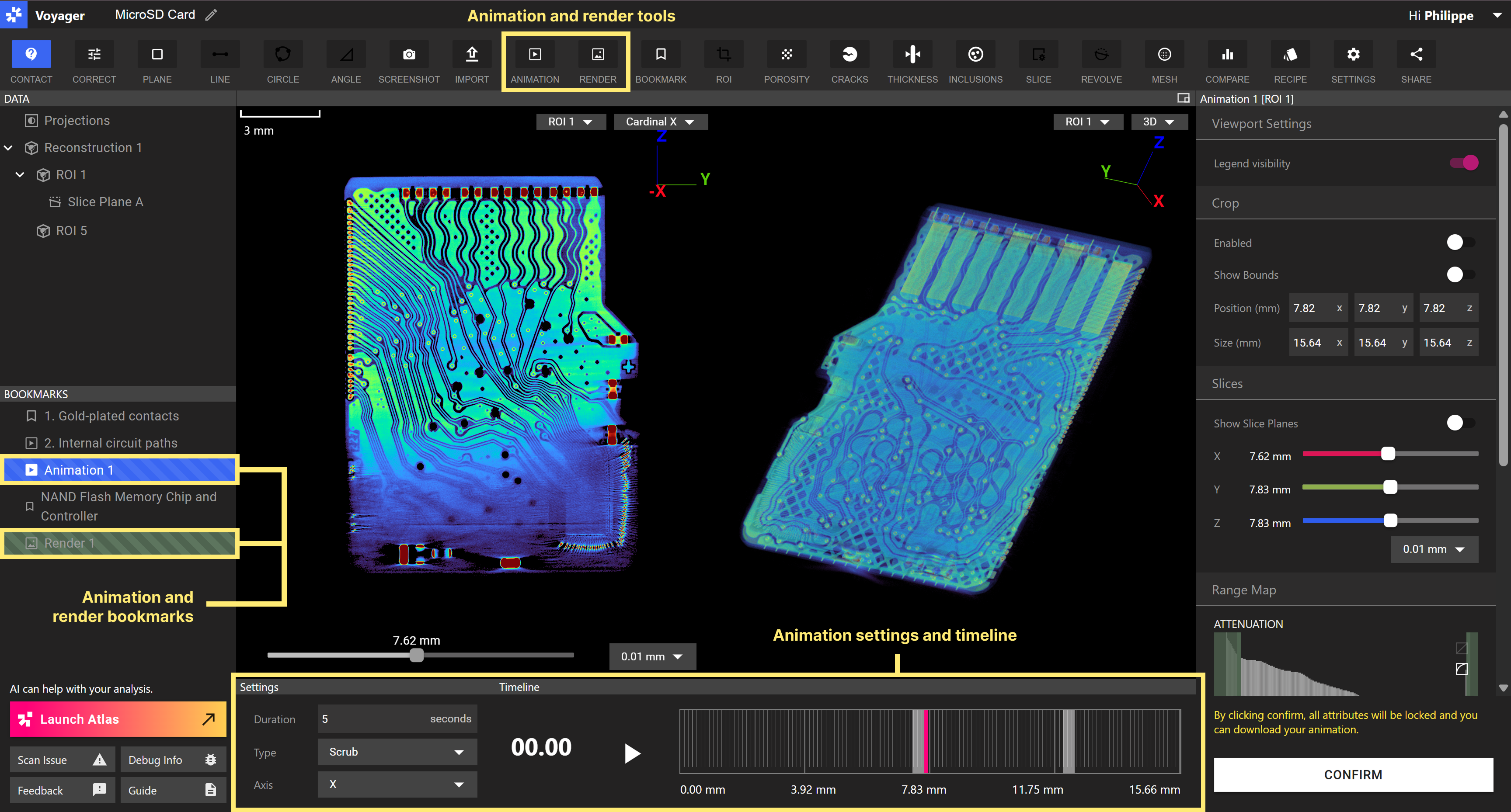 *Create videos and high-resolution images effortlessly in Voyager. Share content directly with deep links to animated content or download the videos and images you’ve generated.*
Voyager’s new [Animation and Render tools](https://support.lumafield.com/voyager/voyager-animation-tool#animation-tool) make it easier than ever to showcase your scans with dynamic, high-quality visuals. Create animations effortlessly, such as 3D orbit views that allow you to rotate around your scans and clearly illustrate internal features. Leverage 2D slice scrubs to animate cross-sections, revealing subtle inconsistencies or internal details as you move layer by layer through your scanned parts. Whether you're preparing detailed engineering reports to your team, compelling stakeholder presentations, or eye-catching visuals for your website, these tools help you communicate results quickly and intuitively.
Additionally, by using [Recipes](https://support.lumafield.com/recipes/recipes-intro#recipes-intro) (Voyager’s end-to-end automation framework), you can customize and scale the production of animations and renders so you can share results even faster. These powerful automations help to efficiently create repetitive video and image assets for engineering and regulatory documentation, marketing visuals, and interactive presentations. Reach out to [support@lumafield.com](mailto:support@lumafield.com) to set up your custom recipe today.
### More enhancements
🔎 With the new Probe Tool, you can take measurements directly on CAD Comparisons and Wall Thickness Analysis results with a single click. Deviation and thickness min, max, mean, and standard deviation values show up in the Attributes Panel on the right.
*Create videos and high-resolution images effortlessly in Voyager. Share content directly with deep links to animated content or download the videos and images you’ve generated.*
Voyager’s new [Animation and Render tools](https://support.lumafield.com/voyager/voyager-animation-tool#animation-tool) make it easier than ever to showcase your scans with dynamic, high-quality visuals. Create animations effortlessly, such as 3D orbit views that allow you to rotate around your scans and clearly illustrate internal features. Leverage 2D slice scrubs to animate cross-sections, revealing subtle inconsistencies or internal details as you move layer by layer through your scanned parts. Whether you're preparing detailed engineering reports to your team, compelling stakeholder presentations, or eye-catching visuals for your website, these tools help you communicate results quickly and intuitively.
Additionally, by using [Recipes](https://support.lumafield.com/recipes/recipes-intro#recipes-intro) (Voyager’s end-to-end automation framework), you can customize and scale the production of animations and renders so you can share results even faster. These powerful automations help to efficiently create repetitive video and image assets for engineering and regulatory documentation, marketing visuals, and interactive presentations. Reach out to [support@lumafield.com](mailto:support@lumafield.com) to set up your custom recipe today.
### More enhancements
🔎 With the new Probe Tool, you can take measurements directly on CAD Comparisons and Wall Thickness Analysis results with a single click. Deviation and thickness min, max, mean, and standard deviation values show up in the Attributes Panel on the right.
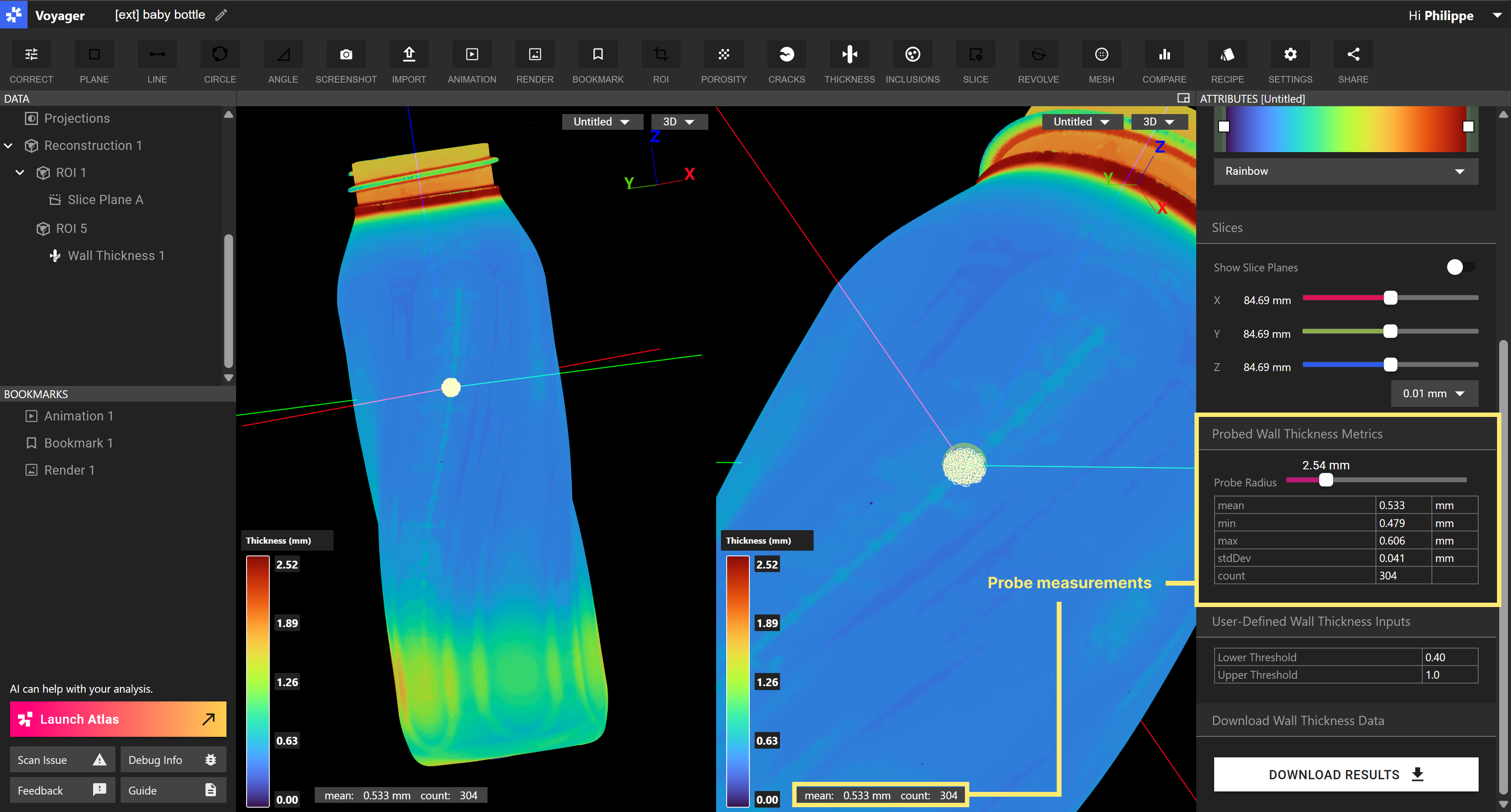 *When viewing a CAD Comparison or Wall Thickness Analysis result, simply click on the point of interest to probe the area. Adjust the radius and view the probed metrics in the Attributes Panel.*
📏 Interested in analyzing the thickness of your part's walls and internal structures? Reach out to our product team at [product@lumafield.com](mailto:product@lumafield.com) to learn more about the in-beta [Wall Thickness Analysis](https://support.lumafield.com/voyager/voyager-wall-thickness-analysis) tool within Voyager. We’re excited to work with those interested in trying out and providing us feedback on the new feature.
🔖 We fixed a bug where bookmarks didn’t get copied alongside a copied or duplicated project. Bookmarks should now consistently remain intact with copied projects.
🤖 We’ve enhanced the scanner auto-tuner. If you use manual settings on scans, try out the improved auto-scan experience.
# February 2025
*With February being the shortest month, we thought it would be appropriate to shorten the time it takes to share scans. Now, you can request access to a scan project with a single click, streamlining approval flows for managers and your entire team. Check out the additional enhancements below, all requests submitted by you!*
### Streamline Sharing with Request Access
Sharing just got easier in Voyager! Now, when you receive a project link to a scan you don’t have access to, you’ll see a [Request Access](https://support.lumafield.com/voyager/voyager-request-access#request-access) button. With a single click, an email is sent to the Workspace Manager for approval, eliminating dead ends and reducing manual back-and-forth.
If managers elect to approve a request, they’re taken to the Manager Dashboard, where the request auto-populates the Workspace and email address in the “Add Member” modal, streamlining the process.
*When viewing a CAD Comparison or Wall Thickness Analysis result, simply click on the point of interest to probe the area. Adjust the radius and view the probed metrics in the Attributes Panel.*
📏 Interested in analyzing the thickness of your part's walls and internal structures? Reach out to our product team at [product@lumafield.com](mailto:product@lumafield.com) to learn more about the in-beta [Wall Thickness Analysis](https://support.lumafield.com/voyager/voyager-wall-thickness-analysis) tool within Voyager. We’re excited to work with those interested in trying out and providing us feedback on the new feature.
🔖 We fixed a bug where bookmarks didn’t get copied alongside a copied or duplicated project. Bookmarks should now consistently remain intact with copied projects.
🤖 We’ve enhanced the scanner auto-tuner. If you use manual settings on scans, try out the improved auto-scan experience.
# February 2025
*With February being the shortest month, we thought it would be appropriate to shorten the time it takes to share scans. Now, you can request access to a scan project with a single click, streamlining approval flows for managers and your entire team. Check out the additional enhancements below, all requests submitted by you!*
### Streamline Sharing with Request Access
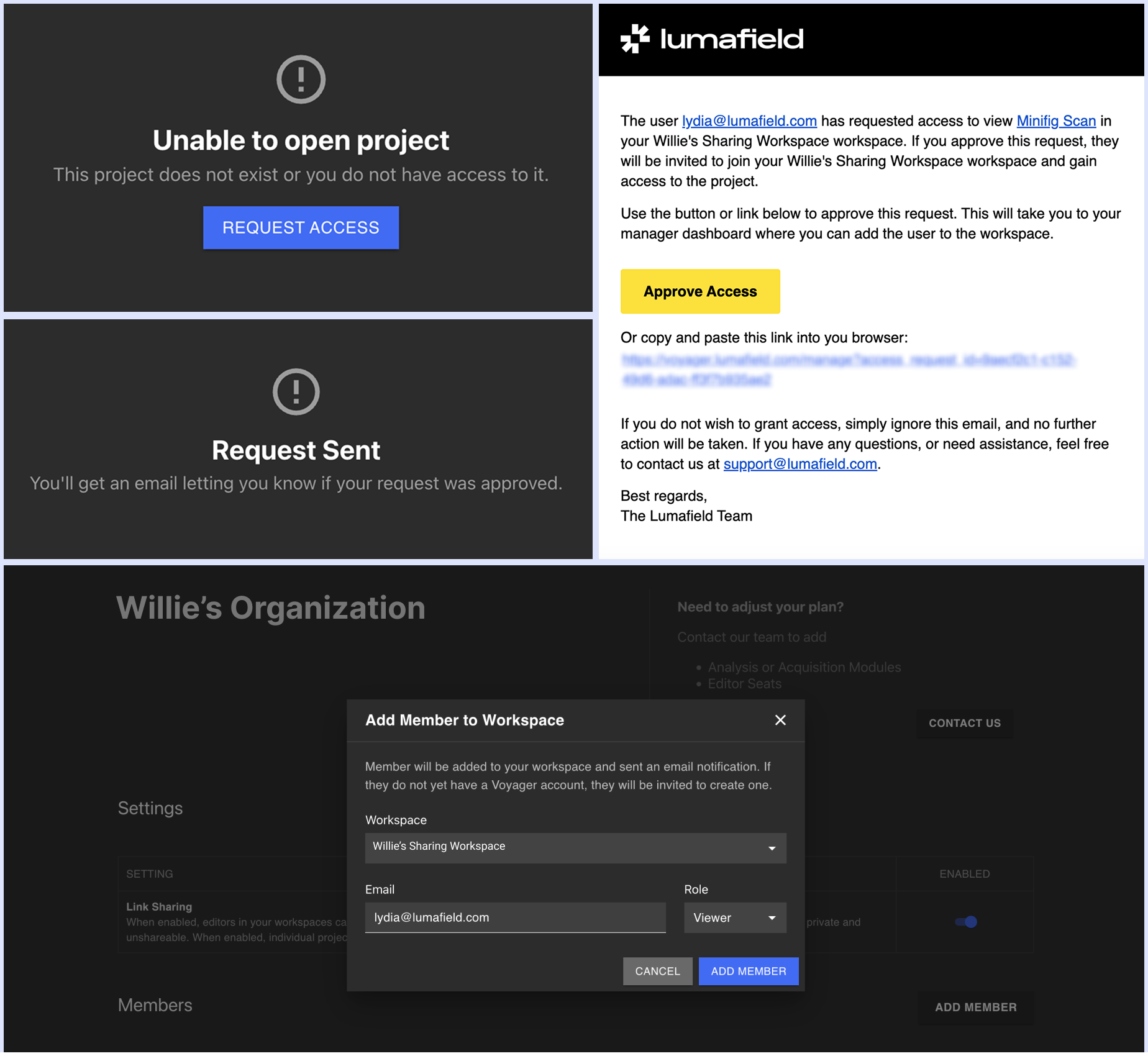
Sharing just got easier in Voyager! Now, when you receive a project link to a scan you don’t have access to, you’ll see a [Request Access](https://support.lumafield.com/voyager/voyager-request-access#request-access) button. With a single click, an email is sent to the Workspace Manager for approval, eliminating dead ends and reducing manual back-and-forth.
If managers elect to approve a request, they’re taken to the Manager Dashboard, where the request auto-populates the Workspace and email address in the “Add Member” modal, streamlining the process.
 ### More enhancements
🍕 Viewers can now create revolving and custom slice planes that only show in their project view. When sharing scans with partners or suppliers with view-only access, this provides them with further inspection tools without editing the project itself.
### More enhancements
🍕 Viewers can now create revolving and custom slice planes that only show in their project view. When sharing scans with partners or suppliers with view-only access, this provides them with further inspection tools without editing the project itself.
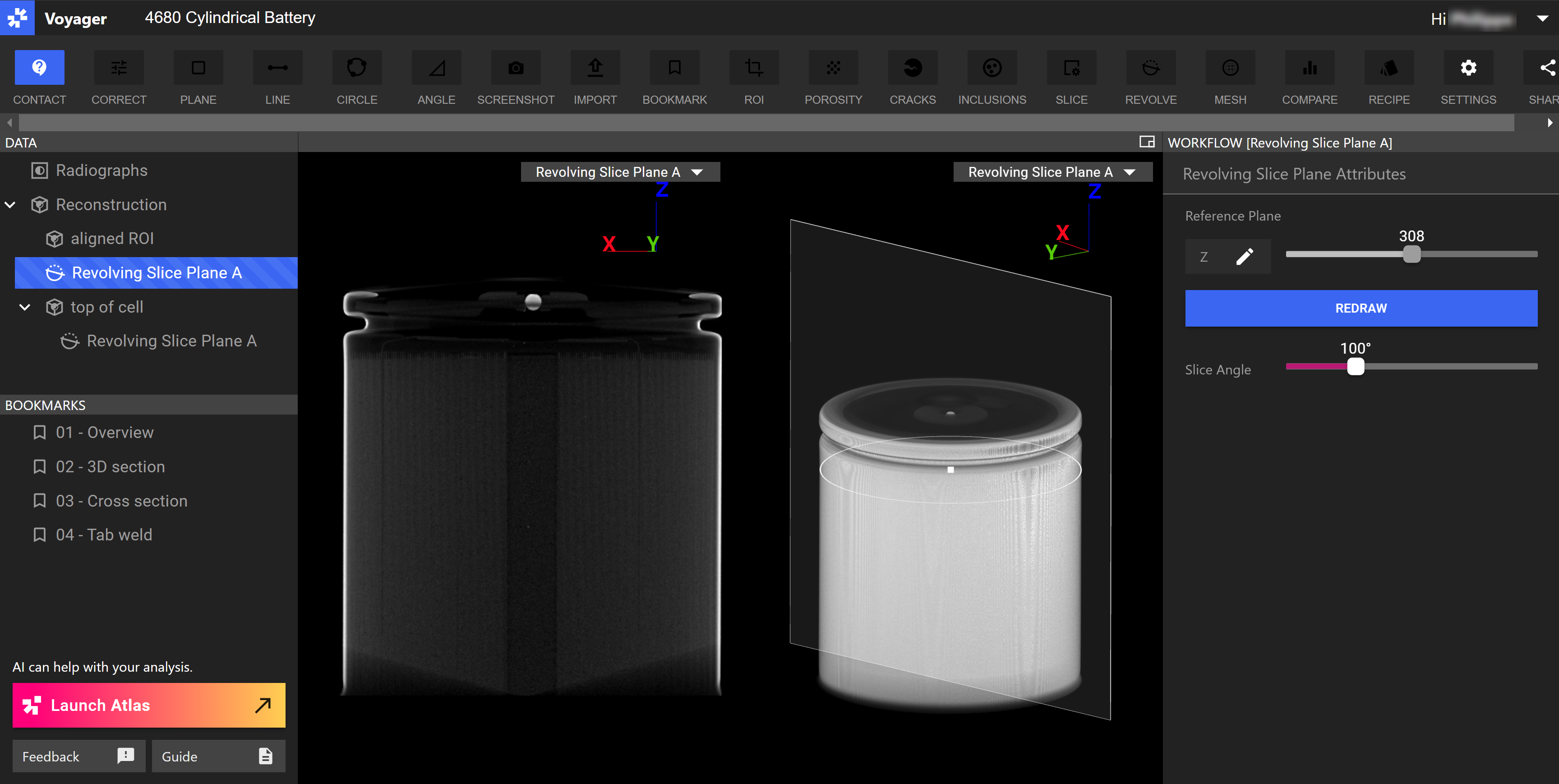 🚁 You can now hover over a project in the Project Dashboard and view its entire name – without opening the project itself!
🐞 We fixed a bug where upon recipe completion clicking the “Update” message updated the project but oftentimes failed to capture subsequent edits, requiring a project refresh. Clicking on “Update” now successfully updates the project with recipe results so you can continue to edit your project with confidence.
# January 2025
*New year, new ways to share! We're kicking off 2025 by introducing Embedded Voyager, a new experience that makes it easier than ever to showcase your scans. Now, you can embed interactive scans directly into webpages, blogs, and internal sites — giving viewers a seamless way to explore your data in context.*
### Introducing Embedded Voyager
With Embedded Voyager, embedded scans feature a prominent overlay that highlights projects as interactive, encouraging users to explore directly on your site.
*Interactive overlays make it clear your scans are interactive and ready to explore, directly on your site.*
You can see Embedded Voyager featured in one of our [recent blog posts](https://www.lumafield.com/article/investigating-malicious-hardware-with-industrial-ct). To learn more about Embedded Voyager, visit our [support documentation](https://support.lumafield.com/voyager/voyager-embedded-view) or reach out to our team [here](mailto:austin@lumafield.com). Stay tuned for more exciting updates, including animation and rendering tools coming soon!
### More enhancements
✉️ We've updated the emails that users receive when they verify or create an account and add a new user to a Workspace. This comprises the first set of changes we're making to project sharing and user management. Soon, it will be easier to request access to projects shared by others on your team and easier for managers to add those team members to your Organization who requested access to a scan.
🔬 You can now zoom out further in Voyager's viewport so that you can capture even more of your scan and labels in bookmarks and screenshots.
######
# December 2024
*'Tis the season for sharing — now even easier in Voyager! This month, we're introducing several bookmark enhancements that expand how you share scan data and insights across your team and partners.*
#### Bookmark enhancements
You can now share specific bookmarks using deep links, enabling targeted sharing. Bookmarks of revolving and custom slice planes include the corresponding plane visual in the 3D view, providing better spatial context.
🚁 You can now hover over a project in the Project Dashboard and view its entire name – without opening the project itself!
🐞 We fixed a bug where upon recipe completion clicking the “Update” message updated the project but oftentimes failed to capture subsequent edits, requiring a project refresh. Clicking on “Update” now successfully updates the project with recipe results so you can continue to edit your project with confidence.
# January 2025
*New year, new ways to share! We're kicking off 2025 by introducing Embedded Voyager, a new experience that makes it easier than ever to showcase your scans. Now, you can embed interactive scans directly into webpages, blogs, and internal sites — giving viewers a seamless way to explore your data in context.*
### Introducing Embedded Voyager
With Embedded Voyager, embedded scans feature a prominent overlay that highlights projects as interactive, encouraging users to explore directly on your site.
*Interactive overlays make it clear your scans are interactive and ready to explore, directly on your site.*
You can see Embedded Voyager featured in one of our [recent blog posts](https://www.lumafield.com/article/investigating-malicious-hardware-with-industrial-ct). To learn more about Embedded Voyager, visit our [support documentation](https://support.lumafield.com/voyager/voyager-embedded-view) or reach out to our team [here](mailto:austin@lumafield.com). Stay tuned for more exciting updates, including animation and rendering tools coming soon!
### More enhancements
✉️ We've updated the emails that users receive when they verify or create an account and add a new user to a Workspace. This comprises the first set of changes we're making to project sharing and user management. Soon, it will be easier to request access to projects shared by others on your team and easier for managers to add those team members to your Organization who requested access to a scan.
🔬 You can now zoom out further in Voyager's viewport so that you can capture even more of your scan and labels in bookmarks and screenshots.
######
# December 2024
*'Tis the season for sharing — now even easier in Voyager! This month, we're introducing several bookmark enhancements that expand how you share scan data and insights across your team and partners.*
#### Bookmark enhancements
You can now share specific bookmarks using deep links, enabling targeted sharing. Bookmarks of revolving and custom slice planes include the corresponding plane visual in the 3D view, providing better spatial context.
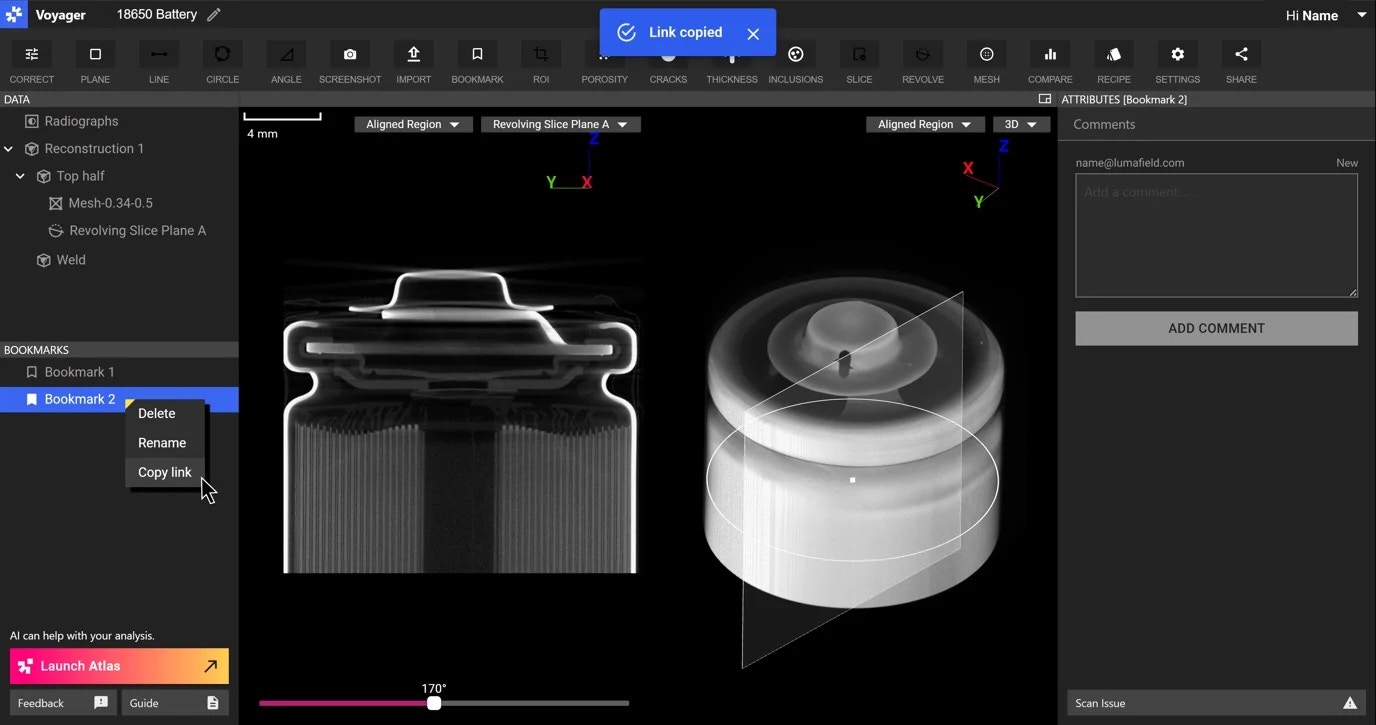 *You can now visualize revolving and custom slice plane locations in bookmarks and easily share deep links to any bookmarks in your project.*
Additionally, you have more control over bookmark settings – such as histogram and color map attributes – when running recipes that automatically create bookmarks in repetitive workflows. For assistance with this enhanced recipe step or setting up custom recipes, reach out to [support@lumafield.com](mailto:support@lumafield.com).
#### Improving Voyager's Performance
While we certainly get excited to roll out new features to you, it's just as important to ensure Voyager continues to perform optimally – especially as we deliver more functionality and as you scale your usage.
We've recently released notable performance enhancements to our Integrity Analysis tools. Previously, those with less performant devices might have encountered blank screens when viewing Porosity, Inclusion, or Crack Detection results – requiring a project refresh that might not have resolved the underlying behavior. With these improvements, we've reduced the memory consumption required in that experience so that you can now inspect Integrity Analysis results without interruption, across devices.
#### More enhancements
🔇 Scanners now enter "quiet mode" when inactive for more than 10 minutes, keeping that fan humming down to a whisper!
🍕 For [inspection planes](https://support.lumafield.com/voyager/voyager-inspection-planes#inspection-planes) created on revolving and custom slice planes, we've added the slice location to the Attributes Panel so you have more context on which slice you've authored dimensions
🌀 [Axis of Rotation Correction (AoRC)](https://support.lumafield.com/voyager/voyager-aorc#axis-of-rotation-correction)– when correcting for doubling or blurring in a scan, the upper and lower line positions in the AoRC workflow did not span the entire vertical range of the radiograph. We've adjusted those such that they now do – especially useful for parts that extend vertically.
🐞 We fixed a handful of small but pesky bugs, including objects and in-progress dimension labels that disappeared upon zooming. Thank you to those who surfaced some of these to our team!
# November 2024
[*This month, we're bringing powerful upgrades to meshing. You can now isolate single parts, apply mesh decimation, and download full-resolution meshes — giving you more control and flexibility in your CAD comparison, dimensioning, and mesh export workflows. Whether refining scans or working with high-detail models, these enhancements make meshing smoother than ever.*](https://support.lumafield.com/voyager/voyager-mesh-tool#isolate-largest-body-and-remove-residual-material)
#### Level up your mesh workflows
Many of you work with meshes to further inspect and compare scans, or to connect CT data into other tools, like CAD software. We're thrilled to introduce new and powerful mesh features that are sure to turn your meshes into mesh-terpieces.
*You can now visualize revolving and custom slice plane locations in bookmarks and easily share deep links to any bookmarks in your project.*
Additionally, you have more control over bookmark settings – such as histogram and color map attributes – when running recipes that automatically create bookmarks in repetitive workflows. For assistance with this enhanced recipe step or setting up custom recipes, reach out to [support@lumafield.com](mailto:support@lumafield.com).
#### Improving Voyager's Performance
While we certainly get excited to roll out new features to you, it's just as important to ensure Voyager continues to perform optimally – especially as we deliver more functionality and as you scale your usage.
We've recently released notable performance enhancements to our Integrity Analysis tools. Previously, those with less performant devices might have encountered blank screens when viewing Porosity, Inclusion, or Crack Detection results – requiring a project refresh that might not have resolved the underlying behavior. With these improvements, we've reduced the memory consumption required in that experience so that you can now inspect Integrity Analysis results without interruption, across devices.
#### More enhancements
🔇 Scanners now enter "quiet mode" when inactive for more than 10 minutes, keeping that fan humming down to a whisper!
🍕 For [inspection planes](https://support.lumafield.com/voyager/voyager-inspection-planes#inspection-planes) created on revolving and custom slice planes, we've added the slice location to the Attributes Panel so you have more context on which slice you've authored dimensions
🌀 [Axis of Rotation Correction (AoRC)](https://support.lumafield.com/voyager/voyager-aorc#axis-of-rotation-correction)– when correcting for doubling or blurring in a scan, the upper and lower line positions in the AoRC workflow did not span the entire vertical range of the radiograph. We've adjusted those such that they now do – especially useful for parts that extend vertically.
🐞 We fixed a handful of small but pesky bugs, including objects and in-progress dimension labels that disappeared upon zooming. Thank you to those who surfaced some of these to our team!
# November 2024
[*This month, we're bringing powerful upgrades to meshing. You can now isolate single parts, apply mesh decimation, and download full-resolution meshes — giving you more control and flexibility in your CAD comparison, dimensioning, and mesh export workflows. Whether refining scans or working with high-detail models, these enhancements make meshing smoother than ever.*](https://support.lumafield.com/voyager/voyager-mesh-tool#isolate-largest-body-and-remove-residual-material)
#### Level up your mesh workflows
Many of you work with meshes to further inspect and compare scans, or to connect CT data into other tools, like CAD software. We're thrilled to introduce new and powerful mesh features that are sure to turn your meshes into mesh-terpieces.
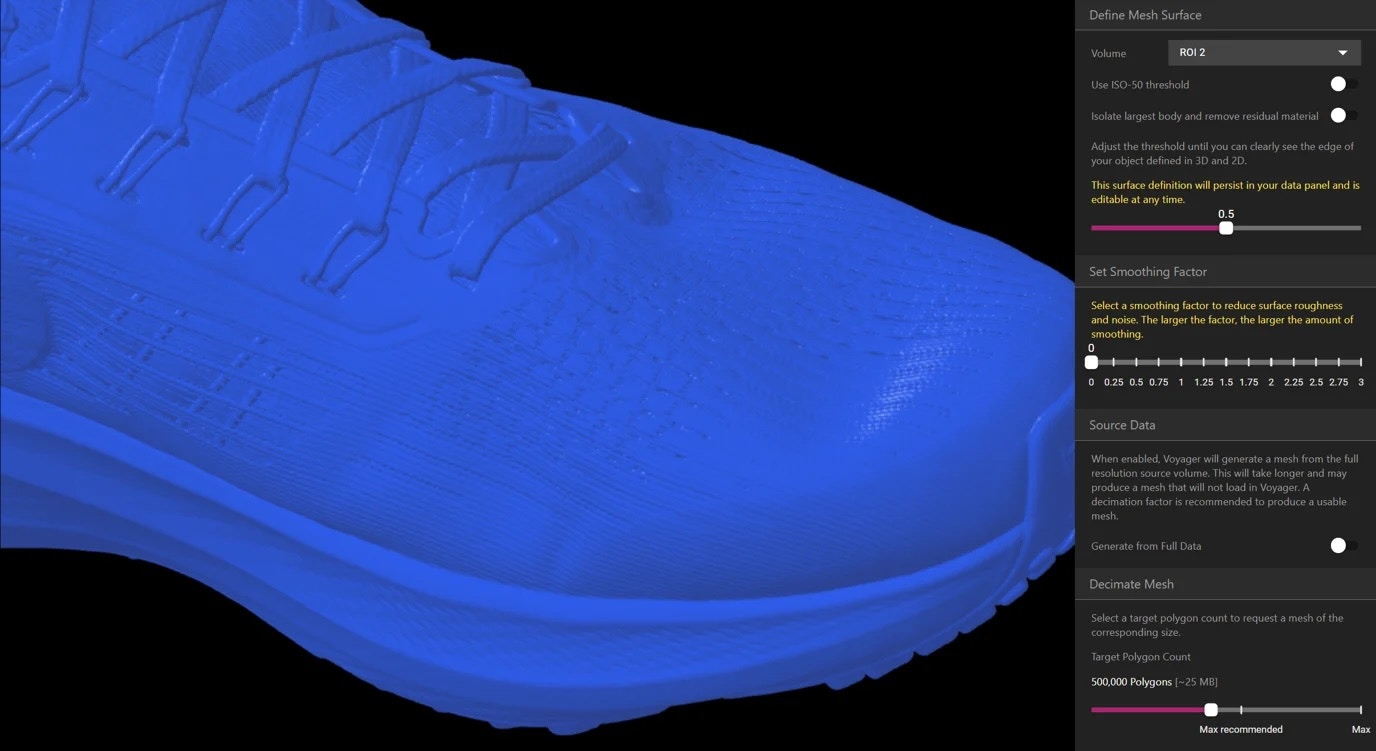 *Dial in the meshes you create from scans by tuning a variety of new parameters in mesh workflows.*
[**Largest body isolation**](https://support.lumafield.com/voyager/voyager-mesh-tool#isolate-largest-body-and-remove-residual-material): this new toggle enables you to generate a mesh from only the largest object in your scan, discarding any pieces not part of that main object (such as artifacts or smaller parts of an assembly).
*Dial in the meshes you create from scans by tuning a variety of new parameters in mesh workflows.*
[**Largest body isolation**](https://support.lumafield.com/voyager/voyager-mesh-tool#isolate-largest-body-and-remove-residual-material): this new toggle enables you to generate a mesh from only the largest object in your scan, discarding any pieces not part of that main object (such as artifacts or smaller parts of an assembly).
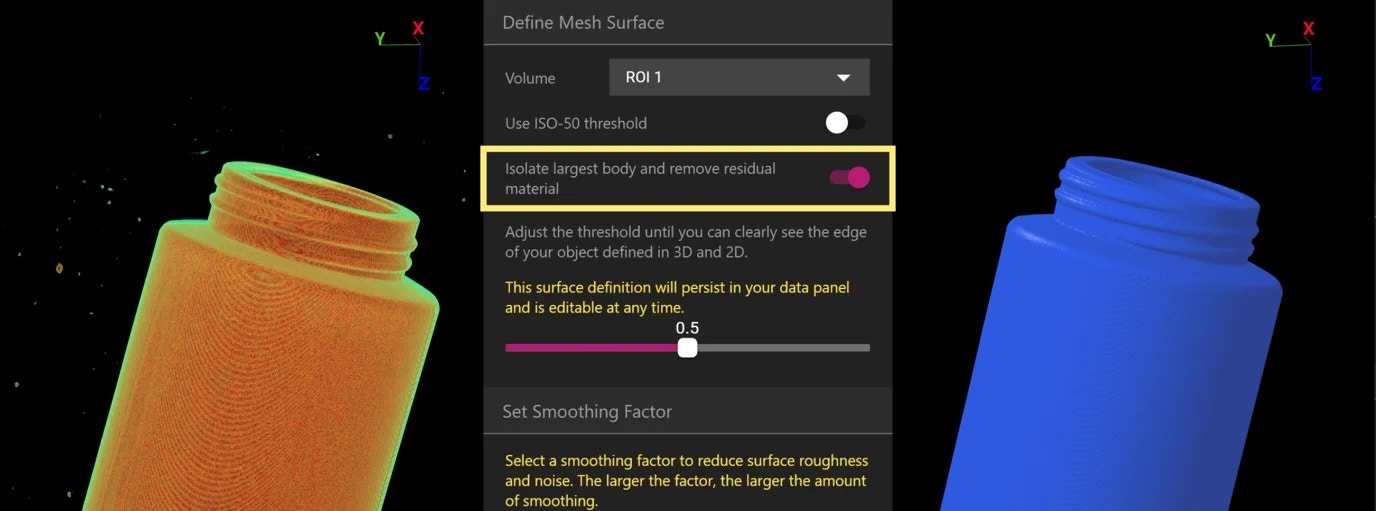 *Automatically remove smaller disconnected regions (left) by selecting the "largest body isolation" in the mesh workflow (center) to obtain a clean mesh of the largest part (right).*
[**Mesh Decimation**](https://support.lumafield.com/voyager/voyager-mesh-tool#decimate-mesh): reducing the complexity of meshes can speed up work that requires simpler models, such as in CAD tools. You can now set a target face count and control the size of the output mesh.
[**Generate meshes from full resolution data**](https://support.lumafield.com/voyager/voyager-mesh-tool#generate-from-full-data): in other cases, you may need full-detail models for simulation or workflows that require maximum accuracy. Now, you can generate and download meshes from the full resolution source scan in Voyager.
*Automatically remove smaller disconnected regions (left) by selecting the "largest body isolation" in the mesh workflow (center) to obtain a clean mesh of the largest part (right).*
[**Mesh Decimation**](https://support.lumafield.com/voyager/voyager-mesh-tool#decimate-mesh): reducing the complexity of meshes can speed up work that requires simpler models, such as in CAD tools. You can now set a target face count and control the size of the output mesh.
[**Generate meshes from full resolution data**](https://support.lumafield.com/voyager/voyager-mesh-tool#generate-from-full-data): in other cases, you may need full-detail models for simulation or workflows that require maximum accuracy. Now, you can generate and download meshes from the full resolution source scan in Voyager.
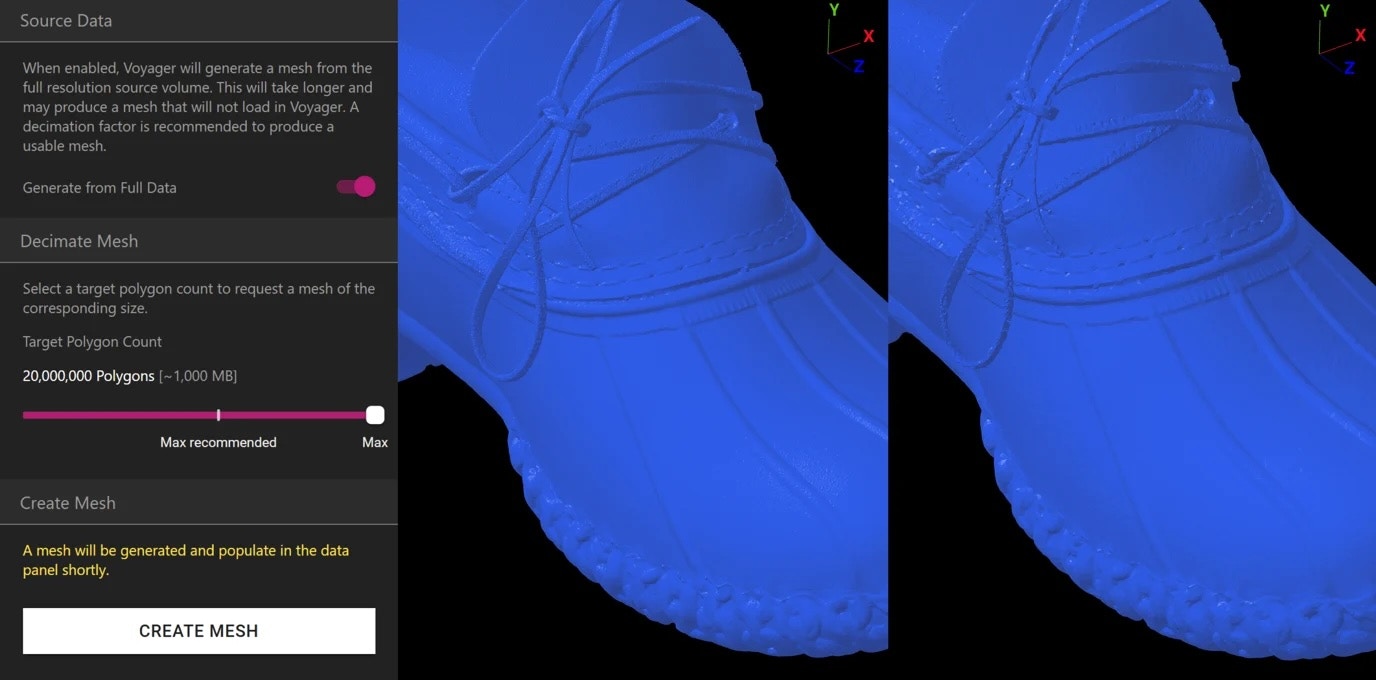 *Generate high resolution meshes (up to 20M polygons) from full resolution scan data (left) or decimate meshes so that they are easier to work with in downstream tools (right).*
#### More Enhancements
🧹 Scan Sweep – a scanning feature that enables you to set multiple scan durations in a single scan run so you can dial in the optimal scan time for your part – now supports offset scanning and part removal / reloading.
🎨 We've made some adjustments to range map handle colors to provide more consistency across mesh and integrity analysis workflows.
# October 2024
*October is here, and we're carving out some exciting updates! This month brings Inspection planes to CAD comparisons, enabling you to take dimensions and evaluate deviations between your scan and CAD models with more precision. Plus, we've made some important updates to our scanners – scroll down to see more.*
#### Take dimensions on CAD comparisons
You can now [create inspection planes](https://support.lumafield.com/voyager/voyager-inspection-planes#inspection-planes) on cardinal (x, y, z) slices of CAD Comparisons. That means you can easily dimension differences between scans, meshes, or CAD models, helping you complement the CAD deviation visual and range map with precise measurements – including internal features.
*Generate high resolution meshes (up to 20M polygons) from full resolution scan data (left) or decimate meshes so that they are easier to work with in downstream tools (right).*
#### More Enhancements
🧹 Scan Sweep – a scanning feature that enables you to set multiple scan durations in a single scan run so you can dial in the optimal scan time for your part – now supports offset scanning and part removal / reloading.
🎨 We've made some adjustments to range map handle colors to provide more consistency across mesh and integrity analysis workflows.
# October 2024
*October is here, and we're carving out some exciting updates! This month brings Inspection planes to CAD comparisons, enabling you to take dimensions and evaluate deviations between your scan and CAD models with more precision. Plus, we've made some important updates to our scanners – scroll down to see more.*
#### Take dimensions on CAD comparisons
You can now [create inspection planes](https://support.lumafield.com/voyager/voyager-inspection-planes#inspection-planes) on cardinal (x, y, z) slices of CAD Comparisons. That means you can easily dimension differences between scans, meshes, or CAD models, helping you complement the CAD deviation visual and range map with precise measurements – including internal features.
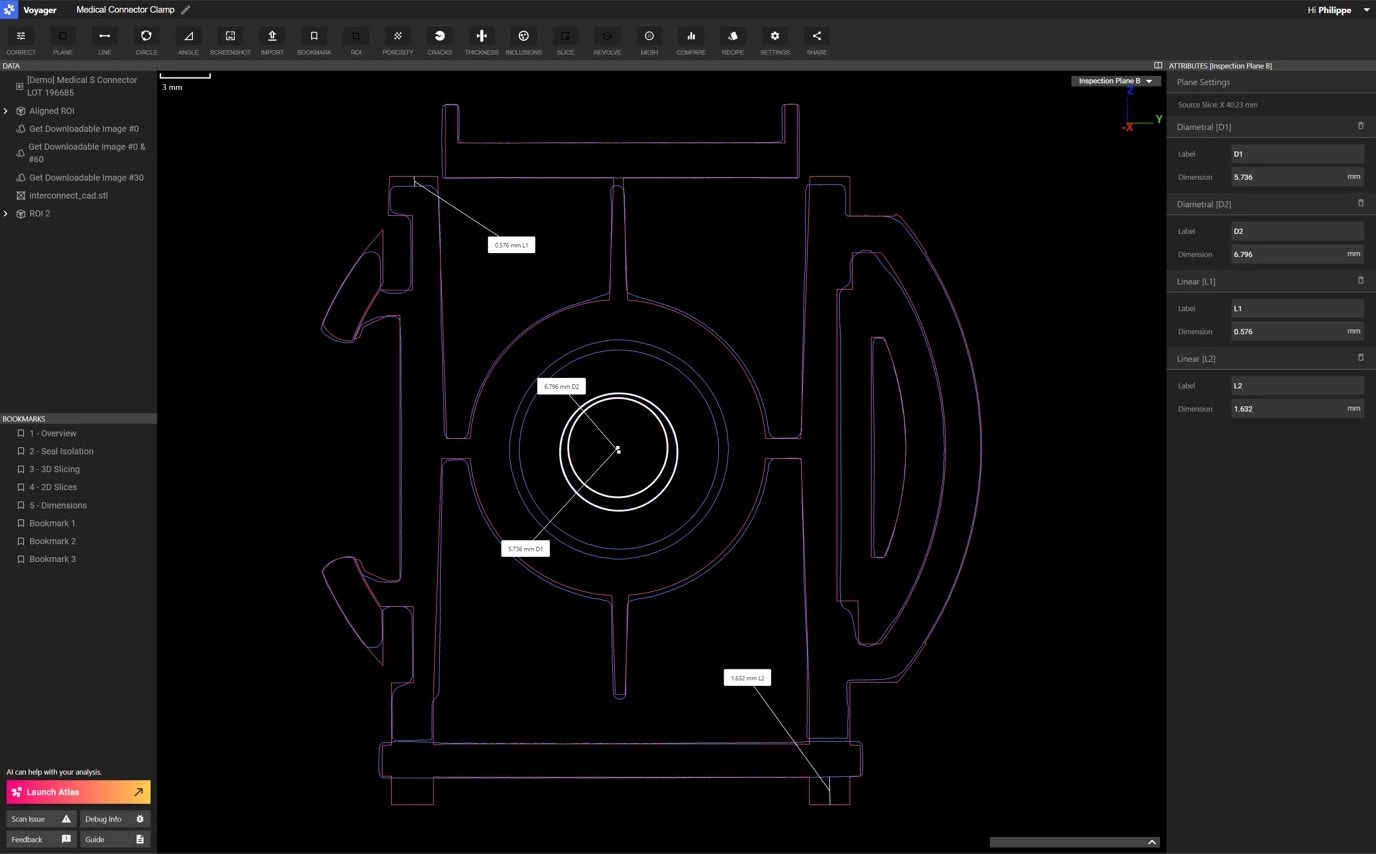 *Take measurements on CAD Comparisons – like in this medical connector clamp comparison – to quantify deviations between the two.*
To access the CAD comparison cardinal slices, select "Source Meshes Aligned" in the *Visualize* dropdown in the CAD comparison Attributes Panel. Once you find the slice of interest, create your inspection plane to take dimensions on the comparison. Just like with single mesh measurements today, those dimensions snap to the surfaces you're comparing.
#### More Enhancements
🧹 Sweep of scans – a scanning feature that enables you to take 3 or 5 sequential scans of varying scan duration – now supports offset scanning and part removal / reloading.
🐞 We fixed a scanner bug that occurred if double tapped the manual or auto scan button quickly, which could cause the scan to not process properly.
👨🍳 Analysis recipes that provide multiple downloadable results now download as a single ZIP file rather than separate files.
# September 2024
*As the leaves begin to turn, we're rotating into something fresh this September too. Our latest update introduces a highly requested feature from many of you. Now, you can create inspection planes on revolving and custom slice planes, giving you more flexibility and precision in your inspection and dimensioning workflows.*
#### Inspection planes on revolving and custom slice planes
Before this release, [inspection planes](https://support.lumafield.com/voyager/voyager-inspection-planes#inspection-planes) were limited to cardinal (x, y, z) planes. With this update, you can now take dimensions on more complex features and cross-sections in your scan.
These additions to Voyager's measurement toolkit can be useful if you're inspecting turbine blades or impellers, where custom slice planes help dimension cross-sections curved or irregular components. They're also helpful with cylindrical components, such as batteries, bottles, or medical device couplings, where revolving slice planes assist in taking precise measurements.
#### More Enhancements
❗ At times, Voyager might have trouble loading objects in the Data Panel. Usually this stems from network issues, which interrupt object loading, or because an object is too large to load into Voyager (e.g., a Porosity Analysis that contains a significant number of voids). As we continue to improve Voyager's ability to handle these cases, we've added clearer messaging and suggested actions for how to handle these issues (e.g., reloading the page).
📦 A few users reported that crop box handles were a bit jumpy. We've fixed that issue so that now those handles stay put!
🔗 We've added in more graceful network interruption behavior and retries to Voyager Uplink when uploading scans from other CT scanners.
# August 2024
*As we hit peak summer temperatures, we're also turning up the heat with our latest module release – Voyager Uplink. We heard from many of you who wanted to use Voyager to visualize, analyze, and collaborate on all your volumetric data, regardless of the scanner source. Uplink unlocks just that. Read more on Uplink below as well as other enhancements we've built.*
#### Introducing Voyager Uplink
Do you want to reduce the amount of time you spend prepping and sharing CT scan visuals and analyses with your broader team? Have them self-serve with Voyager Uplink. We built [Voyager Uplink](https://support.lumafield.com/voyager/voyager-uplink#uplink) so that you and your team can upload scan data to Voyager from any CT scanner, easily visualize and run automated inspection workflows on it, and share it with others.
*Take measurements on CAD Comparisons – like in this medical connector clamp comparison – to quantify deviations between the two.*
To access the CAD comparison cardinal slices, select "Source Meshes Aligned" in the *Visualize* dropdown in the CAD comparison Attributes Panel. Once you find the slice of interest, create your inspection plane to take dimensions on the comparison. Just like with single mesh measurements today, those dimensions snap to the surfaces you're comparing.
#### More Enhancements
🧹 Sweep of scans – a scanning feature that enables you to take 3 or 5 sequential scans of varying scan duration – now supports offset scanning and part removal / reloading.
🐞 We fixed a scanner bug that occurred if double tapped the manual or auto scan button quickly, which could cause the scan to not process properly.
👨🍳 Analysis recipes that provide multiple downloadable results now download as a single ZIP file rather than separate files.
# September 2024
*As the leaves begin to turn, we're rotating into something fresh this September too. Our latest update introduces a highly requested feature from many of you. Now, you can create inspection planes on revolving and custom slice planes, giving you more flexibility and precision in your inspection and dimensioning workflows.*
#### Inspection planes on revolving and custom slice planes
Before this release, [inspection planes](https://support.lumafield.com/voyager/voyager-inspection-planes#inspection-planes) were limited to cardinal (x, y, z) planes. With this update, you can now take dimensions on more complex features and cross-sections in your scan.
These additions to Voyager's measurement toolkit can be useful if you're inspecting turbine blades or impellers, where custom slice planes help dimension cross-sections curved or irregular components. They're also helpful with cylindrical components, such as batteries, bottles, or medical device couplings, where revolving slice planes assist in taking precise measurements.
#### More Enhancements
❗ At times, Voyager might have trouble loading objects in the Data Panel. Usually this stems from network issues, which interrupt object loading, or because an object is too large to load into Voyager (e.g., a Porosity Analysis that contains a significant number of voids). As we continue to improve Voyager's ability to handle these cases, we've added clearer messaging and suggested actions for how to handle these issues (e.g., reloading the page).
📦 A few users reported that crop box handles were a bit jumpy. We've fixed that issue so that now those handles stay put!
🔗 We've added in more graceful network interruption behavior and retries to Voyager Uplink when uploading scans from other CT scanners.
# August 2024
*As we hit peak summer temperatures, we're also turning up the heat with our latest module release – Voyager Uplink. We heard from many of you who wanted to use Voyager to visualize, analyze, and collaborate on all your volumetric data, regardless of the scanner source. Uplink unlocks just that. Read more on Uplink below as well as other enhancements we've built.*
#### Introducing Voyager Uplink
Do you want to reduce the amount of time you spend prepping and sharing CT scan visuals and analyses with your broader team? Have them self-serve with Voyager Uplink. We built [Voyager Uplink](https://support.lumafield.com/voyager/voyager-uplink#uplink) so that you and your team can upload scan data to Voyager from any CT scanner, easily visualize and run automated inspection workflows on it, and share it with others.
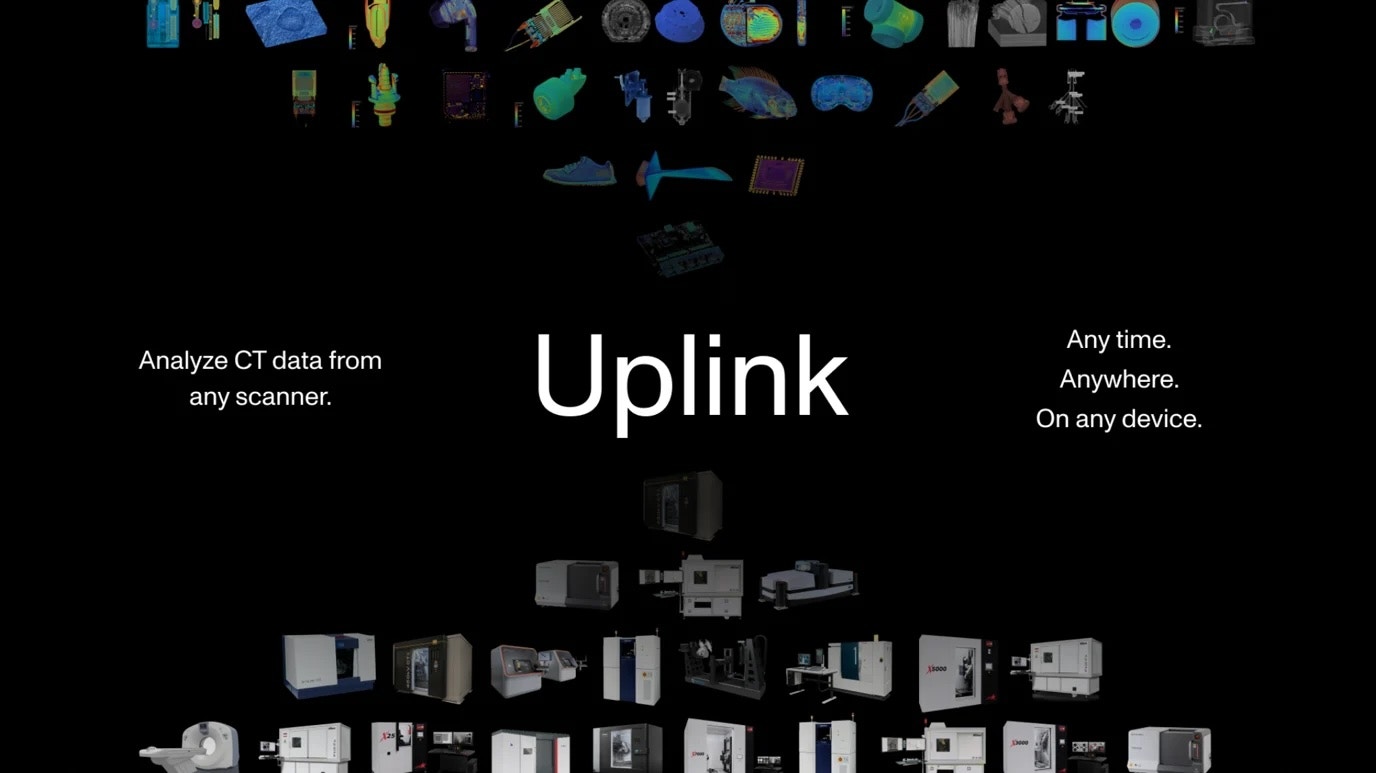 With Voyager Uplink, your CT data is no longer confined to isolated workstations in a lab and physical hard drives in a back office. Your scans become easily shareable resources that accelerate finding and solving engineering challenges, while removing the storage burden associated with maintaining large amounts of CT data. ***Work with your Lumafield Solutions Engineer or Account Executive to learn more about using Uplink with other CT scanners.***
#### Voyager Manager Dashboard Enhancements
Before this update, administering Workspaces and user roles could be challenging for managers. For one, managers could not edit default Workspaces – the Workspace that scanners upload scans to (if not adjusted at the scanner). We've now modified that so you can set the default Workspaces as well as delete other non-default Workspaces.
With Voyager Uplink, your CT data is no longer confined to isolated workstations in a lab and physical hard drives in a back office. Your scans become easily shareable resources that accelerate finding and solving engineering challenges, while removing the storage burden associated with maintaining large amounts of CT data. ***Work with your Lumafield Solutions Engineer or Account Executive to learn more about using Uplink with other CT scanners.***
#### Voyager Manager Dashboard Enhancements
Before this update, administering Workspaces and user roles could be challenging for managers. For one, managers could not edit default Workspaces – the Workspace that scanners upload scans to (if not adjusted at the scanner). We've now modified that so you can set the default Workspaces as well as delete other non-default Workspaces.
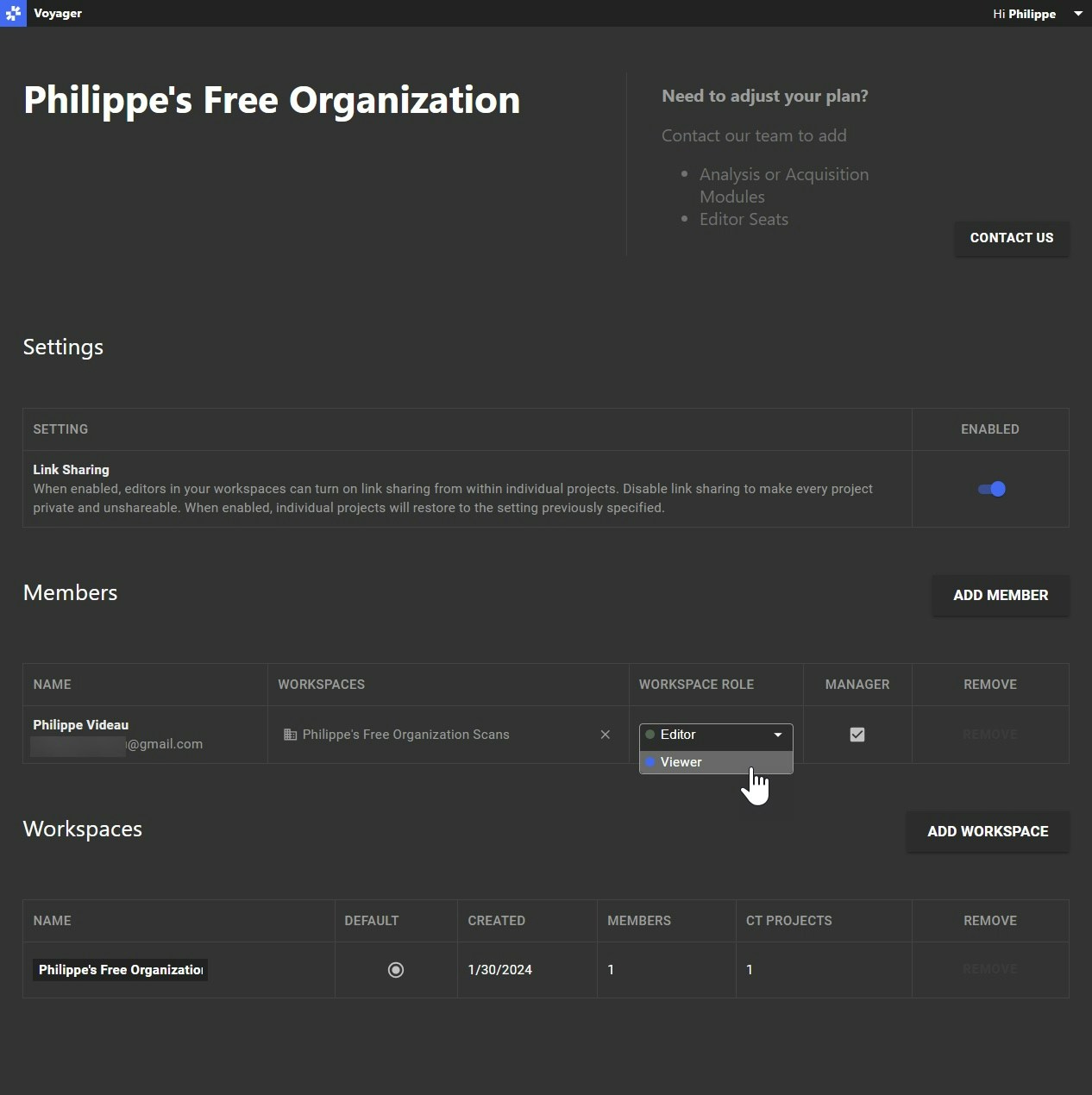 We've updated the styling of the [Manager Dashboard](https://support.lumafield.com/voyager/voyager-manager-dashboard#the-manager-dashboard) too, plus improved clarity on assigning Editor and Viewer roles across users in different workspaces. We want to ensure administering users across your team is easy and comprehensive – let us know about further updates you might like to see.
#### More Enhancements
🔬 Prior to this change, the "Generate Auto ROI" and "Generate ROI" buttons were right next to each other in the ROI workflow. When manually creating an ROI, it was easy to accidentally click on "Generate Auto ROI" instead of "Generate ROI" (our own teams even ran into this!). Doing so would discard any manual changes you had set. We recently changed the location of those buttons in the ROI workflow to minimize that confusion.
💬 We release new updates to Voyager a few times a month so that you always get the latest and greatest features fast. From time to time during those updates, Voyager may experience downtime. In those cases, we've added a maintenance banner to the top of Voyager so that you know in advance when downtime may occur.
🍪 Inclusion Analysis now includes an optional minimum inclusion size designation so that you can better tailor your analyses and results.
🤏 Crack Detection now has increased limits for maximum crack diameter size so that you can also detect more significant fractures in your part.
# July 2024
*July's been a hot month, and so are our latest sizzling updates. We're excited to launch Scan Recipes, taking end-to-end automation from scanner to analysis to a whole new level. Have customized, repeatable scan setups and workflows? Scan Recipes can help automate those for your entire team. But that's not all – check out our other updates below!*
#### Introducing Scan Recipes
[Scan Recipes](https://support.lumafield.com/recipes/scan-recipes#scan-recipes) are especially useful for automating repetitive scanning routines and tasks. Paired with Analysis Recipes, these unlock true end-to-end automation from scanner to analysis.
We've updated the styling of the [Manager Dashboard](https://support.lumafield.com/voyager/voyager-manager-dashboard#the-manager-dashboard) too, plus improved clarity on assigning Editor and Viewer roles across users in different workspaces. We want to ensure administering users across your team is easy and comprehensive – let us know about further updates you might like to see.
#### More Enhancements
🔬 Prior to this change, the "Generate Auto ROI" and "Generate ROI" buttons were right next to each other in the ROI workflow. When manually creating an ROI, it was easy to accidentally click on "Generate Auto ROI" instead of "Generate ROI" (our own teams even ran into this!). Doing so would discard any manual changes you had set. We recently changed the location of those buttons in the ROI workflow to minimize that confusion.
💬 We release new updates to Voyager a few times a month so that you always get the latest and greatest features fast. From time to time during those updates, Voyager may experience downtime. In those cases, we've added a maintenance banner to the top of Voyager so that you know in advance when downtime may occur.
🍪 Inclusion Analysis now includes an optional minimum inclusion size designation so that you can better tailor your analyses and results.
🤏 Crack Detection now has increased limits for maximum crack diameter size so that you can also detect more significant fractures in your part.
# July 2024
*July's been a hot month, and so are our latest sizzling updates. We're excited to launch Scan Recipes, taking end-to-end automation from scanner to analysis to a whole new level. Have customized, repeatable scan setups and workflows? Scan Recipes can help automate those for your entire team. But that's not all – check out our other updates below!*
#### Introducing Scan Recipes
[Scan Recipes](https://support.lumafield.com/recipes/scan-recipes#scan-recipes) are especially useful for automating repetitive scanning routines and tasks. Paired with Analysis Recipes, these unlock true end-to-end automation from scanner to analysis.
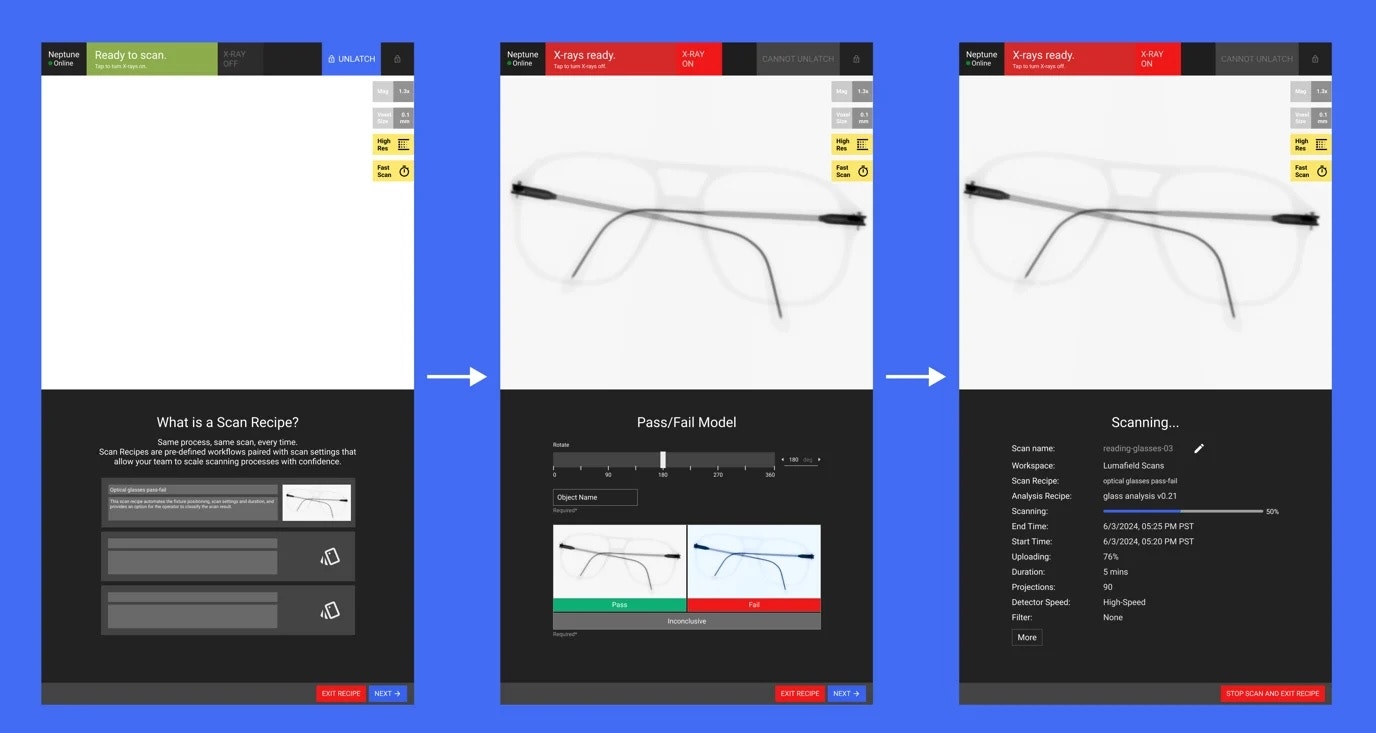 We can customize Scan Recipes to your use case. Are you scanning the same parts over and over in the same position and with the same scan settings? If you're finding yourself repeatedly defining the same settings, we can set up a Scan Recipe so you need only click a button to launch the scan. Do technicians on your team need to scan batches of manufactured products and automatically categorize them as pass / fail parts? We can help build a Scan Recipe for that too.
The automation possibilities are endless. ***Reach out to your Lumafield Solutions Engineer or Account Executive to learn more about enabling Scan Recipes for you and your team.***
#### Adjustable mesh / CAD comparison range map
Before this update, there was limited functionality in setting range map limits when analyzing results. This could make it difficult if you wanted to create consistent visualizations across multiple comparisons. Many of you requested the ability to customize that range map so that you could do just that – we heard you, and now you customize the range map to your desire.
#### More Enhancements
🎨 Now you can customize the CAD, mesh, and scan comparison range map limits to ensure consistent visualizations.
🐞 We fixed a persnickety ROI bug that created bizarrely beautiful – but not helpful – parallelogram-shaped ROI bounding boxes. If you encountered this bug, it should now be fixed (an exception and rare case can occur with nested ROIs, which we will be tackling down the road).
######
# June 2024
*Summer season is in full swing, and no one likes inclusions in their sunscreen. So, we've added another feature to the Integrity Analysis module called Inclusion Analysis, alongside several other enhancements.*
#### (New!) Inclusion Analysis
Inclusions can affect a part's performance and integrity across a variety of applications, from sports equipment to pharmaceutical pressed powder drugs to plastic consumer packaging. Identifying inclusions helps you tune design and manufacturing parameters so you can make the best performing product.
This new feature enables you to analyze foreign material and imperfections (i.e., inclusions) within your scans, building upon the existing Porosity Analysis and Crack Detection tools and experience.
#### Graceful Performance Issue Modes
In the past, some projects might have failed to load in Voyager due to the data load from very large analyses. We've implemented a set of fixes that allows you to open your project and continue your work, even if you've run an analysis that cannot be loaded in. We will be continually improving these failure modes in future releases.
We can customize Scan Recipes to your use case. Are you scanning the same parts over and over in the same position and with the same scan settings? If you're finding yourself repeatedly defining the same settings, we can set up a Scan Recipe so you need only click a button to launch the scan. Do technicians on your team need to scan batches of manufactured products and automatically categorize them as pass / fail parts? We can help build a Scan Recipe for that too.
The automation possibilities are endless. ***Reach out to your Lumafield Solutions Engineer or Account Executive to learn more about enabling Scan Recipes for you and your team.***
#### Adjustable mesh / CAD comparison range map
Before this update, there was limited functionality in setting range map limits when analyzing results. This could make it difficult if you wanted to create consistent visualizations across multiple comparisons. Many of you requested the ability to customize that range map so that you could do just that – we heard you, and now you customize the range map to your desire.
#### More Enhancements
🎨 Now you can customize the CAD, mesh, and scan comparison range map limits to ensure consistent visualizations.
🐞 We fixed a persnickety ROI bug that created bizarrely beautiful – but not helpful – parallelogram-shaped ROI bounding boxes. If you encountered this bug, it should now be fixed (an exception and rare case can occur with nested ROIs, which we will be tackling down the road).
######
# June 2024
*Summer season is in full swing, and no one likes inclusions in their sunscreen. So, we've added another feature to the Integrity Analysis module called Inclusion Analysis, alongside several other enhancements.*
#### (New!) Inclusion Analysis
Inclusions can affect a part's performance and integrity across a variety of applications, from sports equipment to pharmaceutical pressed powder drugs to plastic consumer packaging. Identifying inclusions helps you tune design and manufacturing parameters so you can make the best performing product.
This new feature enables you to analyze foreign material and imperfections (i.e., inclusions) within your scans, building upon the existing Porosity Analysis and Crack Detection tools and experience.
#### Graceful Performance Issue Modes
In the past, some projects might have failed to load in Voyager due to the data load from very large analyses. We've implemented a set of fixes that allows you to open your project and continue your work, even if you've run an analysis that cannot be loaded in. We will be continually improving these failure modes in future releases.
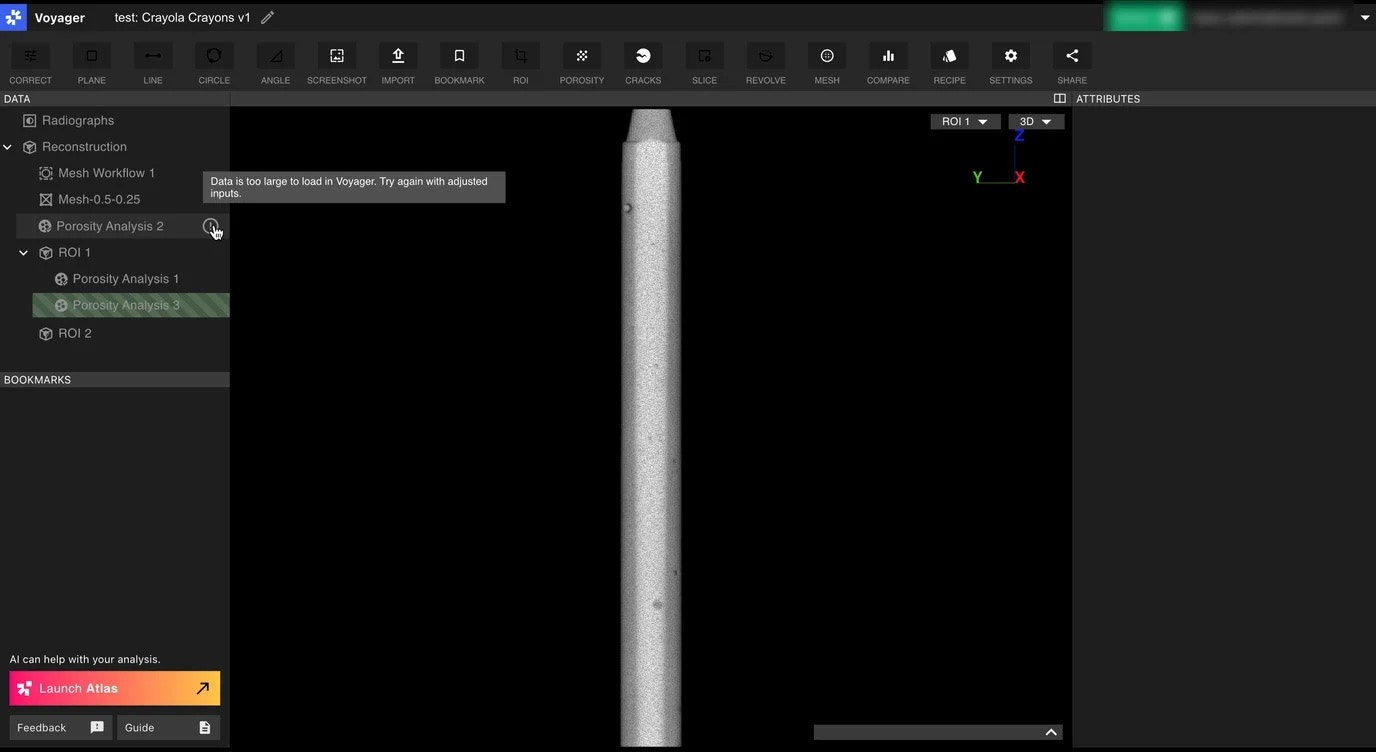 #### More Enhancements
🔪 Before this update, you could only slice through 2D views of a single mesh. Now, you can 2D slice through mesh *comparisons*. Coming soon, you will be able to add dimensions to comparison 2D slices as well
⭕ Porosity Analysis now includes a minimum pore size designation so that you can better tailor your analyses and results
⏩ We've optimized Beam Hardening Correction (BHC) so that it now runs much faster
# May 2024
*May the force be with you and your scans this month. We're excited to share with you a new addition to the Integrity Analysis module family. Have a crack at it and let us know your thoughts.*
#### Introducing Crack Detection
With [this feature](https://support.lumafield.com/voyager/voyager-crack-detection#crack-detection-and-analysis) – a new addition to Voyager's Integrity Analysis module – you can now identify, visualize, and analyze a variety of defects in your scans with ease: cracks, surface-connected voids and pitting, as well as leak paths.
Just like with Porosity Analysis, you can adjust resolutions and thresholds to your inspection requirements – ranging from small, micron-level fissures and voids to more macroscopic fractures. Once you submit the workflow and it runs, you can easily view and segment – in 3D and across 2D slices – anomalies that fall within your set thresholds.
This enables you to start automating previously time-intensive identifications of defects in failure analysis, lifecycle testing, and molding, welding, and casting process control.
Learn more about Crack Detection and how to run it in our support documentation.
#### Manage Multiple Organizations
Before this month's updates, as a manager, you could only *manage* one Organization. Now, you can serve as a manager of multiple Organizations, enabling you to properly administer multiple teams and departments – e.g., adding or removing users and Workspaces, assigning Workspace roles and membership, setting project link sharing, and more.
#### More Enhancements
🔪 Before this update, you could only slice through 2D views of a single mesh. Now, you can 2D slice through mesh *comparisons*. Coming soon, you will be able to add dimensions to comparison 2D slices as well
⭕ Porosity Analysis now includes a minimum pore size designation so that you can better tailor your analyses and results
⏩ We've optimized Beam Hardening Correction (BHC) so that it now runs much faster
# May 2024
*May the force be with you and your scans this month. We're excited to share with you a new addition to the Integrity Analysis module family. Have a crack at it and let us know your thoughts.*
#### Introducing Crack Detection
With [this feature](https://support.lumafield.com/voyager/voyager-crack-detection#crack-detection-and-analysis) – a new addition to Voyager's Integrity Analysis module – you can now identify, visualize, and analyze a variety of defects in your scans with ease: cracks, surface-connected voids and pitting, as well as leak paths.
Just like with Porosity Analysis, you can adjust resolutions and thresholds to your inspection requirements – ranging from small, micron-level fissures and voids to more macroscopic fractures. Once you submit the workflow and it runs, you can easily view and segment – in 3D and across 2D slices – anomalies that fall within your set thresholds.
This enables you to start automating previously time-intensive identifications of defects in failure analysis, lifecycle testing, and molding, welding, and casting process control.
Learn more about Crack Detection and how to run it in our support documentation.
#### Manage Multiple Organizations
Before this month's updates, as a manager, you could only *manage* one Organization. Now, you can serve as a manager of multiple Organizations, enabling you to properly administer multiple teams and departments – e.g., adding or removing users and Workspaces, assigning Workspace roles and membership, setting project link sharing, and more.
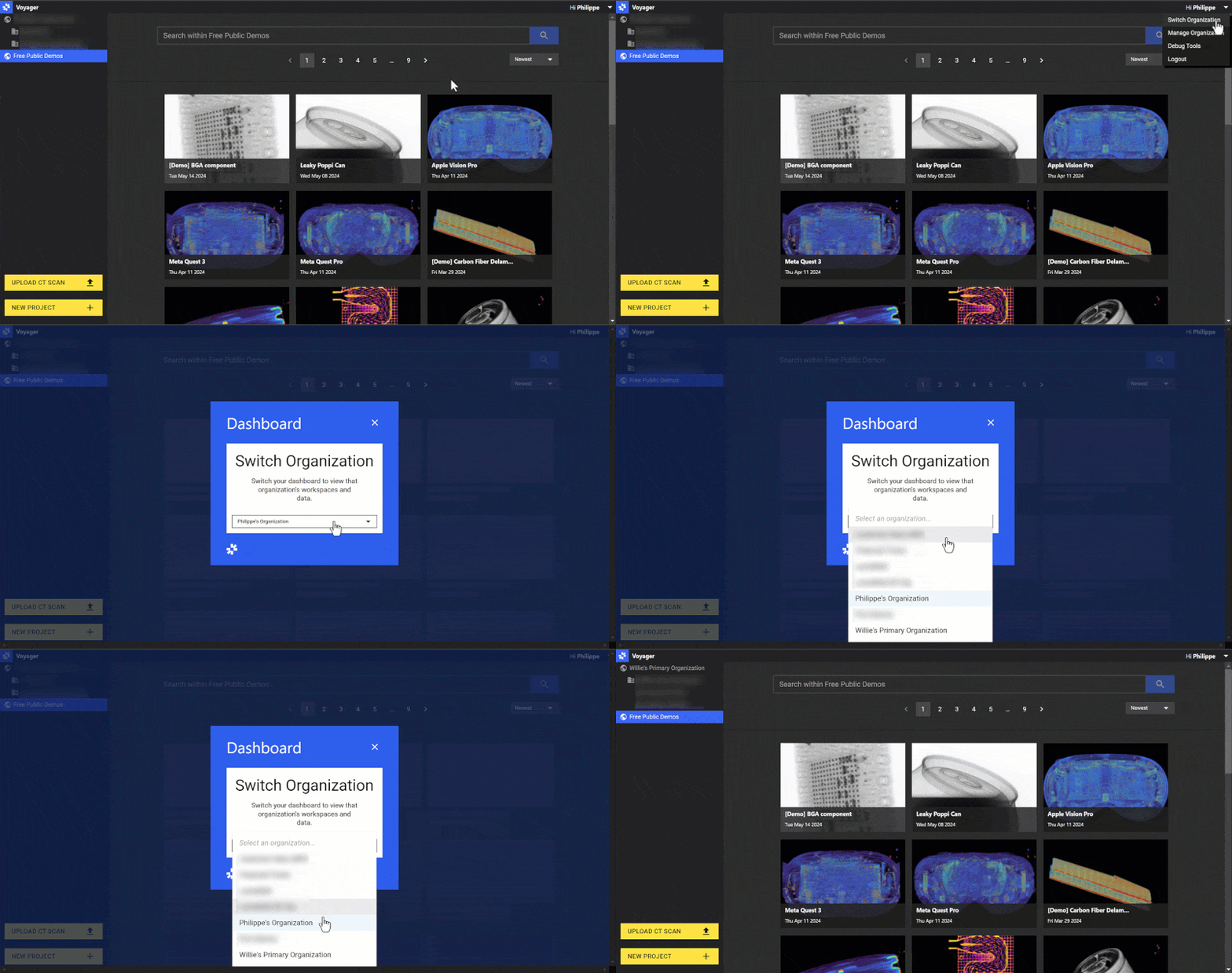 #### Performance and Usability Enhancements
Our team has been hard at work behind the scenes making improvements to Voyager's interface and processing performance. Running corrections, analyses, and sifting through larger and more complex datasets should be smoother and more reliable.
# April 2024
*April showers bring May flowers, but more importantly, another set of Voyager and Scanner updates. Look forward to a number of usability and interface enhancements to Voyager as well as Scanner Autowarm, just in time for the approaching summer heat.*
#### Organization Management Improvements
Voyager's April release streamlines organizational management by showing Workspaces and projects from *one* Organization at a time in the Project Dashboard (vs the prior experience, where *all* Organizations, Workspaces, and projects were visible in a single list). You can now easily switch between Organizations via the user menu, and your selected Organization persists across sessions.
#### (New!) Unit System Switching
Users can now set their preferred unit system (metric or imperial) by clicking on the "Settings" button and selecting the system under the "User Preferences" section.
#### Performance and Usability Enhancements
Our team has been hard at work behind the scenes making improvements to Voyager's interface and processing performance. Running corrections, analyses, and sifting through larger and more complex datasets should be smoother and more reliable.
# April 2024
*April showers bring May flowers, but more importantly, another set of Voyager and Scanner updates. Look forward to a number of usability and interface enhancements to Voyager as well as Scanner Autowarm, just in time for the approaching summer heat.*
#### Organization Management Improvements
Voyager's April release streamlines organizational management by showing Workspaces and projects from *one* Organization at a time in the Project Dashboard (vs the prior experience, where *all* Organizations, Workspaces, and projects were visible in a single list). You can now easily switch between Organizations via the user menu, and your selected Organization persists across sessions.
#### (New!) Unit System Switching
Users can now set their preferred unit system (metric or imperial) by clicking on the "Settings" button and selecting the system under the "User Preferences" section.
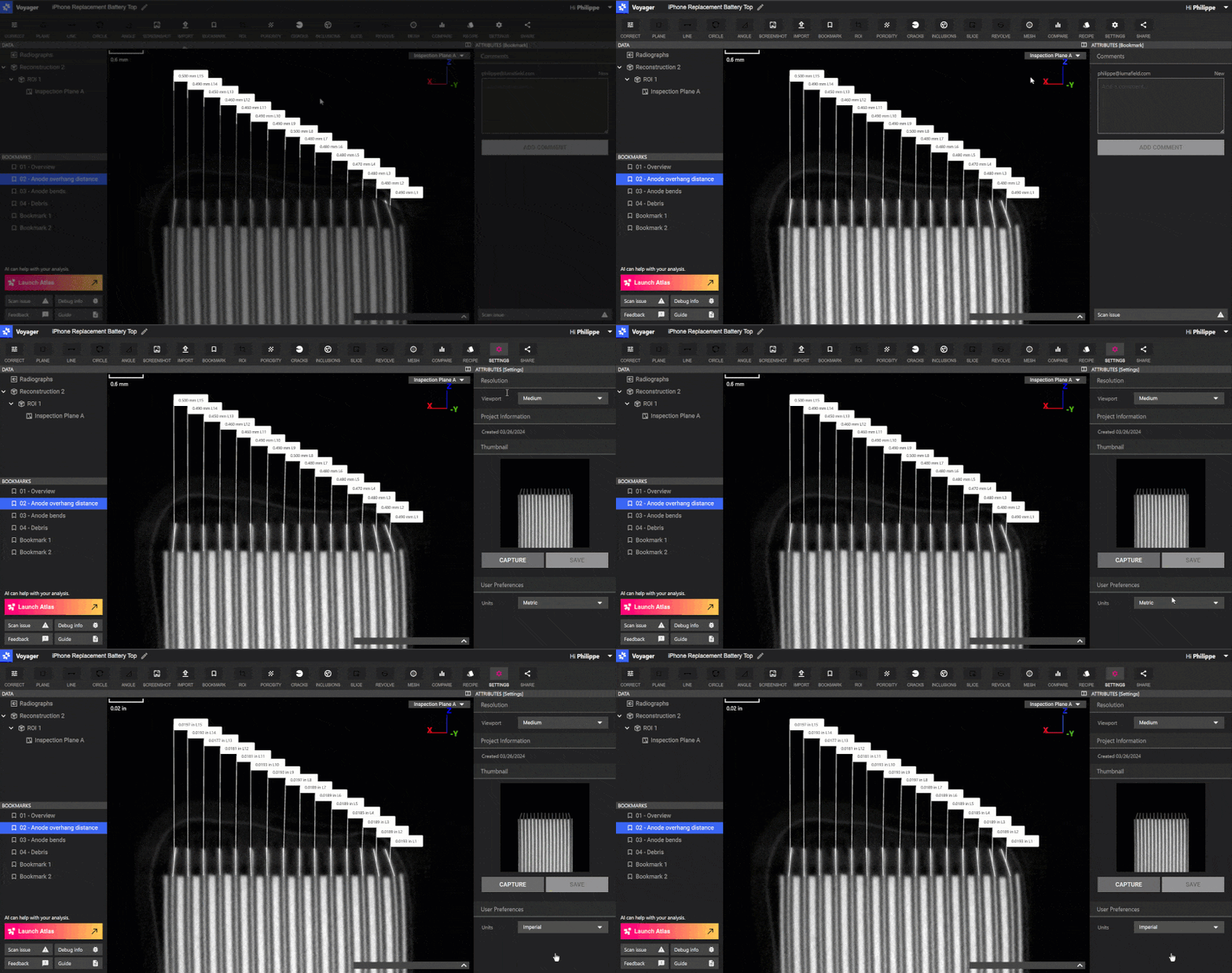 #### CAD Comparison Simplification
Prior to this update, comparing CAD models, meshes, and scans required two separate, somewhat disconnected steps: mesh alignment first, and then mesh comparison. CAD compare is now more user-friendly with guided steps through a *single* workflow.
#### (New!) Scanner Autowarm
Manual scanner warm-up, which is required to prepare the X-Ray for scanning, can take anywhere from a few to twenty minutes to complete (daily) With auto-warming, your scanner warms itself at a designated daily time, so that you can save time and scan right away. Reach out to our Solutions Team or your sales rep if you are interested in enabling autowarm to your scanner.
#### CAD Comparison Simplification
Prior to this update, comparing CAD models, meshes, and scans required two separate, somewhat disconnected steps: mesh alignment first, and then mesh comparison. CAD compare is now more user-friendly with guided steps through a *single* workflow.
#### (New!) Scanner Autowarm
Manual scanner warm-up, which is required to prepare the X-Ray for scanning, can take anywhere from a few to twenty minutes to complete (daily) With auto-warming, your scanner warms itself at a designated daily time, so that you can save time and scan right away. Reach out to our Solutions Team or your sales rep if you are interested in enabling autowarm to your scanner.
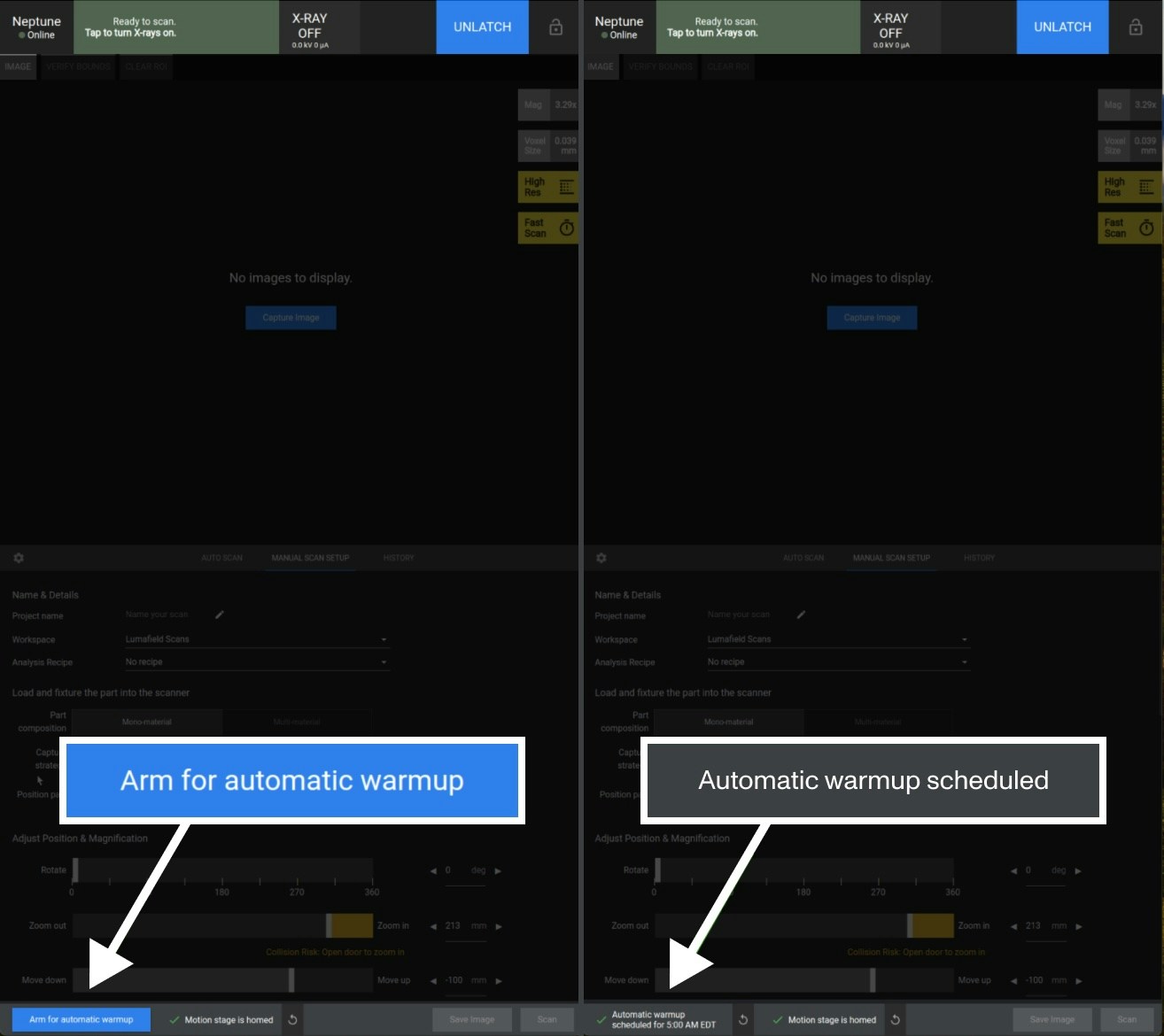 #### More Enhancements
🎚️ Slice sliders now display *physical* units, which you can adjust to various precision levels
📦 ROI bounding boxes are now available and visible (with a toggle) on parent volumes and bookmarks
⚖️ Crop box handles now scale with the box size, making it easier to pinpoint – in particular, small – crop box bounds
🤖 Using the auto-tuner on the scanner should now yield faster and better scans
#### More Enhancements
🎚️ Slice sliders now display *physical* units, which you can adjust to various precision levels
📦 ROI bounding boxes are now available and visible (with a toggle) on parent volumes and bookmarks
⚖️ Crop box handles now scale with the box size, making it easier to pinpoint – in particular, small – crop box bounds
🤖 Using the auto-tuner on the scanner should now yield faster and better scans