> ## Documentation Index
> Fetch the complete documentation index at: https://support.lumafield.com/llms.txt
> Use this file to discover all available pages before exploring further.
# Axis of Rotation Correction
> Correct doubling by reconstruction with an Axis of Rotation Correction (AoRC)
**Why apply an Axis of Rotation Correction?**
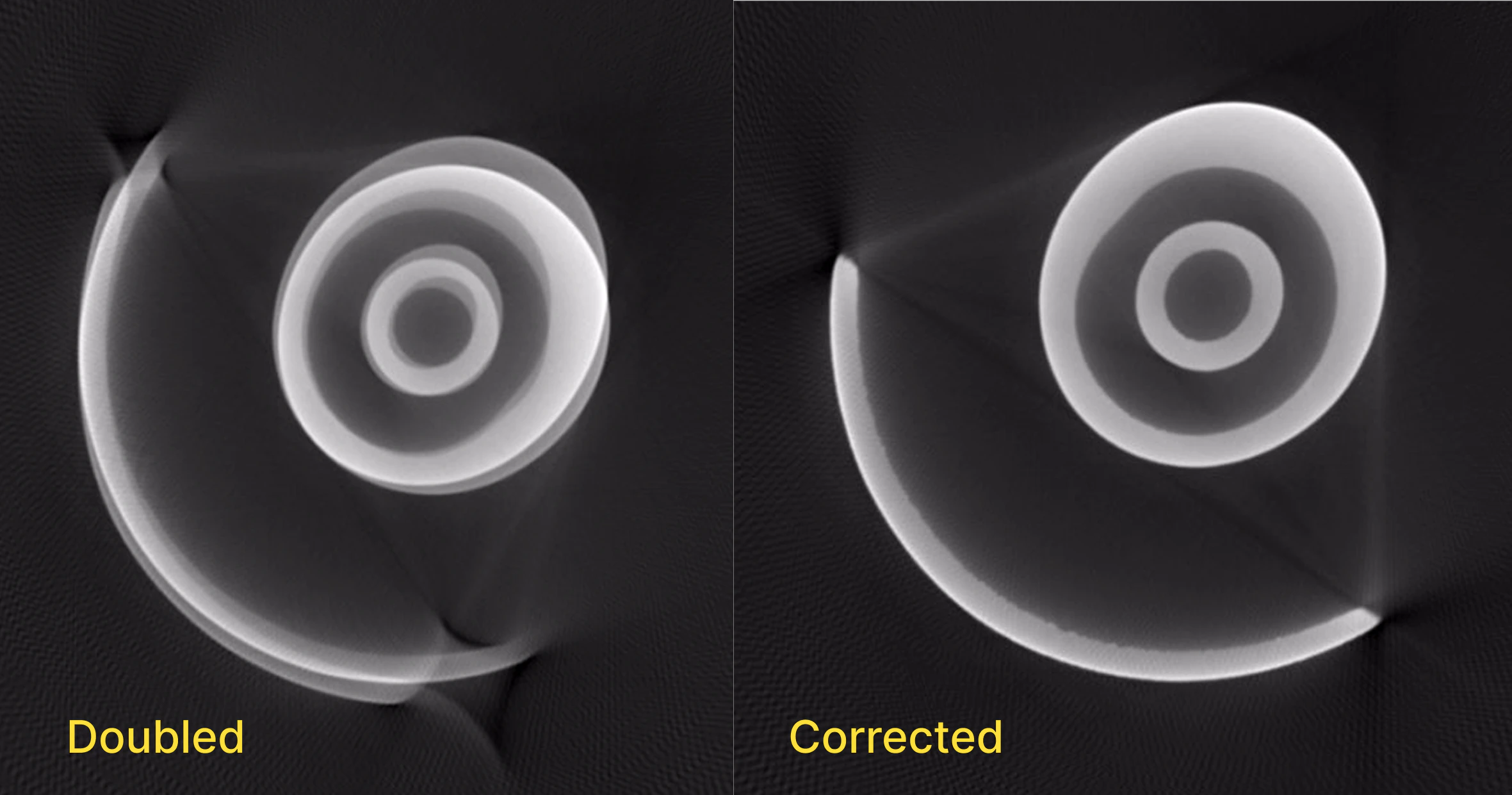
If a scan's automatic Reconstruction has doubling or blurring, the user can attempt to resolve this by applying a manual Axis of Rotation Correction. See below for an example of a scan with doubling (left) and the same scan after Axis of Rotation Correction (right):
 **How to apply an Axis of Rotation Correction**
1. Click the Correct function in the Toolbar.
2. Toggle on the Axis of Rotation Correction option in the first step of the workflow.
3. Move the upper and lower line into positions that intersect the part near the top and bottom of the part.
4. Select a set of coarse parameters that minimize any visible doubling in both panels of the Viewer.
5. Repeat this step for the fine parameters.
6. Start the Reconstruction.
7. A new volume will be returned with corrected doubling within an hour, often within around 30 minutes.
**How to apply an Axis of Rotation Correction**
1. Click the Correct function in the Toolbar.
2. Toggle on the Axis of Rotation Correction option in the first step of the workflow.
3. Move the upper and lower line into positions that intersect the part near the top and bottom of the part.
4. Select a set of coarse parameters that minimize any visible doubling in both panels of the Viewer.
5. Repeat this step for the fine parameters.
6. Start the Reconstruction.
7. A new volume will be returned with corrected doubling within an hour, often within around 30 minutes.