> ## Documentation Index
> Fetch the complete documentation index at: https://support.lumafield.com/llms.txt
> Use this file to discover all available pages before exploring further.

# 自定义切片平面

> 查看零件的异常特征

处理具有复杂几何形状的零件时，创建自定义切片平面以在默认基本 X、Y 和 Z 平面之外创建新轴。为 3D 扫描数据中存在的任何子几何形状定义自定义切片平面。
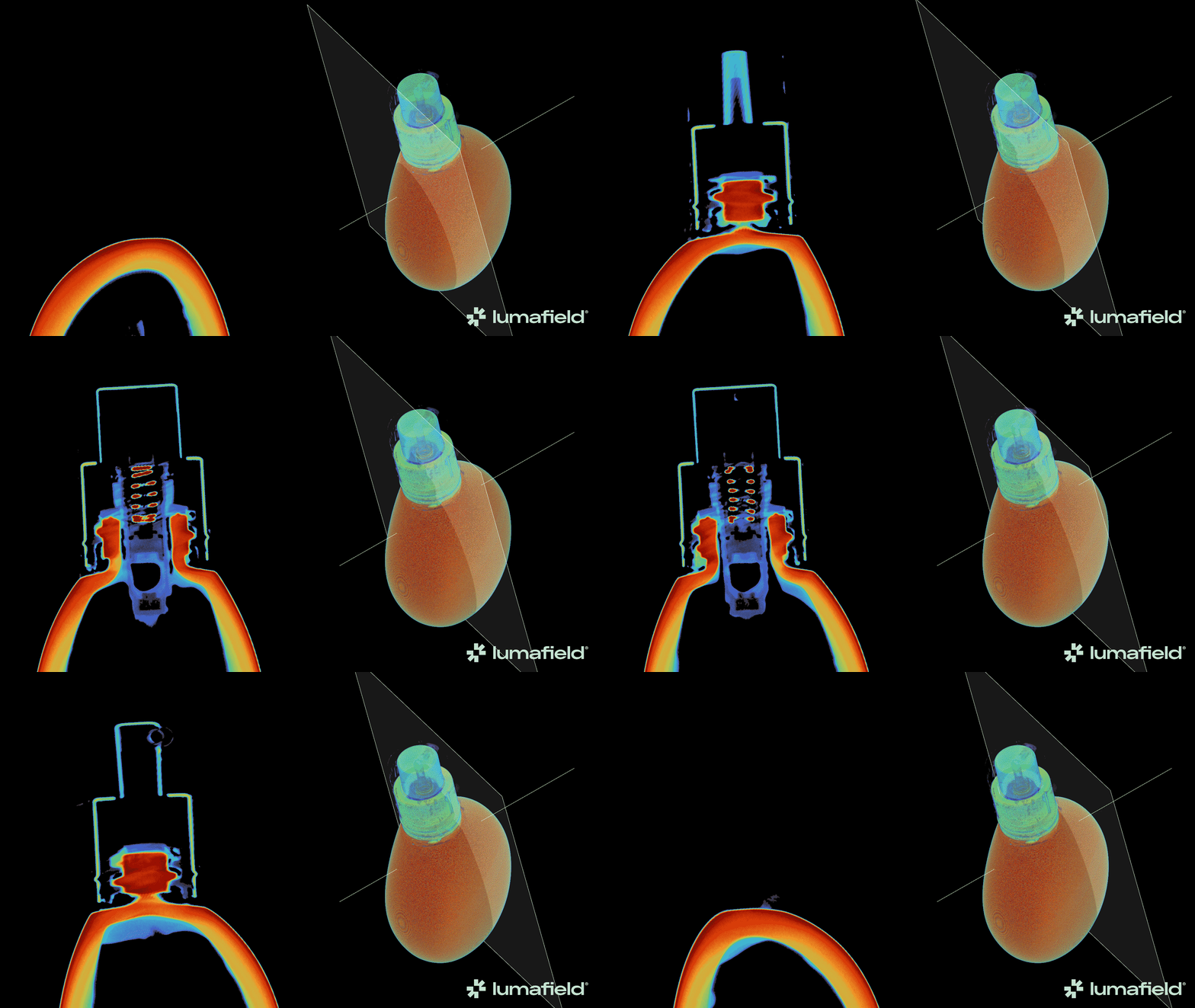
<img src="https://mintcdn.com/lumafield/_jKcDKGZaKtCP3nI/images/Guerlain-Glass-Foundation-Animation-1.gif?s=604454da592a9ba15274cc6c2ad106e9" alt="自定义切片平面演示" width="1920" height="1080" data-path="images/Guerlain-Glass-Foundation-Animation-1.gif" />

<h2 id="creating-a-custom-slice-plane">
  创建自定义切片平面
</h2>

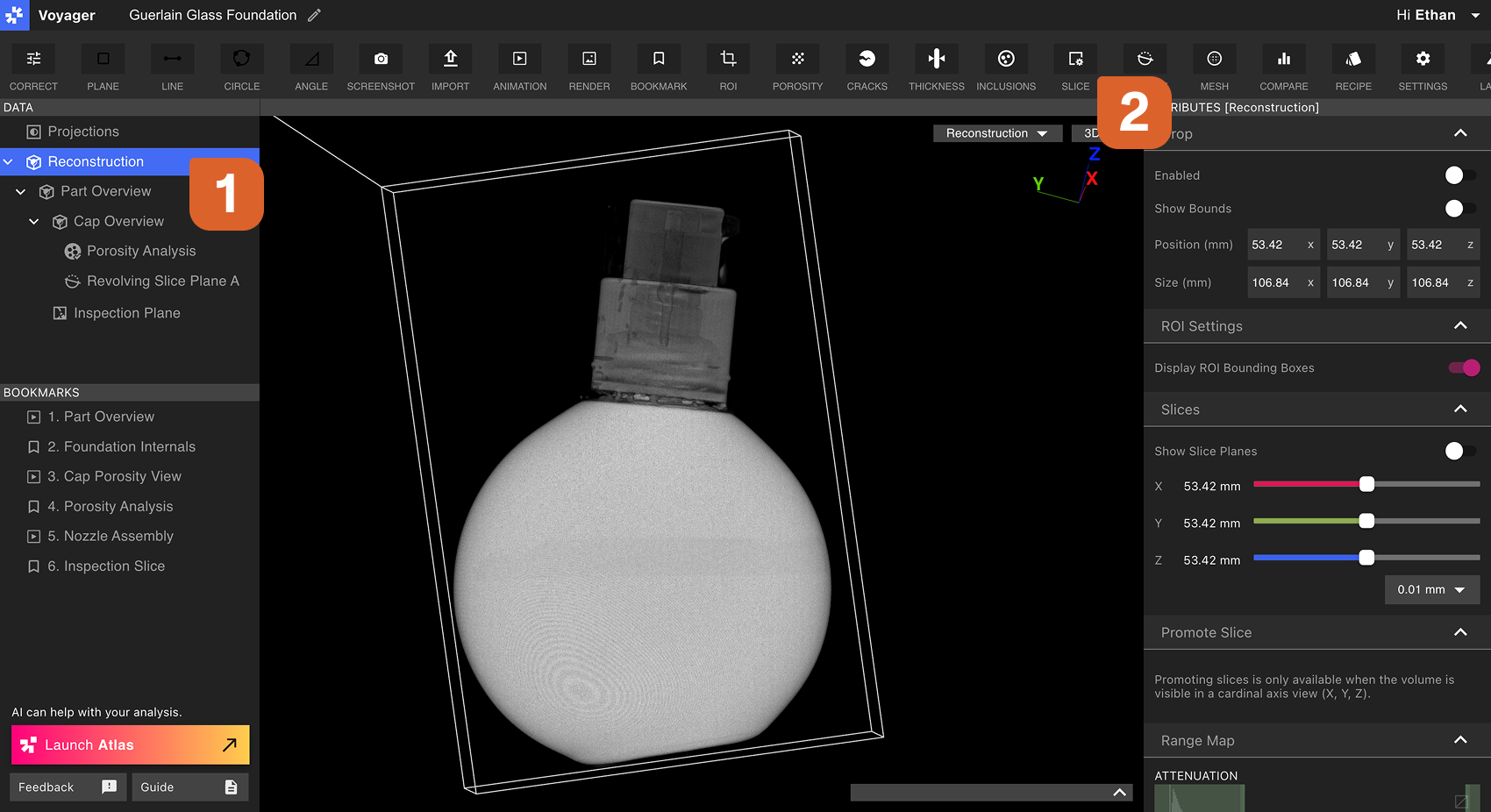
首先，选择重建或 ROI 作为自定义切片平面的父数据对象。接下来，从工具栏中选择切片工具。

<img src="https://mintcdn.com/lumafield/7RwZRqYbUAMo0IZs/images/Custom_Slice_Planes_Step1.png?fit=max&auto=format&n=7RwZRqYbUAMo0IZs&q=85&s=76e05caf60e034ab91f40afd1779d80d" alt="创建自定义切片平面第 1 步" width="1700" height="926" data-path="images/Custom_Slice_Planes_Step1.png" />

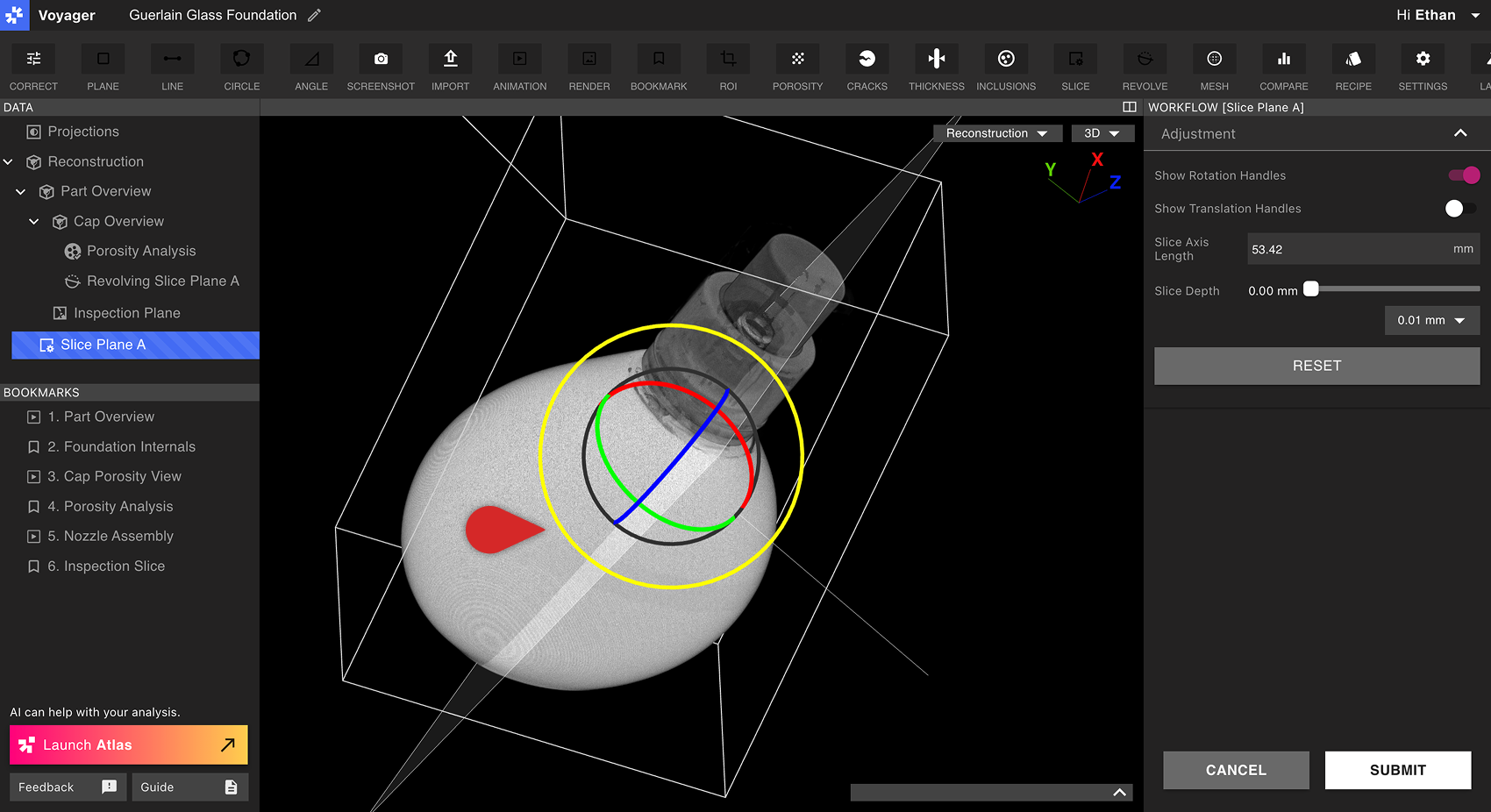
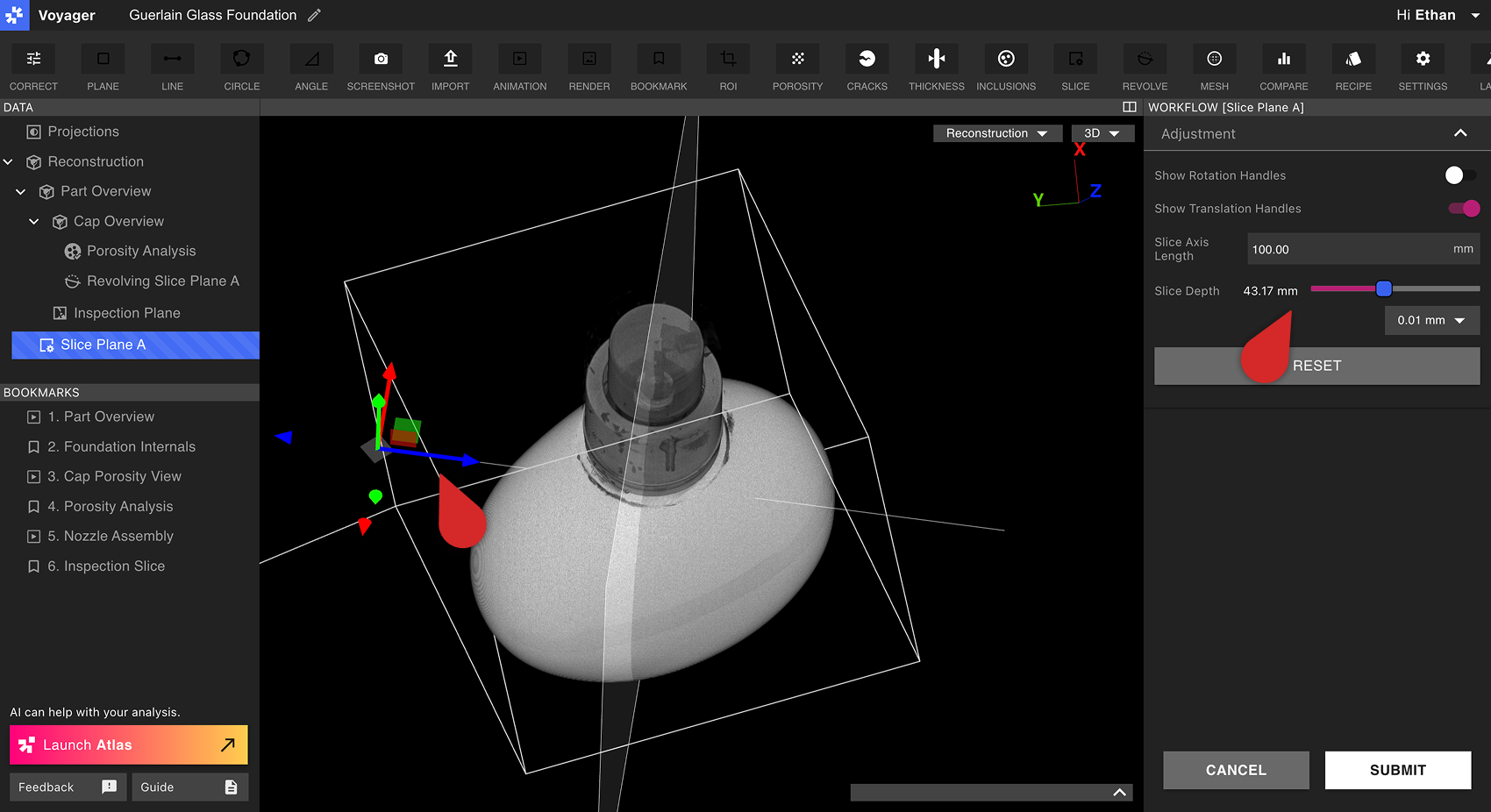
使用工作流程编辑器中的旋转手柄和平移手柄来定向自定义切片平面并将其移动到所需位置。选择轴的长度，然后使用切片深度滑块擦过自定义切片平面。

<img src="https://mintcdn.com/lumafield/oz_vMWmpX748jLB_/images/Custom_Slice_Planes_Step2.png?fit=max&auto=format&n=oz_vMWmpX748jLB_&q=85&s=7def5fa1d156421e070b389e9e072602" alt="创建自定义切片平面第 2 步" width="1700" height="926" data-path="images/Custom_Slice_Planes_Step2.png" />

<img src="https://mintcdn.com/lumafield/oz_vMWmpX748jLB_/images/Custom_Slice_Planes_Step3.png?fit=max&auto=format&n=oz_vMWmpX748jLB_&q=85&s=22ef6f89110025f86a803485ce5a47da" alt="创建自定义切片平面第 3 步" width="1700" height="926" data-path="images/Custom_Slice_Planes_Step3.png" />

选择提交以创建自定义切片平面。新的自定义切片平面数据对象将立即出现在数据面板中。

<h2 id="viewing-a-custom-slice-plane">
  查看自定义切片平面
</h2>

自定义切片平面的行为类似于重建或 ROI 的基本 X、Y 或 Z 平面。选择某个自定义切片平面后，它会显示在 Viewport 中，并且会在 Viewport 底部以及属性面板中同时出现切片深度滑块。

可以从 Viewport 右上角的视图下拉列表或数据面板中选择自定义切片平面。

<img src="https://mintcdn.com/lumafield/oz_vMWmpX748jLB_/images/Custom_Slice_Planes_Controls.png?fit=max&auto=format&n=oz_vMWmpX748jLB_&q=85&s=fbdde2a917e37fcaa5d04fb6aae6d26c" alt="自定义切片平面控件" width="1700" height="926" data-path="images/Custom_Slice_Planes_Controls.png" />