> ## Documentation Index
> Fetch the complete documentation index at: https://support.lumafield.com/llms.txt
> Use this file to discover all available pages before exploring further.
# Labs - ROI Copy & Paste
> 在同一项目中的重建之间复制 ROI,或使用 ROI Copy & Paste 工具在不同项目中复制 ROI
该工具旨在帮助用户在同一项目的不同重建之间或不同项目的不同重建之间复制和粘贴 ROI。这可以实现有意义的工作流程改进,支持跨具有相同方向扫描零件的项目进行相同或几乎相同的分析。
注意:截至 2026 年 3 月,Labs 支持 Cloud 和 On-Prem 环境。GovCloud 仍不受支持。如果您在工具栏中没有看到 Labs,请联系您的管理员或 [support@lumafield.com](mailto:support@lumafield.com)。
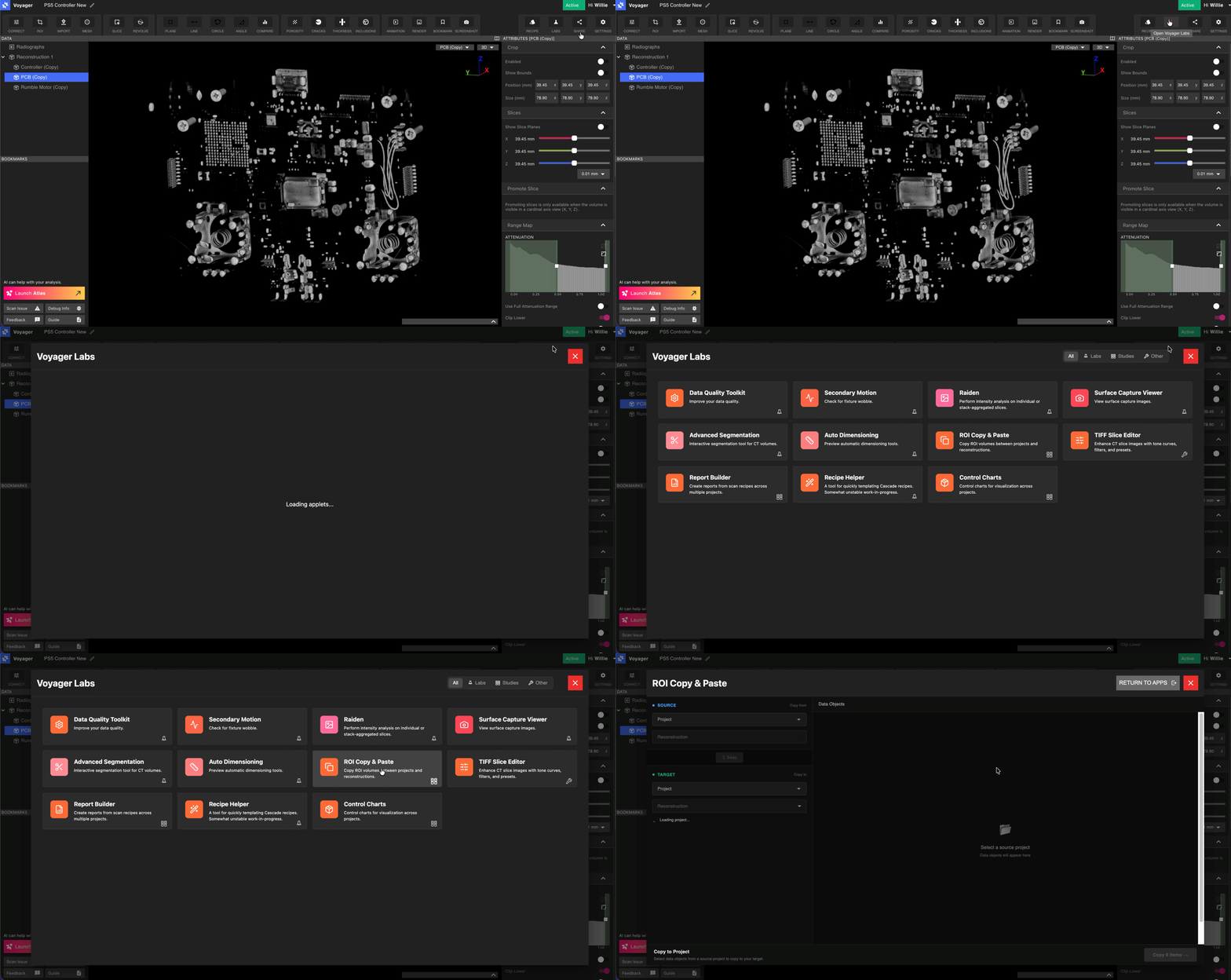
访问 ROI Copy & Paste 应用程序
从工具栏中选择 Labs 工具,然后打开 ROI Copy & Paste 应用程序。
运行复制和粘贴应用程序
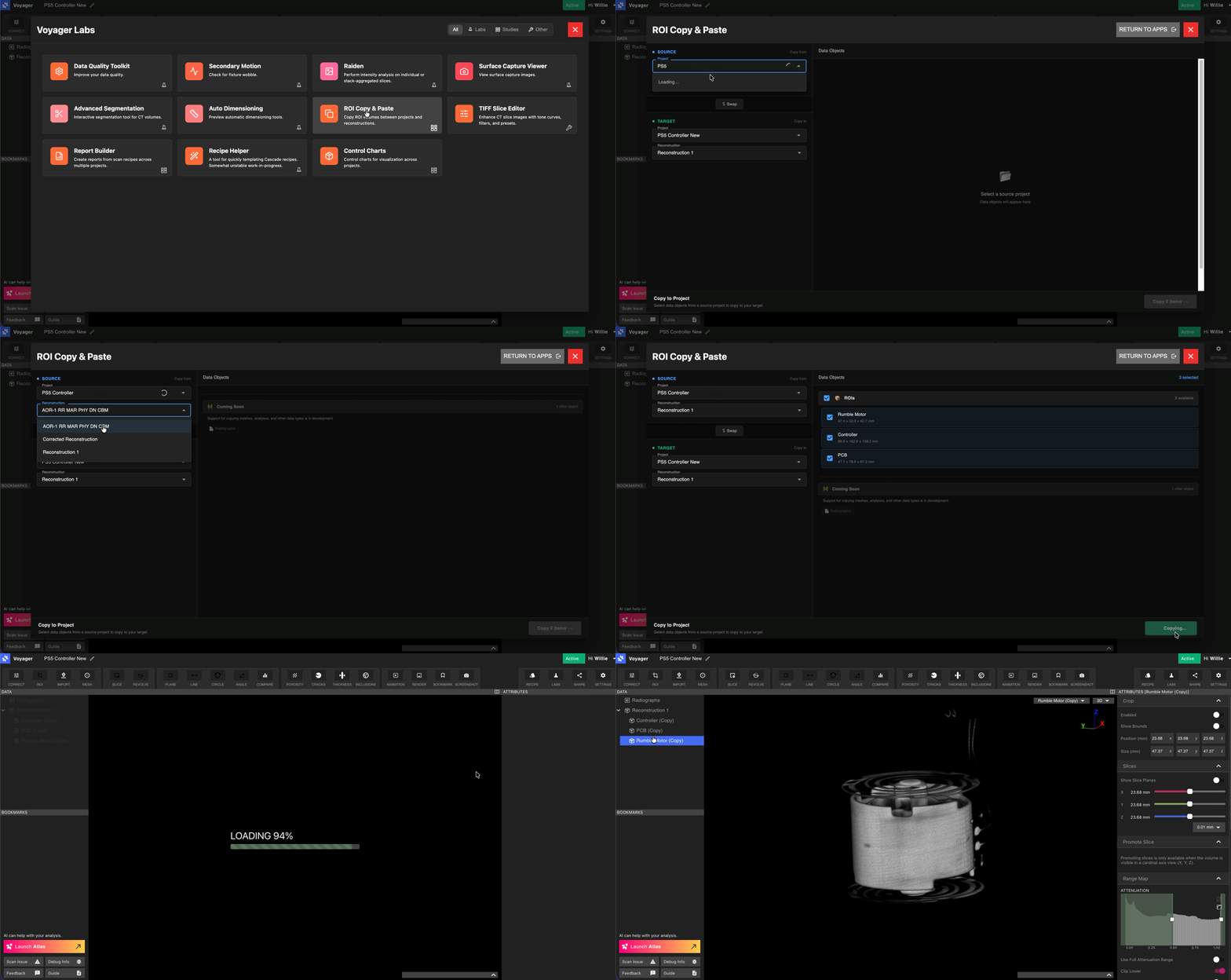
复制和粘贴应用程序接受源项目和目标项目作为输入。用户还需要设置源和目标重建。默认值已选择并且可以调整。
工作流程:
1. 通过搜索项目名称选择源项目。
2. 如果与默认值不同,请选择源重建。
3. 选择您要复制的 ROI。
4. 单击“复制 n ROI”以启动。
注意:如果这些 ROI 是第一次在此重建中创建,则它们将需要标准处理时间才能返回。