> ## Documentation Index
> Fetch the complete documentation index at: https://support.lumafield.com/llms.txt
> Use this file to discover all available pages before exploring further.

# 自行自訂頁面

> 查看部分的異常特徵

處理複雜幾何形狀的零件時，以預設的基本X、Y和Z平面建立新軸建立自訂切片平面。為3D掃描資料中存在的任何子幾何形狀定義自訂切片平面。
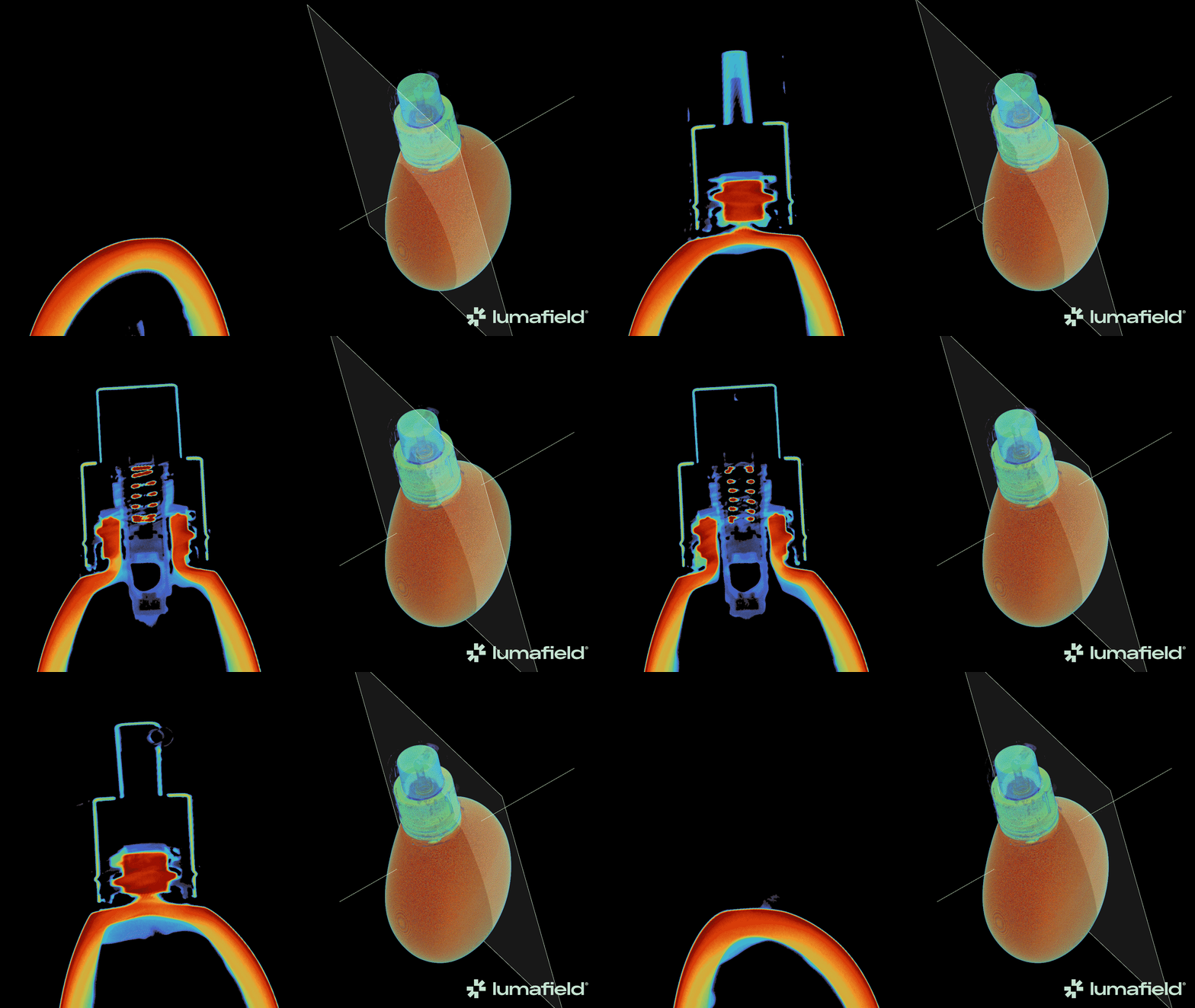
<img src="https://mintcdn.com/lumafield/_jKcDKGZaKtCP3nI/images/Guerlain-Glass-Foundation-Animation-1.gif?s=604454da592a9ba15274cc6c2ad106e9" alt="Custom Slice Plane Demo" width="1920" height="1080" data-path="images/Guerlain-Glass-Foundation-Animation-1.gif" />

<h2 id="creating-a-custom-slice-plane">
  建立自行客製化的平面圖
</h2>

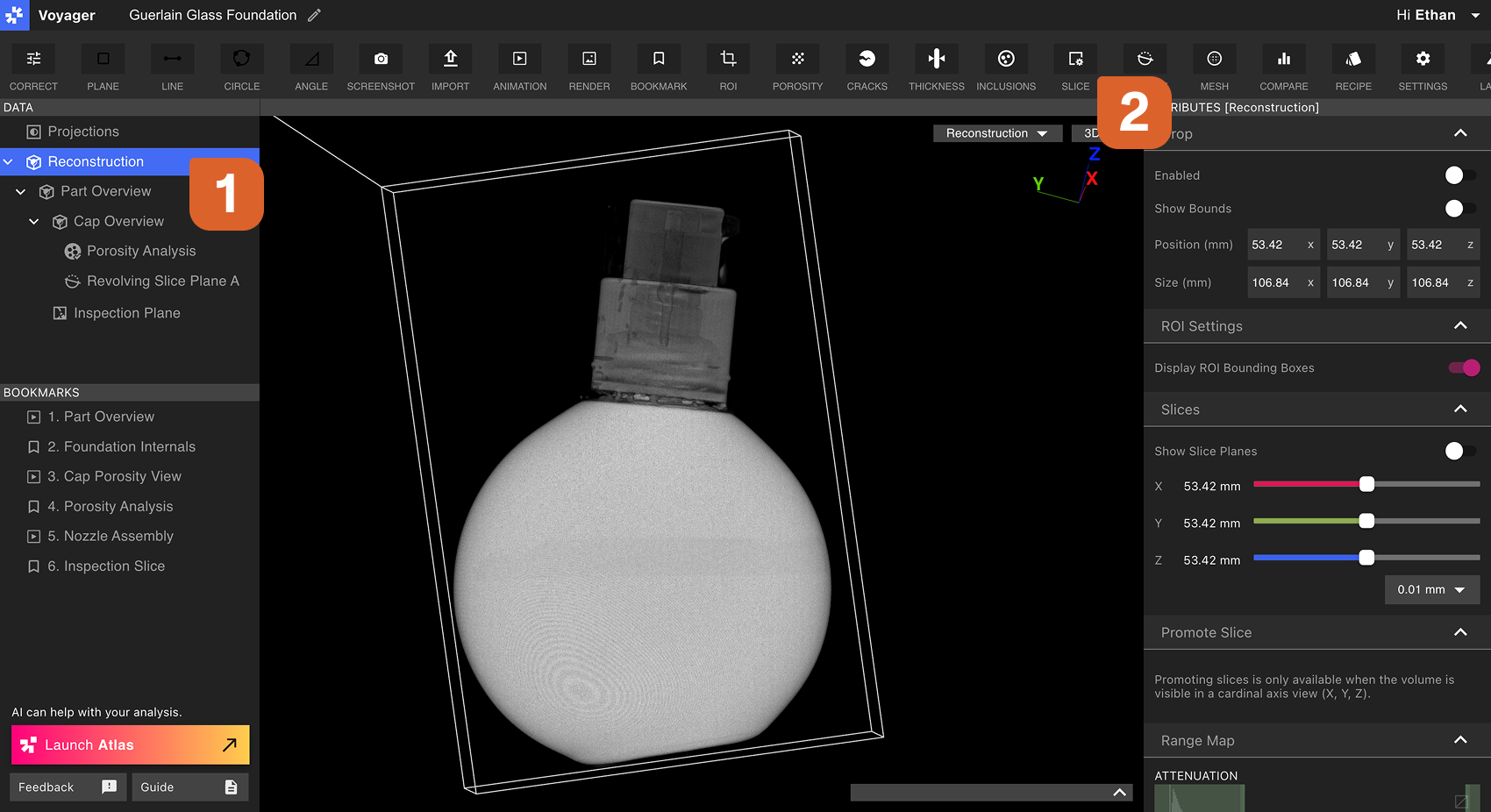
首先，選擇一個重建或 ROI 作為自訂切片平面圖的父資料物件。接下來，從工具列中選擇切片工具。

<img src="https://mintcdn.com/lumafield/7RwZRqYbUAMo0IZs/images/Custom_Slice_Planes_Step1.png?fit=max&auto=format&n=7RwZRqYbUAMo0IZs&q=85&s=76e05caf60e034ab91f40afd1779d80d" alt="Creating a Custom Slice Plane Step 1" width="1700" height="926" data-path="images/Custom_Slice_Planes_Step1.png" />

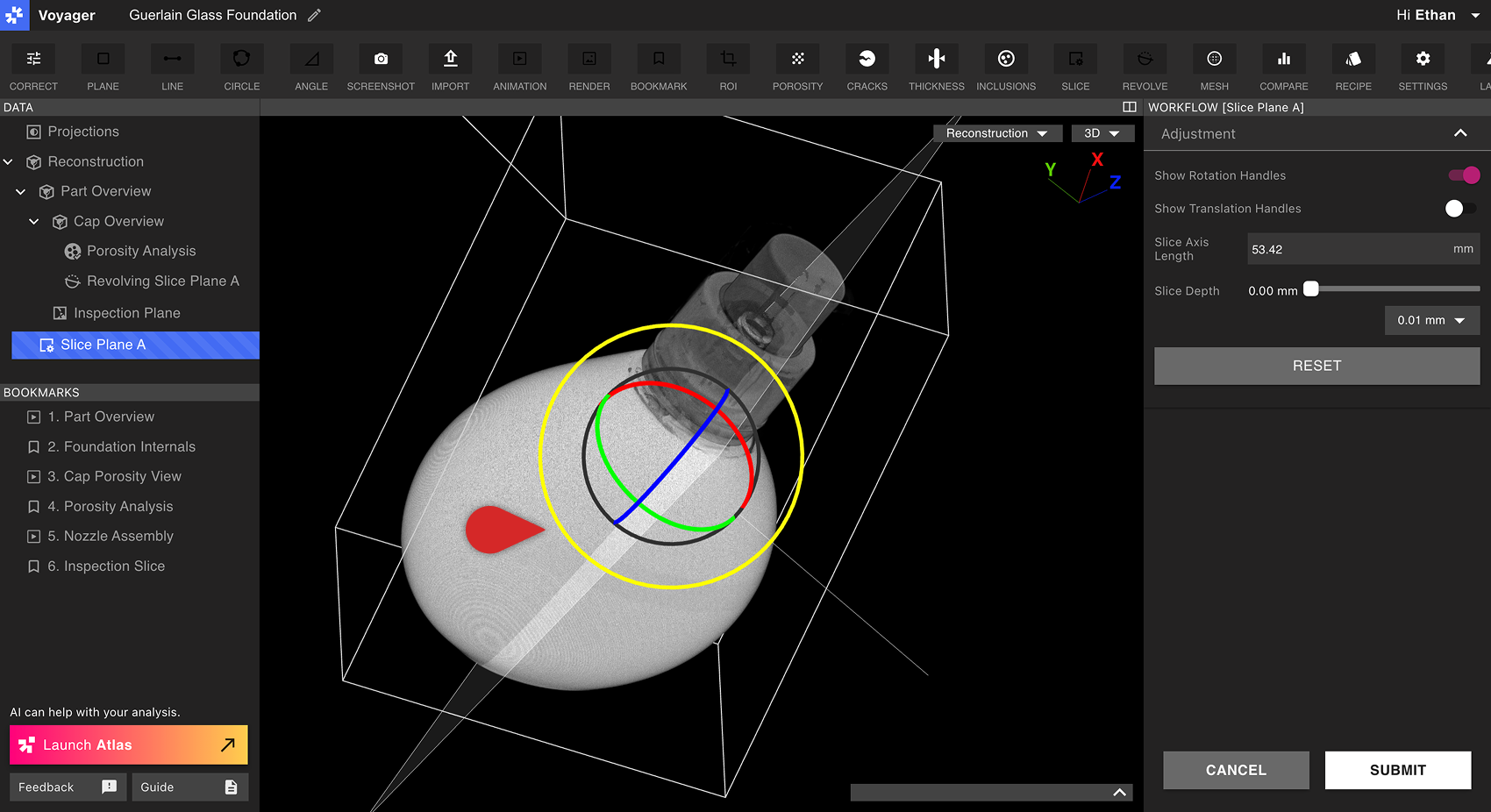
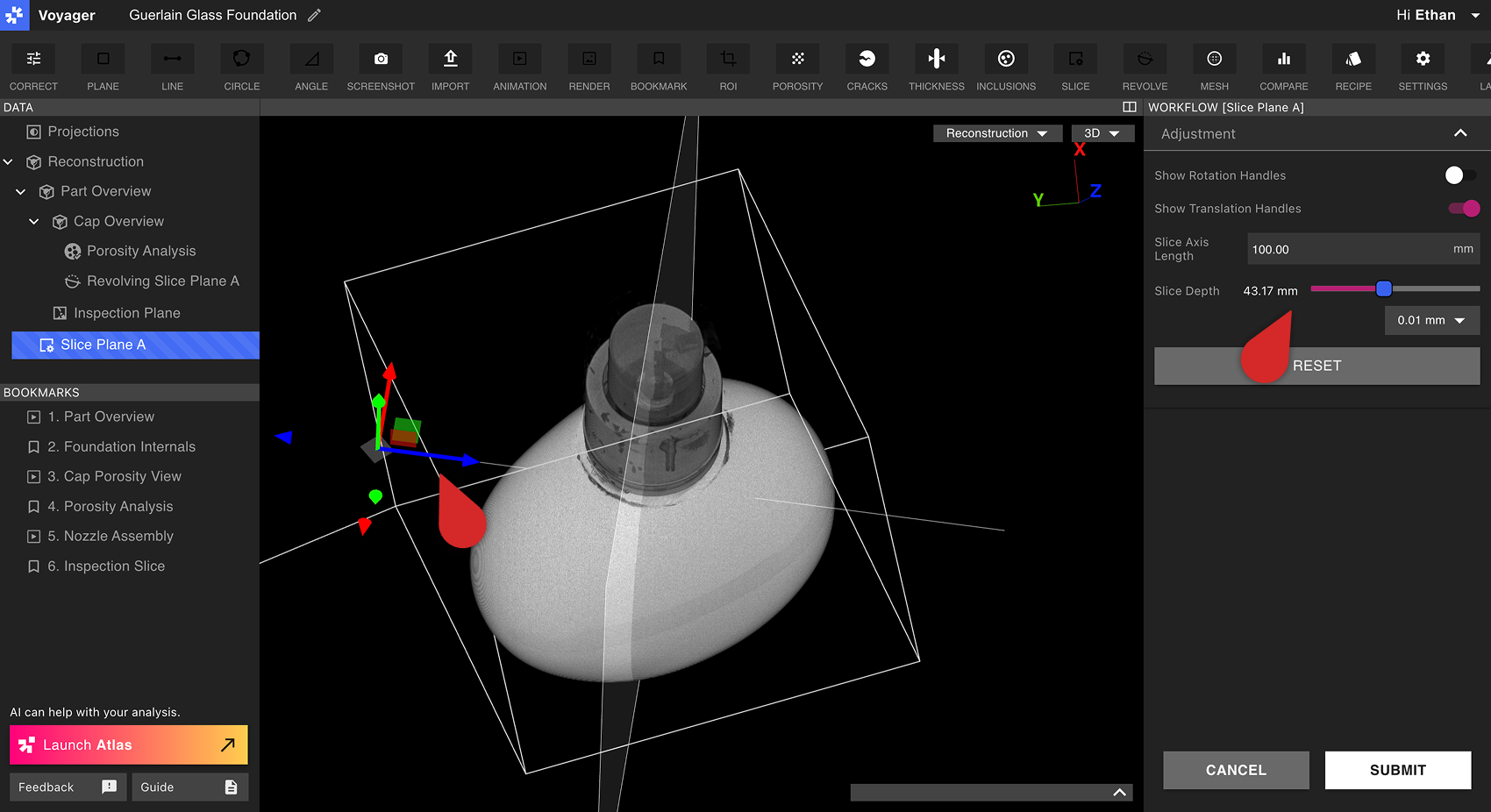
使用工作流程編輯器中的旋轉手柄和平移手柄來定向自訂預設平面並將其移動到所需位置。選擇軸的長度，然後使用切片深度滑桿擦過自訂預設平面。

<img src="https://mintcdn.com/lumafield/oz_vMWmpX748jLB_/images/Custom_Slice_Planes_Step2.png?fit=max&auto=format&n=oz_vMWmpX748jLB_&q=85&s=7def5fa1d156421e070b389e9e072602" alt="Creating a Custom Slice Plane Step 2" width="1700" height="926" data-path="images/Custom_Slice_Planes_Step2.png" />

<img src="https://mintcdn.com/lumafield/oz_vMWmpX748jLB_/images/Custom_Slice_Planes_Step3.png?fit=max&auto=format&n=oz_vMWmpX748jLB_&q=85&s=22ef6f89110025f86a803485ce5a47da" alt="Creating a Custom Slice Plane Step 3" width="1700" height="926" data-path="images/Custom_Slice_Planes_Step3.png" />

選擇提交以建立自訂切片平面圖。新的自訂切片資料物件將立即顯示在資料面板中。

<h2 id="viewing-a-custom-slice-plane">
  查看自訂圖紙
</h2>

自編輯切片平面的行為模仿重建或ROI的基本X、Y或Z平面。選擇自編輯切片平面將其帶入Viewport，切片深度滑桿會出現在 Viewport 以及底部屬性面板中。

可以從 Viewport 右上角的視圖下拉清單或資料面板中選擇自訂圖紙平面圖。

<img src="https://mintcdn.com/lumafield/oz_vMWmpX748jLB_/images/Custom_Slice_Planes_Controls.png?fit=max&auto=format&n=oz_vMWmpX748jLB_&q=85&s=fbdde2a917e37fcaa5d04fb6aae6d26c" alt="Custom Slice Plane Controls" width="1700" height="926" data-path="images/Custom_Slice_Planes_Controls.png" />