> ## Documentation Index
> Fetch the complete documentation index at: https://support.lumafield.com/llms.txt
> Use this file to discover all available pages before exploring further.
# Labs
> 探索 Voyager Labs 中的實驗功能與進階工具,尖端的分析功能
概述
Voyager Labs 提供不斷開發的實驗功能和進階分析工具。這些功能為探索 CT 掃描分析最新創新的專業範例和進階使用者提供了尖端功能。
注意:截至 2026 年 3 月,實驗室支援雲端和本地環境。尚不支援 GovCloud。如果您在工具列中沒有看到實驗室,請聯絡您的管理員或[support@lumafield.com](mailto:support@lumafield.com)。
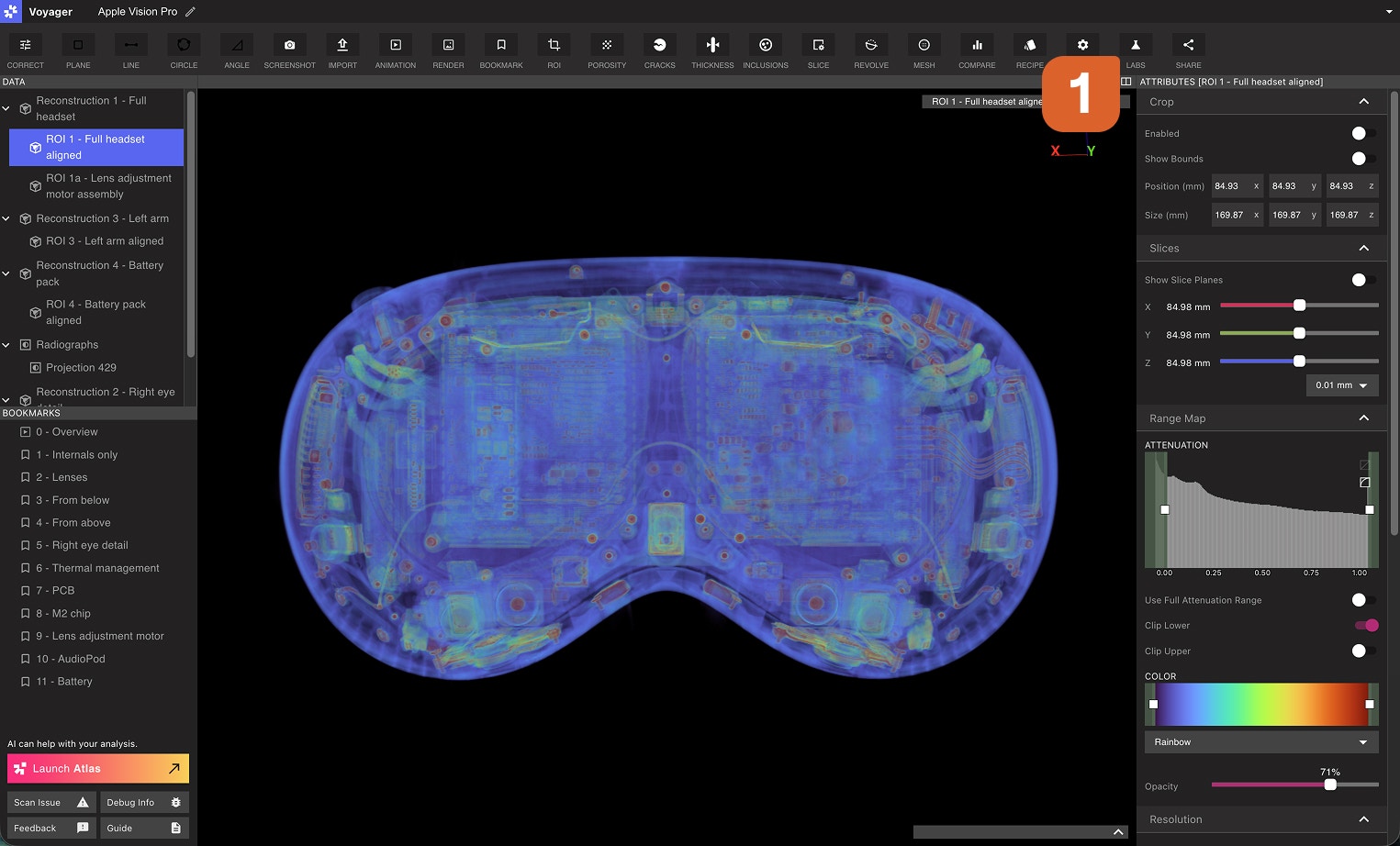
Voyager實驗室是什麼?
Voyager Labs 是一個包含以下功能的工具:
* **開發積極中的實驗功能**
* **專業應用的高端分析工具**
* **版本測試功能**用於早期測試和回饋
* **用於學術和工業研究的研究級能力**
 在專案上使用**實驗室**,針對跨多個專案的實驗功能使用**單一研究**,並尋找任何專案上運行的**其他**工具。
使用實驗室
透過從工具列中選擇實驗室工具來尋找實驗室應用程式。您的組織可用的所有應用程式都將顯示在實驗室工具中。
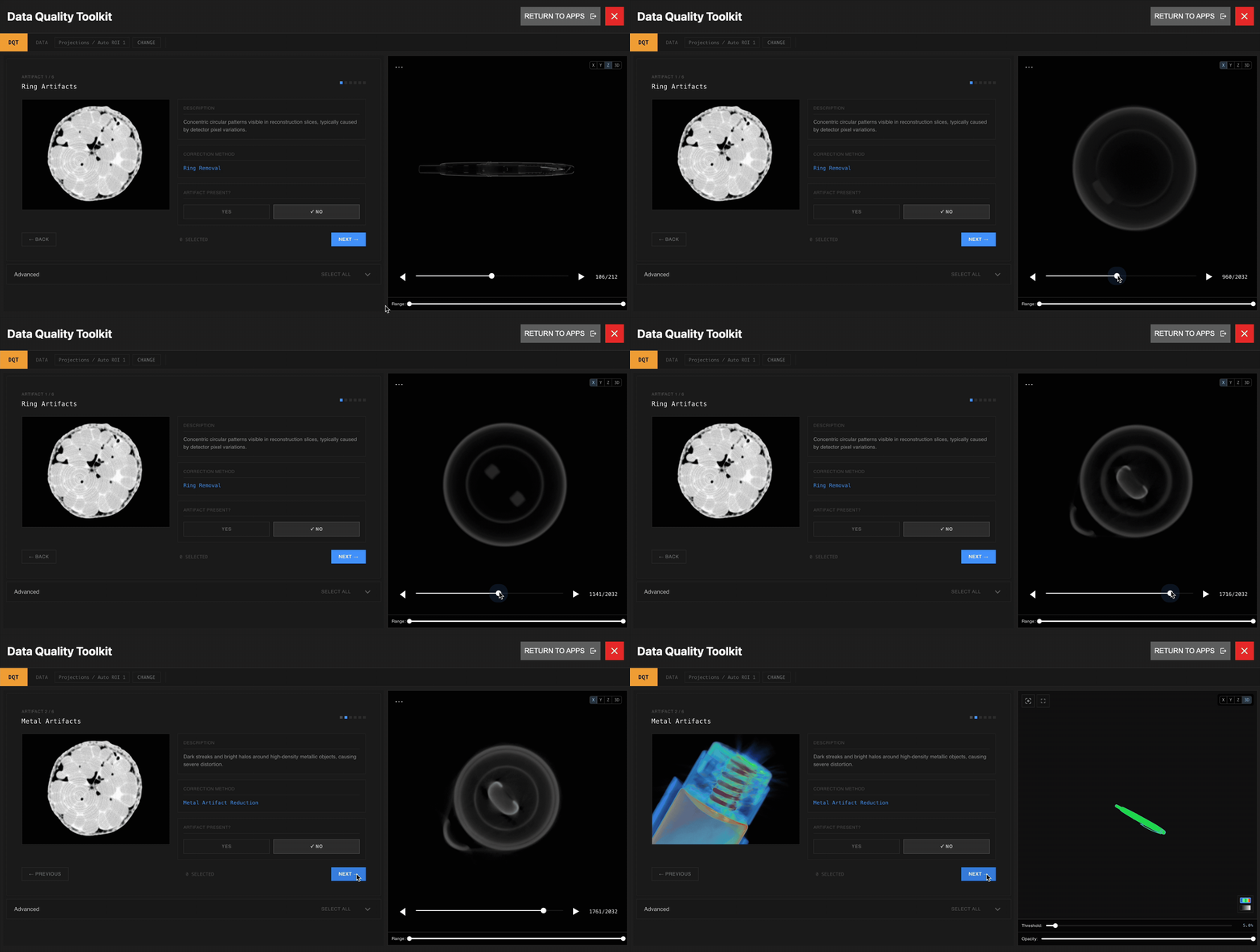
 [Data Quality Toolkit](/zh-Hant/voyager/voyager-labs-data-quality-toolkit)開放給所有付費 Voyager 用戶。此工具套件提供了用於評估、驗證和放射優化線路數據的高級功能,以確保您的工作流程達到標準的準確性和可靠性。
ROI Copy & Paste
[ROI Copy & Paste](/zh-Hant/voyager/voyager-labs-copy-paste)此工具適用於所有付費 Voyager 用戶。該工具允許使用者在同一專案或不同專案的重建之間複製和貼上 ROI。該工具對於跨專案執行類似分析的客戶非常有用。工具將不斷更新。
2D Dimensioning
[2D Dimensioning](/zh-Hant/voyager/voyager-labs-2d-dimensioning)應用程式適用於所有付費 Voyager 用戶。該工具支援 3D 重建切片進行特徵查找、參考建立和尺寸測量,並提供匯出和發布註釋結果的選項。
參觀更多實驗室
我們根據現實世界的使用和回饋來完善和完善每個工具,因此實驗室功能在有限的基礎上可用。如果您有興趣儘早訪問其他實驗室應用程序,我們非常樂意聽取您的意見。
**聯絡方式**:請聯絡您的客戶成功經理或發送電子郵件至[customersuccess@lumafield.com](mailto:customersuccess@lumafield.com),以了解有關資格、實施時間表實驗室以及如何使您的特定案例受益者的更多資訊。我們致力於與早期採用者合作,塑造我們平台的未來。