> ## Documentation Index
> Fetch the complete documentation index at: https://support.lumafield.com/llms.txt
> Use this file to discover all available pages before exploring further.
# Voyager 模式
> Voyager 2.0 中的分析模式、尺寸標註模式與報告模式
隨著 [Voyager 2.0](/zh-Hant/platform/voyager-release-notes) 的發布,專案編輯器工具列被組織為三個以任務為核心的**模式**。每個模式都會顯示一組精選的工具,讓您隨時都能一鍵存取需要的工具——無需在扁平的工具列中滾動查找。
 三種模式為:
* **分析模式** — 涵蓋所有現有的 Voyager 視覺化、完整性與比較工具
* **尺寸標註模式** — 用於 GD\&T 評估的全新 [3D 自動尺寸標註](/zh-Hant/voyager/voyager-auto-dimensioning) 套件
* **報告模式** — 書籤、算圖與動畫,用於分享關鍵視圖
使用 Voyager 左側的索引標籤切換模式。切換模式不會修改您的資料——只會改變可用的工具集合。
三種模式為:
* **分析模式** — 涵蓋所有現有的 Voyager 視覺化、完整性與比較工具
* **尺寸標註模式** — 用於 GD\&T 評估的全新 [3D 自動尺寸標註](/zh-Hant/voyager/voyager-auto-dimensioning) 套件
* **報告模式** — 書籤、算圖與動畫,用於分享關鍵視圖
使用 Voyager 左側的索引標籤切換模式。切換模式不會修改您的資料——只會改變可用的工具集合。
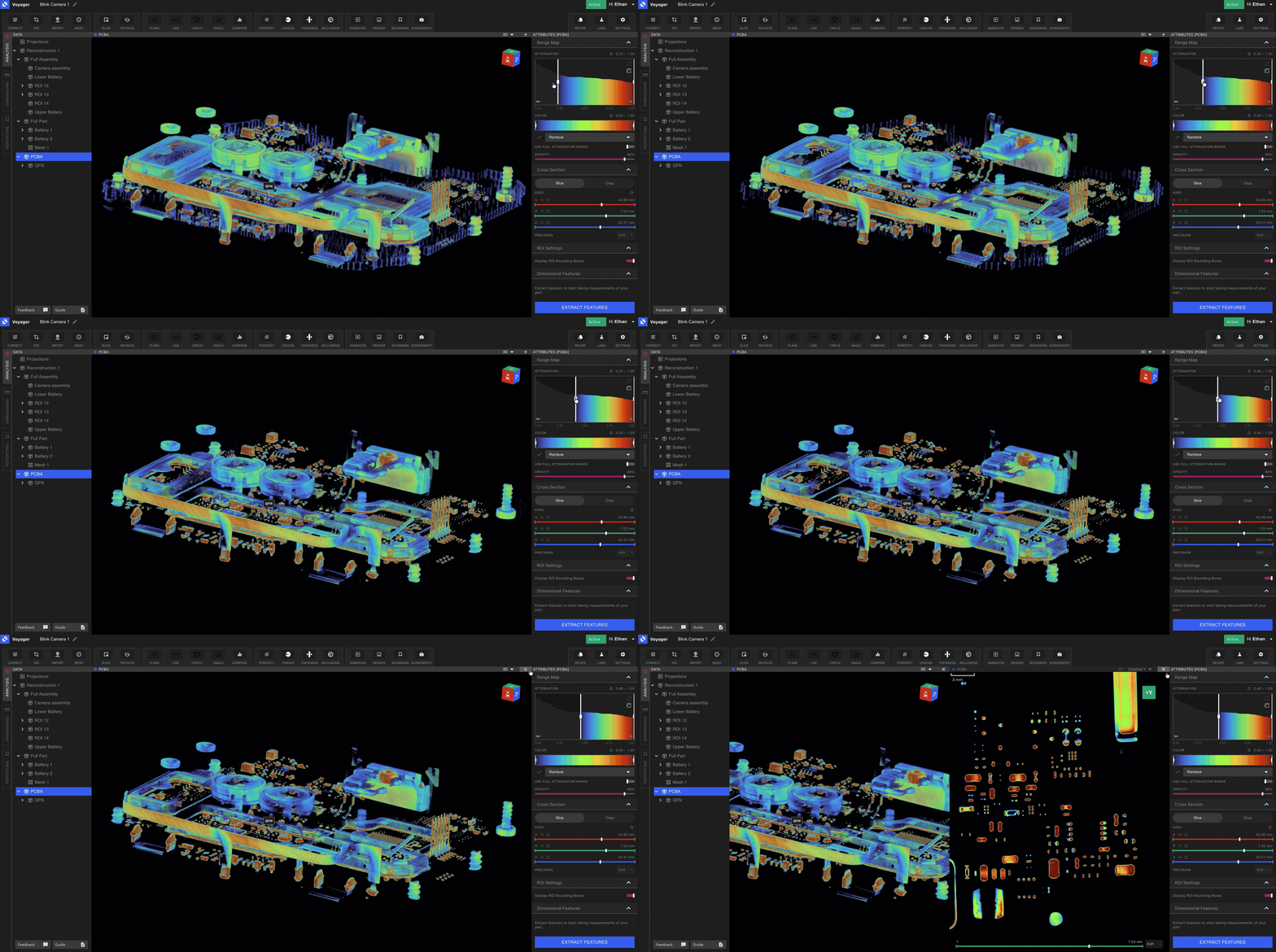
分析模式
分析模式包含您熟悉的所有 Voyager 工具。日常檢查體積、隔離特徵以及執行完整性工作流程都可在此模式中完成。分析模式中可用的工具包括:
* 資料建立:[感興趣區域 (ROI)](/zh-Hant/voyager/voyager-region-of-interest)、[重新正規化](/zh-Hant/voyager/voyager-renormalization)、[檢查平面](/zh-Hant/voyager/voyager-inspection-planes)、[測量工具](/zh-Hant/voyager/voyager-measurement-tools)、[自訂切片](/zh-Hant/voyager/voyager-custom-slice)、[旋轉切片](/zh-Hant/voyager/voyager-revolving-slice) 以及[匯入工具](/zh-Hant/voyager/voyager-import)。
* 網格與表面:[網格工具](/zh-Hant/voyager/voyager-mesh-tool) 與[比較工具](/zh-Hant/voyager/voyager-cad-comparison)。
* Integrity Analysis:[孔隙率](/zh-Hant/voyager/voyager-porosity-analysis)、[夾雜物](/zh-Hant/voyager/voyager-inclusion-analysis)、[裂紋檢測](/zh-Hant/voyager/voyager-crack-detection) 與[壁厚](/zh-Hant/voyager/voyager-wall-thickness-analysis)。
尺寸標註模式
尺寸標註模式是 [3D 自動尺寸標註](/zh-Hant/voyager/voyager-auto-dimensioning) 的所在地——Voyager 全新的精密 GD\&T 工具套件。進入尺寸標註模式後,您可以在父重建上啟動自動特徵擷取,回傳 GD\&T 工具運作所需的平面、圓柱與全零件網格,所有子 ROI 都會繼承這些特徵。
尺寸標註模式中可用的工具有:
* [直接尺寸](/zh-Hant/voyager/voyager-direct-dimensions) — 距離、角度、直徑
* [平面度](/zh-Hant/voyager/voyager-flatness)
* [基準定義](/zh-Hant/voyager/voyager-datums)
* [輪廓度](/zh-Hant/voyager/voyager-profile)(全零件與單一特徵)
 這些工具是不斷擴充的 GD\&T 套件的基礎,初期設計目標為符合 [**ASME Y 14.5 - 2009**](https://www.asme.org/codes-standards/find-codes-standards/y14-5-dimensioning-tolerancing/2009)。我們的數學實作以 [**ASME Y 14.5.1 - 2019**](https://www.asme.org/codes-standards/find-codes-standards/y14-5-1-mathematical-definition-dimensioning-tolerancing-principles) 的數學定義為基礎。請參閱 [3D 自動尺寸標註總覽](/zh-Hant/voyager/voyager-auto-dimensioning) 以了解設定方式、定向 ROI 的角色以及標準藍圖。
報告模式
報告模式是 Voyager 中報告與分享功能的基礎。每個書籤都會標記您想與團隊成員分享的視圖或零件部位——無論是用於報告、審查或外部利害關係人。
報告模式中可用的工具:
* [書籤](/zh-Hant/voyager/voyager-bookmarks) — 透過評論串擷取關鍵視圖
* [算圖](/zh-Hant/voyager/voyager-render-tool) — 用於文件與簡報的高品質影像
* [動畫](/zh-Hant/voyager/voyager-animation-tool) — 軌道與切片擦動,可輸出為 GIF、MP4 或 WEBM
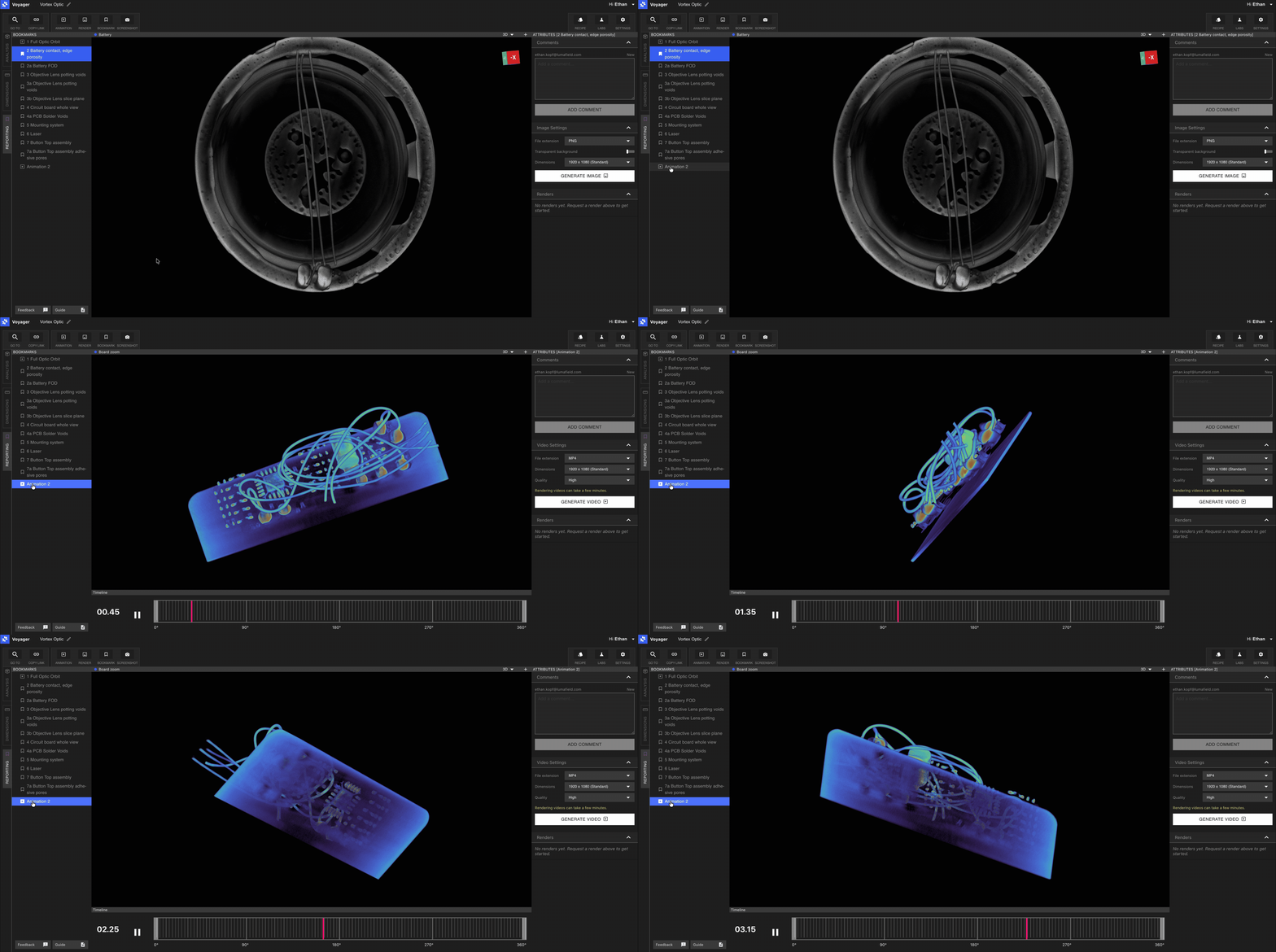
將報告模式與[程序(automation)](/zh-Hant/recipes/recipes-intro) 搭配使用,可在大量掃描中自動建立重複性的書籤、算圖與動畫。
切換模式
使用 Voyager 左側的模式索引標籤在分析、尺寸標註和報告之間切換。切換模式時會保留您所選的資料物件與 Viewport 狀態——只有工具集會改變。
Voyager 2.0 新功能
模式於 2026 年 5 月 8 日的 **Voyager 2.0** 推出。完整變更紀錄請見 [Voyager 發行說明](/zh-Hant/platform/voyager-release-notes),功能回顧請見[每月亮點](/zh-Hant/platform/monthly-highlights)。