Neptune hardware
With a compact six-foot footprint and standard 120V power requirements, the Neptune is engineered for seamless integration into any office or workshop environment. Its intuitive touchscreen interface and automated setup protocols empower your existing team to capture high-resolution data without the need for a dedicated CT technician.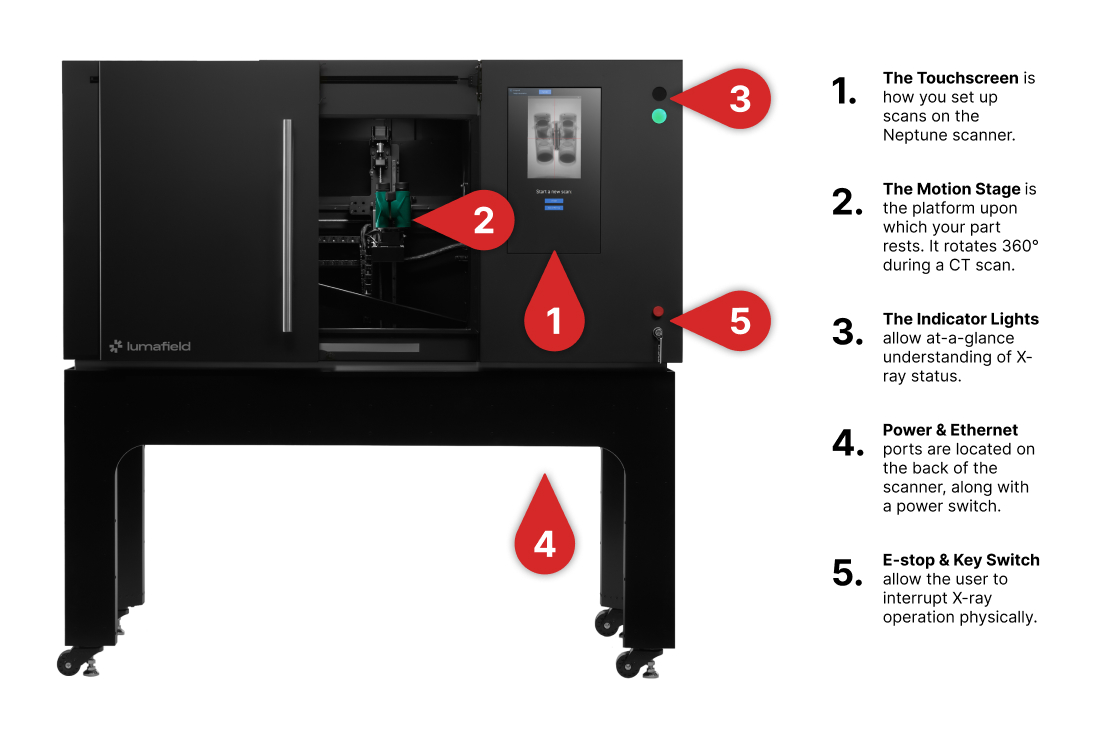
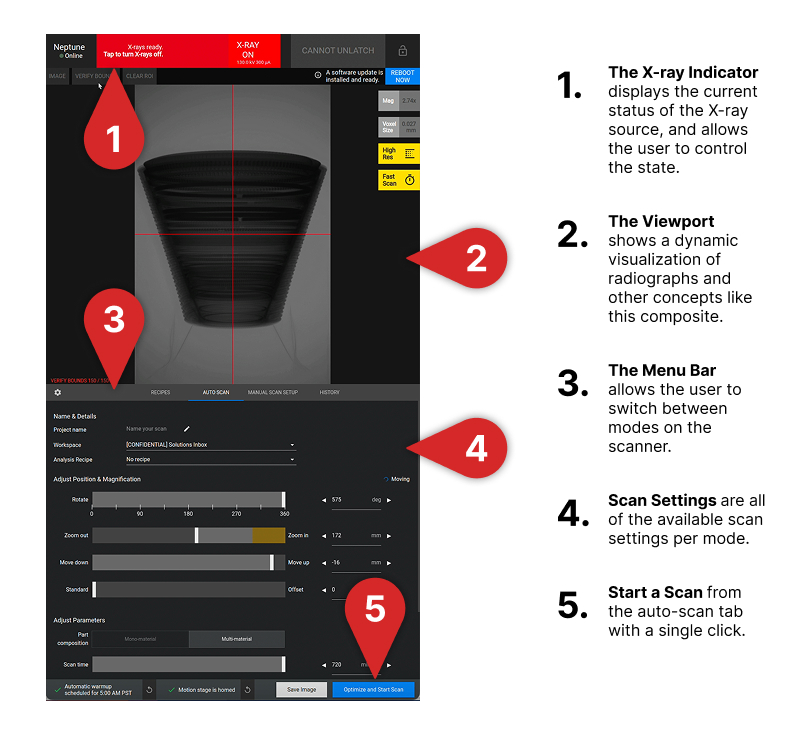
Touchscreen interface
The Neptune touchscreen provides a streamlined interface designed for both rapid inspection and deep application development. Depending on your workflow, you can choose from the following modes:- Auto Scan setup: Recommended scanning method for all users. This mode optimizes settings to select the best parameters for your object, ensuring a high-quality result with minimal configuration
- Manual Scan setup: Designed for CT experts and application development
Note: Please contact Lumafield Support at support@lumafield.com before using Manual Scan for the first time.
- Recipes: Use Recipes to save and reload successful scan configurations, allowing any operator to achieve consistent results on identical parts without manual setup
- Scan History: A comprehensive log of previous activity. Monitor the status of current uploads, review past scan parameters, or run a scan using the same settings as a previous configuration (Repeat Scan)