This tool is designed to help users copy and paste ROIs between different reconstructions within the same project, or within different reconstructions within different projects. This enables meaningful workflow improvements that support identical or nearly identical analyses across projects that have parts that have been scanned in the same orientation.
NOTE: As of January 2026, Labs does not support customers who are authenticating with SSO login, nor customers on On-Prem or GovCloud. SSO support will be added soon. If you do not see labs in your toolbar, you are likely in one of these configurations.
Accessing the ROI Copy & Paste App
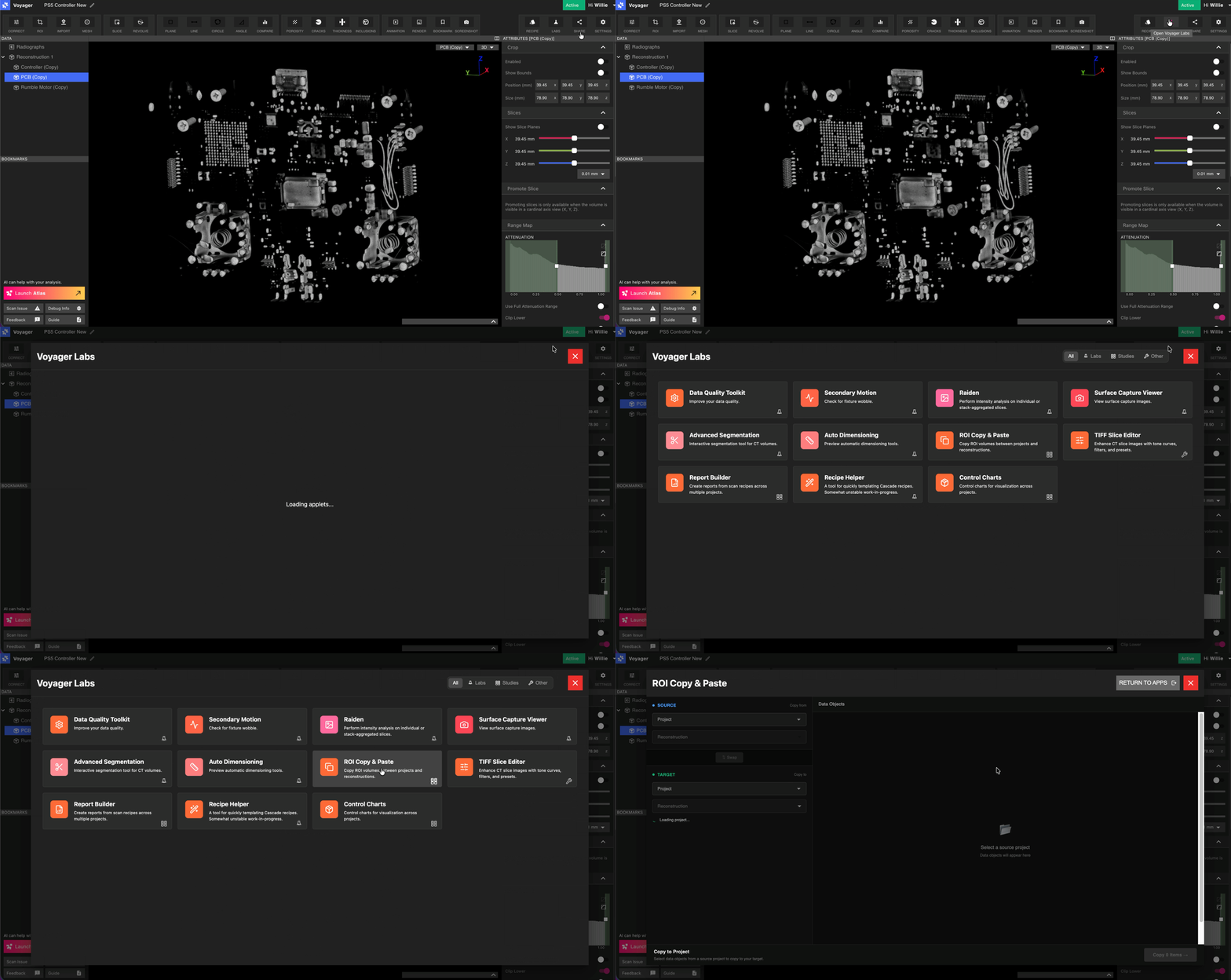
Select the Labs Tool from the Toolbar, then open the ROI Copy & Paste app.
Running the Copy & Paste App
The copy and paste app accepts a Source and a Target project as input. The user is also required to set the source and target reconstructions. Defaults are chosen and can be adjusted.
Workflow:
- Select source project by searching on project name.
- Select source reconstruction if different than default.
- Select ROI(s) that you wish to copy.
- Click copy n ROI(s) to initiate.
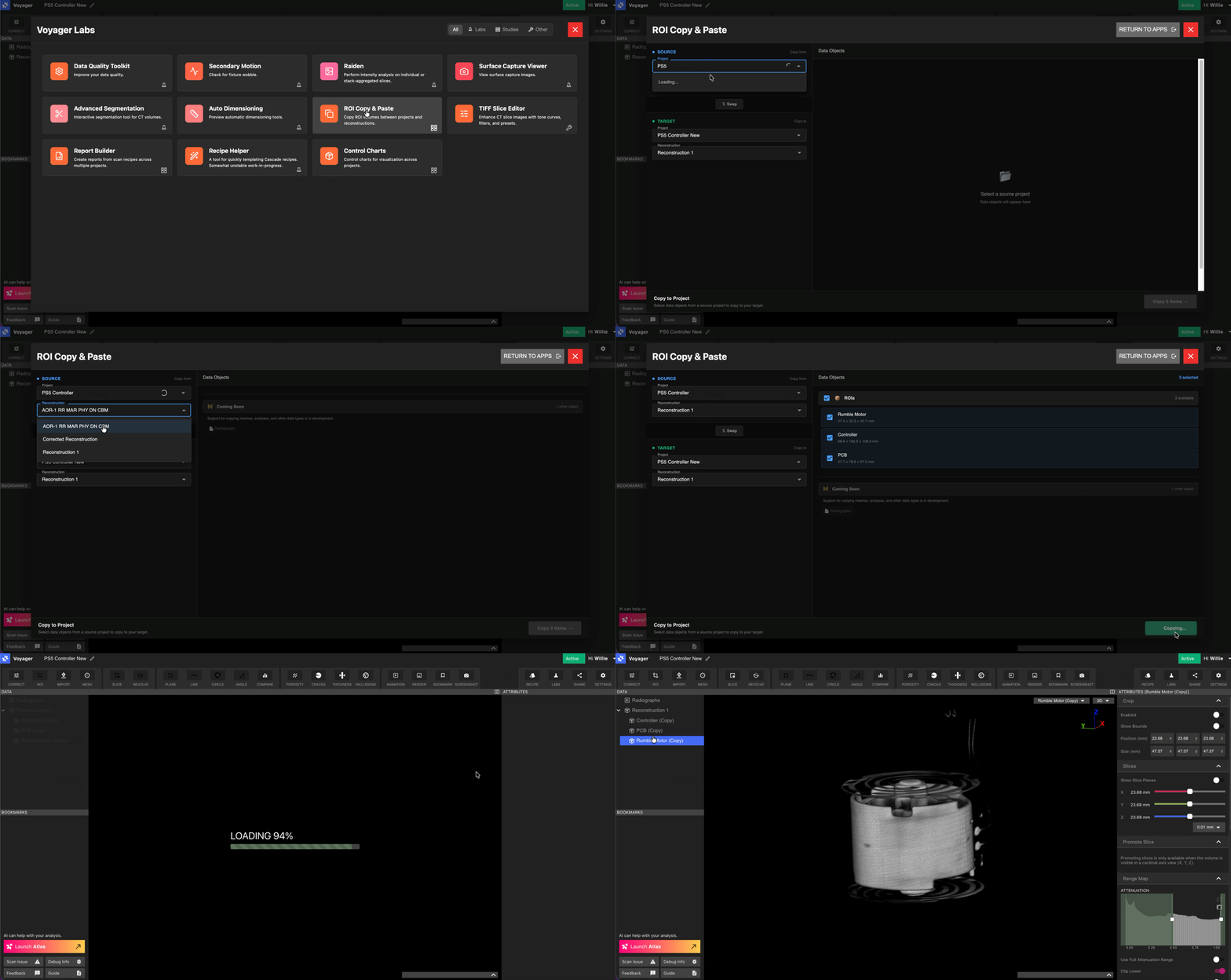
Note: if these ROIs are created on this reconstruction for the first time, it will take the standard processing time for them to return.
