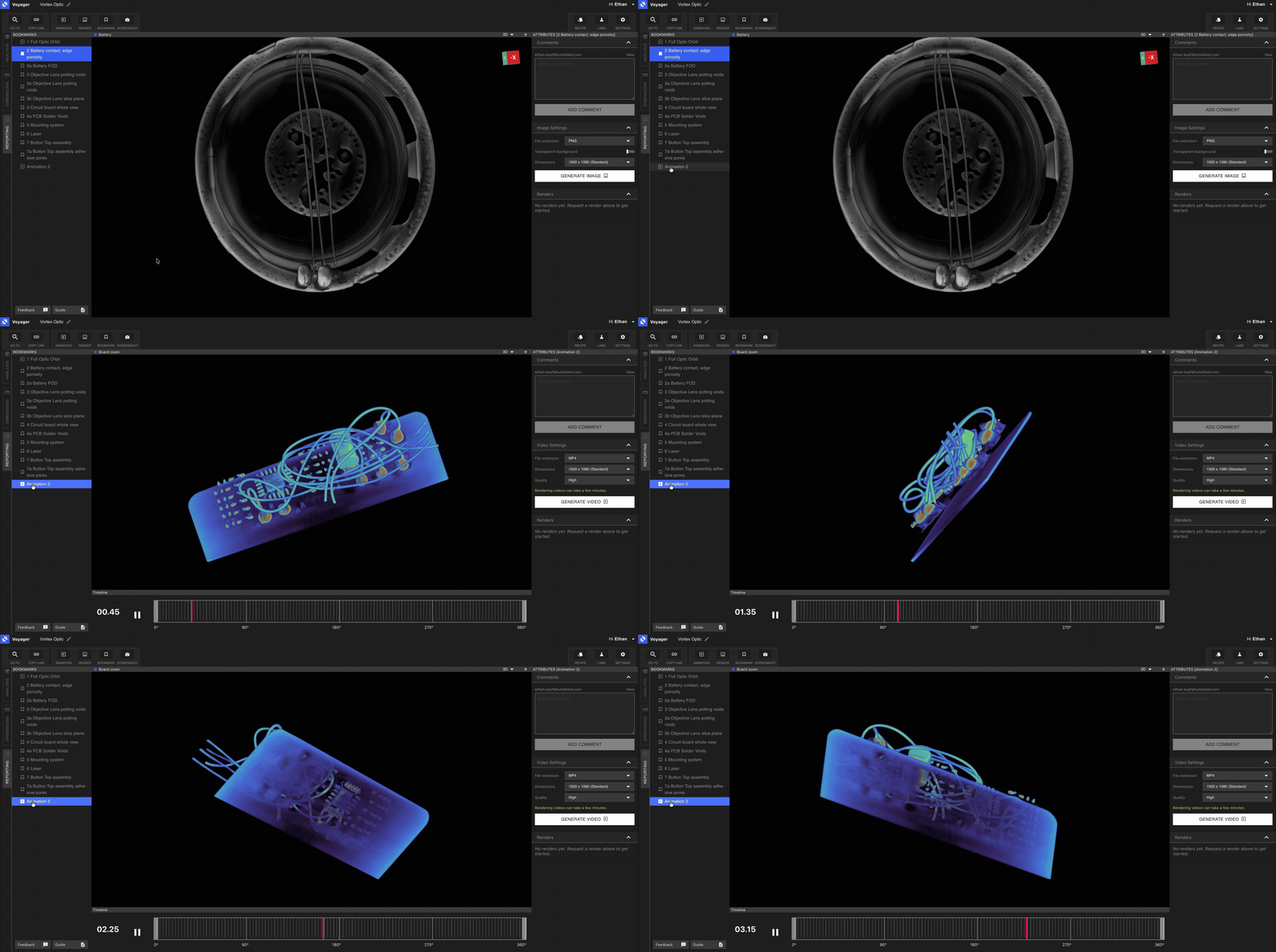
Analysis, Dimensioning, and Reporting modes in Voyager 2.0
With the release of Voyager 2.0, the Project Editor toolbar is organized into three task-focused Modes. Each Mode surfaces a curated set of Tools so the right Tool is always one click away — no scrolling through a flat toolbar to find what you need.The three Modes are:
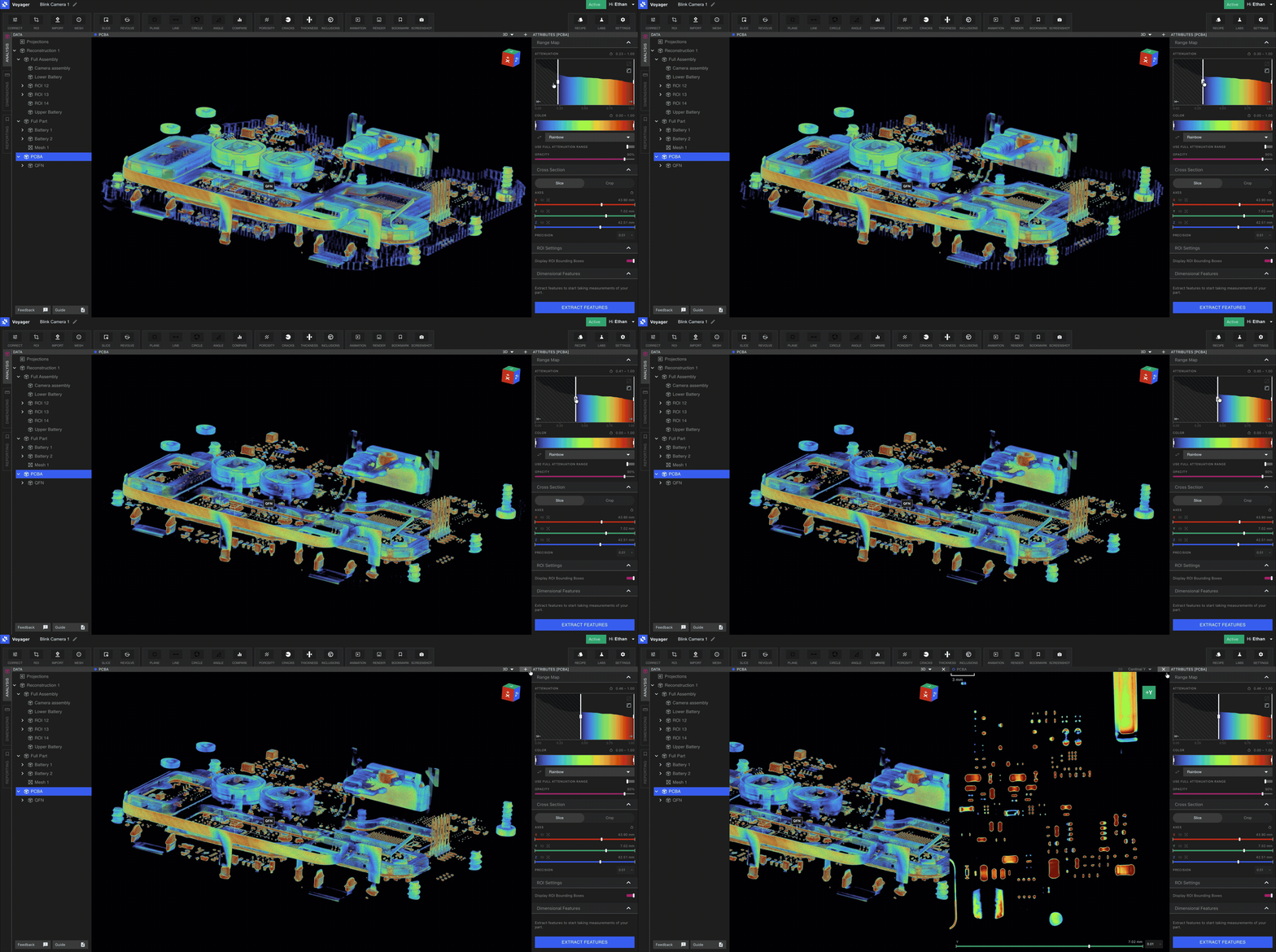
Analysis Mode — every existing Voyager Tool for visualization, integrity, and comparison
Analysis Mode contains every Voyager Tool you already know. Use it for the day-to-day work of inspecting volumes, isolating features, and running integrity workflows. Tools available in Analysis Mode include:
Dimensioning Mode is the home of 3D Auto-Dimensioning, Voyager’s suite of precision GD&T Tools. The tree is organized by feature set: a volume, then the feature set extracted from it, then that set’s datums, measurements, and GD&T checks. Open Features in the Toolbar to author a Feature Set. Manual Feature Authoring creates, refines, and deletes planes and cylinders by hand when automatic extraction is not enough.The Tools available in Dimensioning Mode are:
These Tools are the foundation of an ever-growing GD&T suite, designed initially to comply with ASME Y 14.5 - 2009. Our mathematical implementation is based on the ASME Y 14.5.1 - 2019 mathematical definitions. See the 3D Auto-Dimensioning overview for setup, the role of an oriented ROI, and the standards roadmap.
Reporting Mode is the foundation of both reporting and sharing in Voyager. Each Bookmark highlights a view or a portion of your part that you want to share with members of your team — whether for a report, a review, or an external stakeholder.Tools available in Reporting Mode:
Bookmarks — capture critical views with comment threading
Render — high-quality images for documentation and presentations
Animation — orbits and slice scrubs as GIF, MP4, or WEBM
Pair Reporting Mode with Recipes to automate repetitive Bookmark, Render, and Animation creation across a fleet of scans.
Use the Mode tabs on the left-hand side of Voyager to move between Analysis, Dimensioning, and Reporting. Switching Modes preserves your selected Data Object and Viewport state — only the Tool set changes.


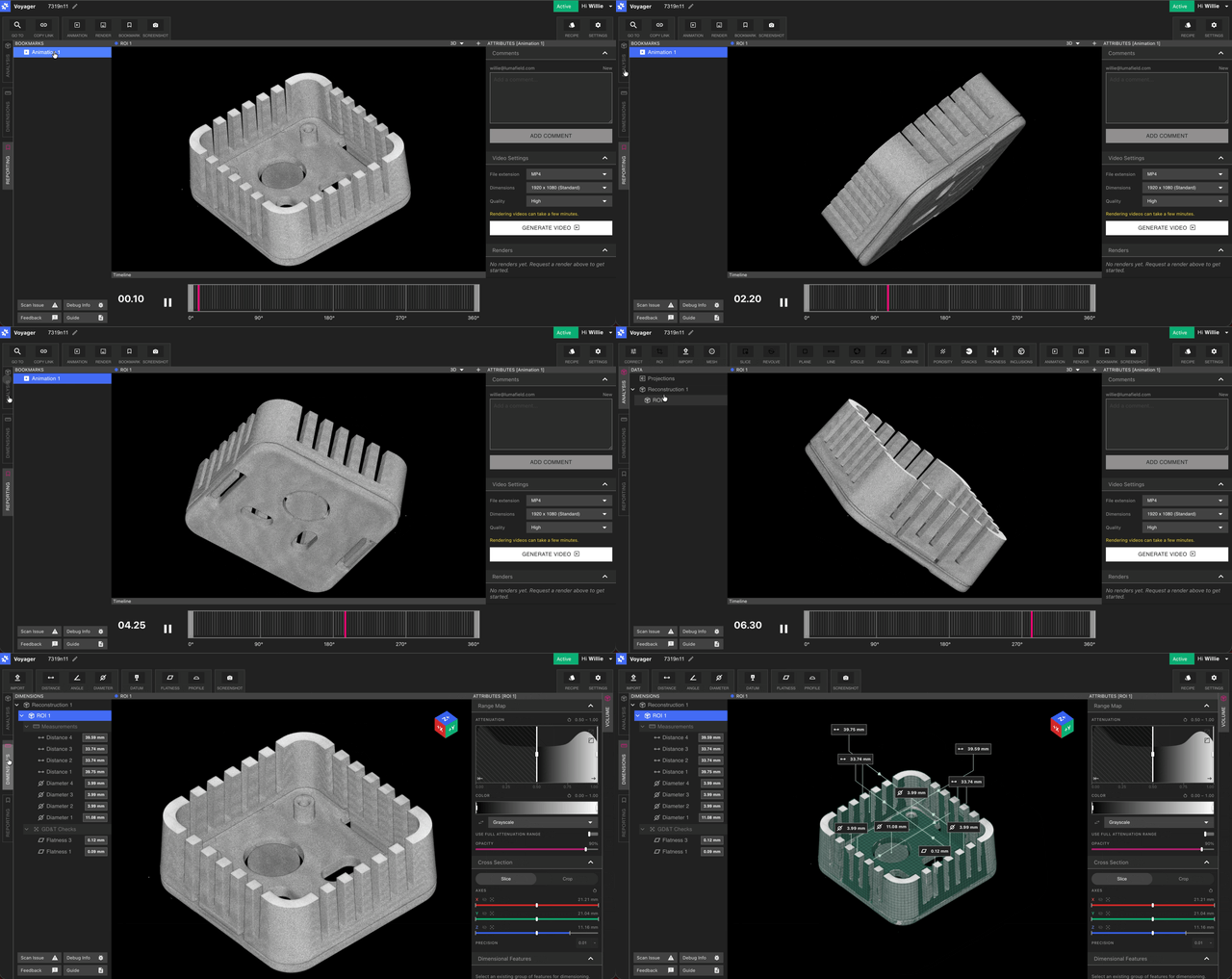 The three Modes are:
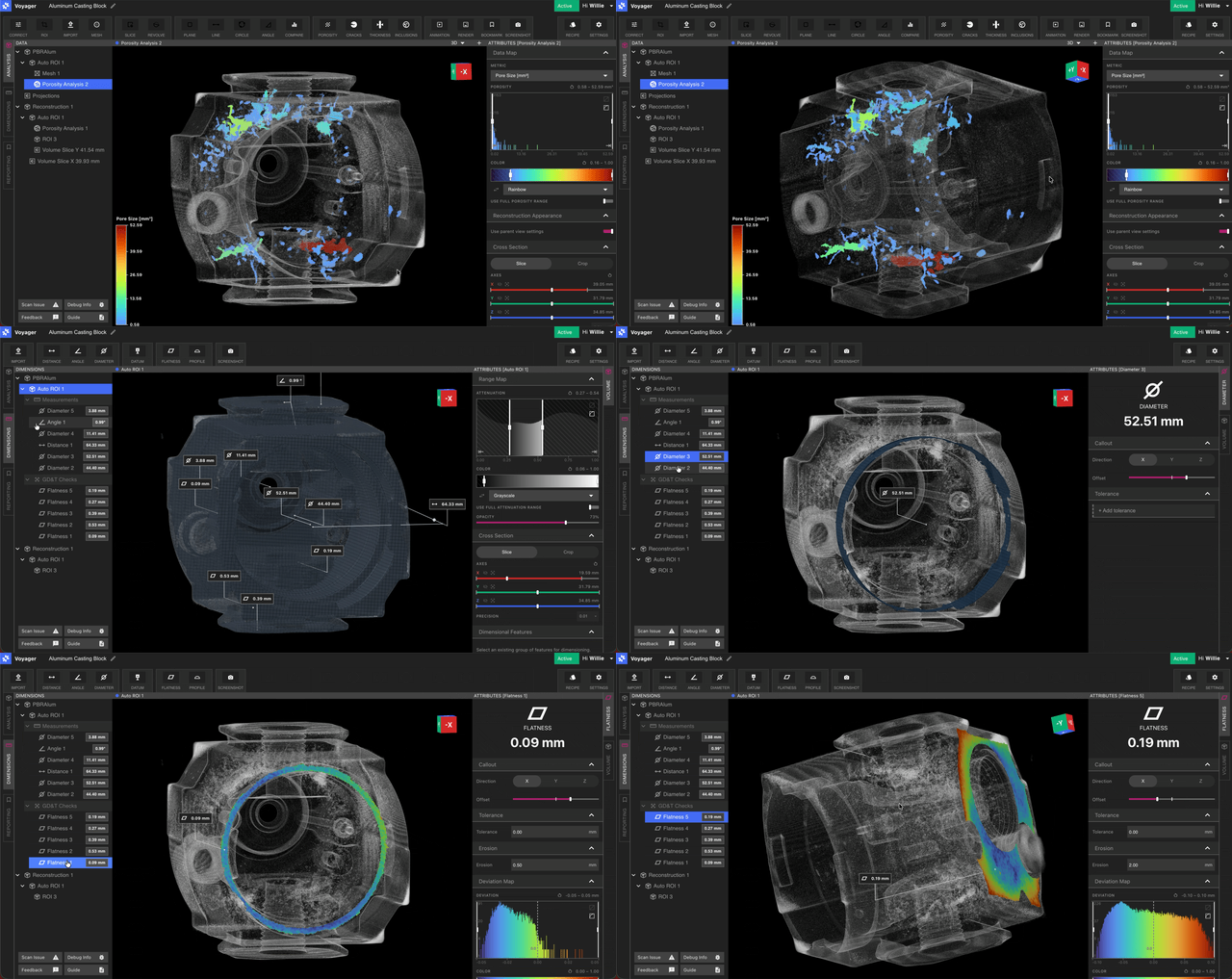 These Tools are the foundation of an ever-growing GD&T suite, designed initially to comply with ASME Y 14.5 - 2009. Our mathematical implementation is based on the ASME Y 14.5.1 - 2019 mathematical definitions. See the 3D Auto-Dimensioning overview for setup, the role of an oriented ROI, and the standards roadmap.